








Action Source 26 - Recordable Parameter
This Action Table Source allows the trigger of an action by using any Recordable Parameter (i.e., recordable values in the scope).
Once the source is set to Recordable Parameter, enter the recordable value into ACTION#.SOURCETEXT. The drive returns an error if an invalid recordable parameter is entered.
After the Recordable Parameter is accepted by the drive, the ACTION#.CONDITIONVALUE updates with appropriate unit conversion as well as the correct Unit label.
How to Set Up the Recordable Value Source
- Set an action source to Recordable Parameter (Action Source 26 - Recordable Parameter) = 26
- Enter a recordable parameter in corresponding ACTION#.SOURCETEXT.
- Configure the ACTION#.CONDITION and ACTION#.CONDITIONVALUE
- Activate the action.
Recordable Parameter Value Source Example
-
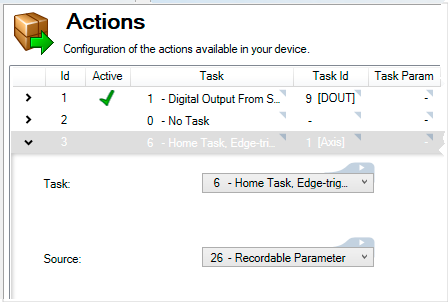
Set ACTION#.SOURCE to 26 in the terminal, or the Source field to "26 - Recordable Parameter" within the Actions pane.
-
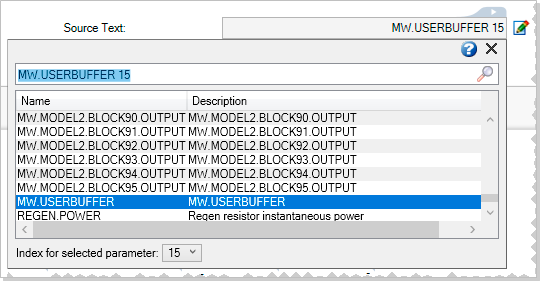
Set MW.USERBUFFER to 15 in the terminal, or the Source Text field to MW.USERBUFFER as the parameter keyword along with 15 as the index within the Actions pane.
-
Set ACTION#.CONDITION to 12 and ACTION#.CONDITIONVALUE to 6.50 in the terminal, or set the Condition field to "12 - Belcomes Equal To" and the Cond. Value field to 6.50 within the Actions pane (Also done with "MW.USERBUFFER 15 6.50" in terminal).

-
Once activated, the action will be triggered when the value of MW.USERBUFFER 15 becomes equal to 6.50.


