





WorkBench Interface: Toolbar
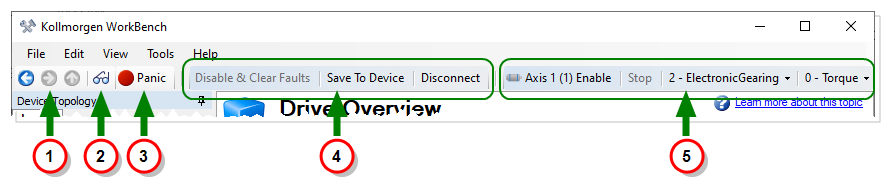
The WorkBench Toolbar provides several convenient features.
|
|
| Element | Function |
|---|---|
| Navigation | These buttons let you navigate through the history of views you have accessed, or jump up one level of nested views. See WorkBench Interface: Navigation for more information. |
| Watch Window | This button opens the Watch window. See Watch for more information. |
| Panic | This button immediately disables all devices. |
| Functions | Disable drive and clear faults; save parameters to NVRAM; start or disconnect communication with the selected device. |
| Axis Control | These controls allow you to enable/disable, stop any motion, and set the axis' Command Source and Operation Mode. There are independent controls for each axis. See Axis Settings for more information. |
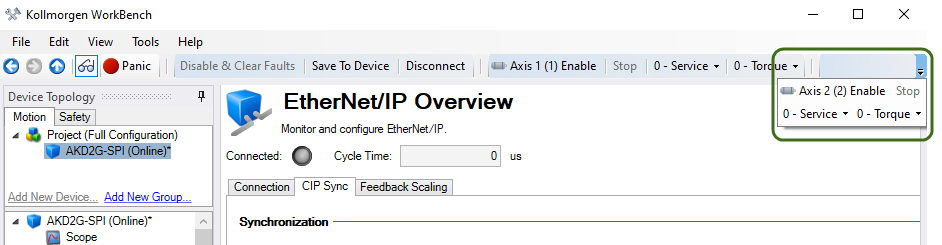
Toolbar Overflow Menu
When WorkBench is not displayed at 100% width, an overflow menu is displayed at the right edge of the toolbar. Clicking this drop down displays the hidden information from the toolbar.