








Modify the MSG Instruction's Path
After setting the Ethernet address to match the target drive's IP Address for the Industrial Ethernet ports, the MSG instructions' paths must be modified.
- These MSG instructions in the Sample project must have their Path modified so that they point to the correct IP Address (Kollmorgen drive).
- The MSG Communication tab > Path retains the old Path when the AKD2G Module’s IP Address under the Controller Organizer’s Ethernet group is changed to a different IP Address from the Sample project’s.
-
- Anytime the AKD2G Module’s IP Address is changed in the Controller Organizer, eight MSG instructions must have their paths modified and corrected.
Otherwise, the AOIs will error (ER bit set).CIP_Axis_State_Machine AOI
CIP_Axis_Quick_Stop
Ax1_UpdatePeriodMsg
Ax1_Quick_Stop_MS
Ax1_UnwindMsg
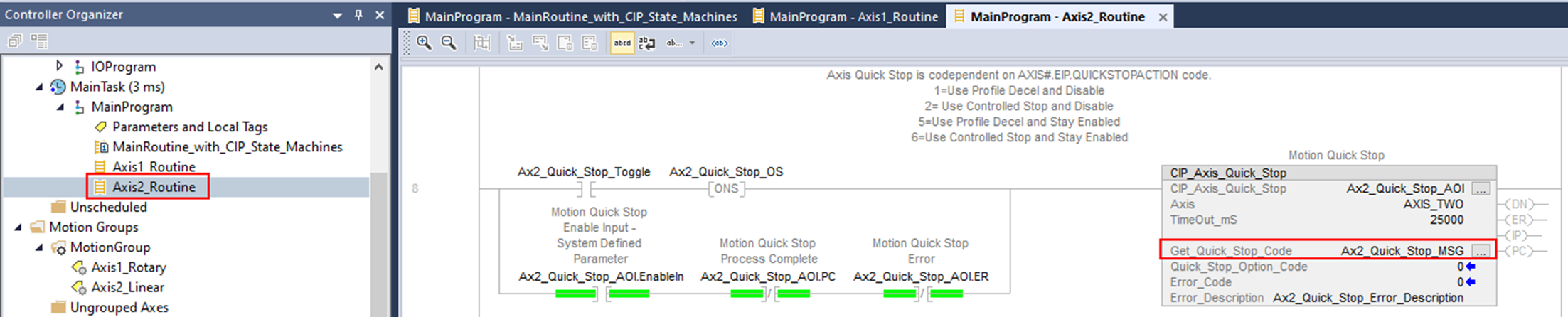
Ax2_Quick_Stop_MSG
Ax2_UpdatePeriodMsg
Ax2_UnwindMsg
CIP_Axis_State_Machine AOI MSGs
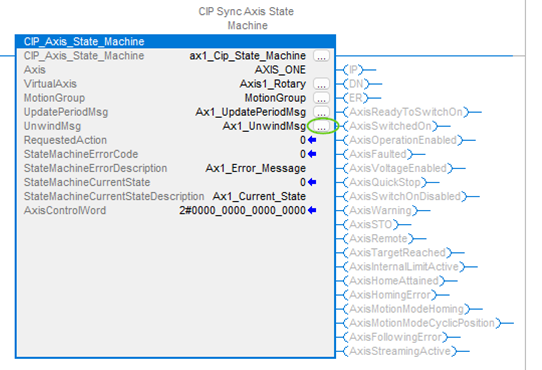
There are two embedded MSG instructions per axis in each of the two CIP_Axis_State_Machine Add-On Instructions.
The instructions are here: Tasks > MainTask > MainProgram > MainRoutine_with_CIP_State_Machines.
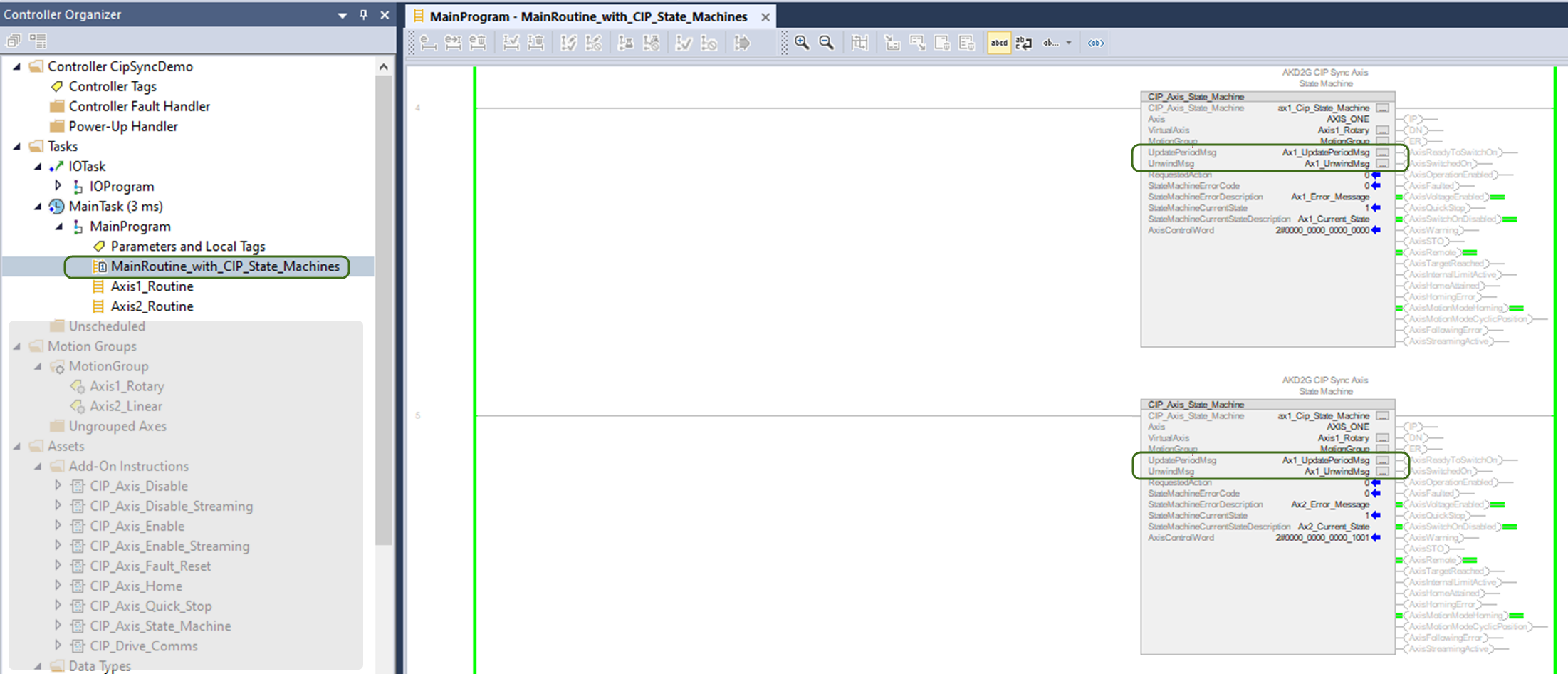
Procedure
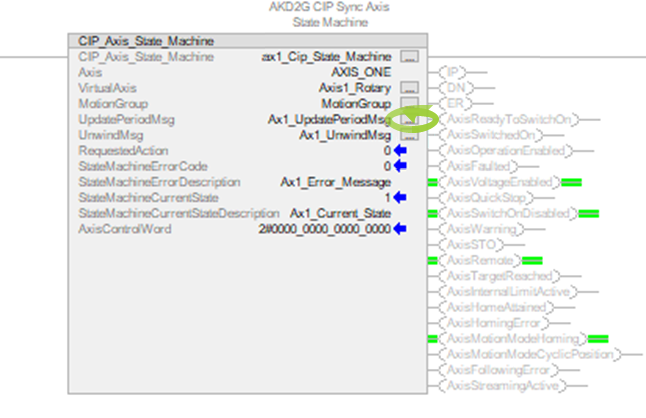
- Select the ... configuration button in the AOI next to Ax1_UpdatePeriodMsg.
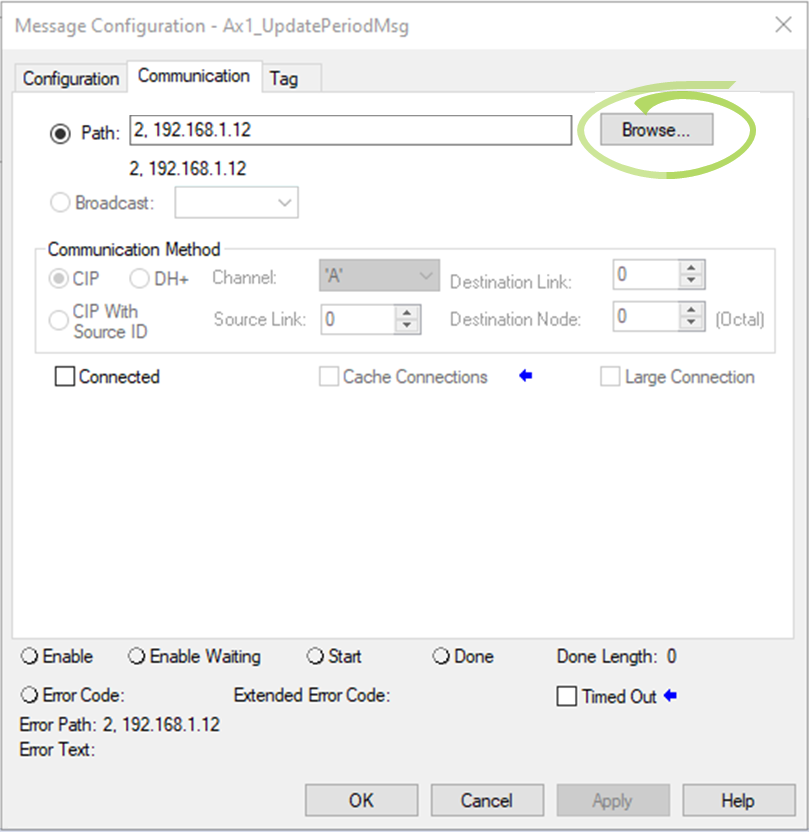
- Click the Browse button next to Path.
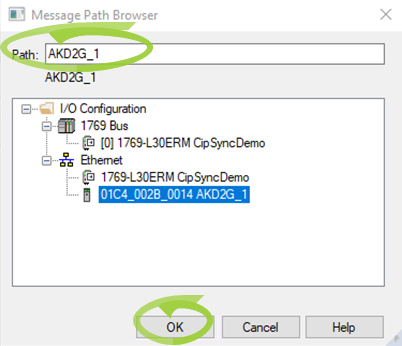
The Message Path Browser dialog box opens. - Under Ethernet, select the AKD2G Module from the list to change the path (
- Click OK to save the changes or selections and close the dialog box.
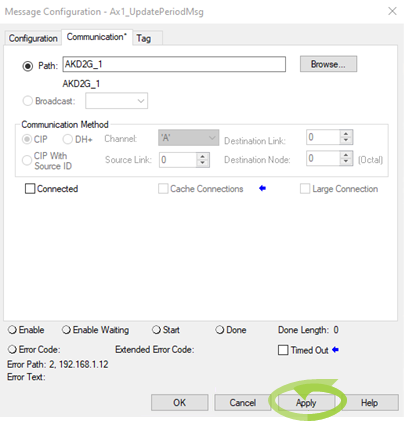
- Click Apply.
- Click OK to save the changes or selections and close the dialog box.
- Repeat this procedure for the remaining MSG instructions in CIP_Axis_State_Machine.
- Ax1_UnwindMsg
- Ax2_UpdatePeriodMsg
- Ax2_UnwindMsg
- Continue with CIP_Axis_Quick_Stop MSGs.
The Message Configuration dialog box opens.
It shows the old path loads.
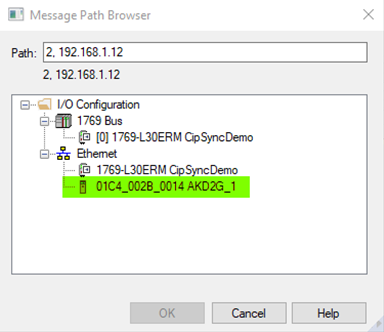
The path changes to the path of the module selected.
The Message Configuration dialog box returns.
CIP_Axis_Quick_Stop MSGs
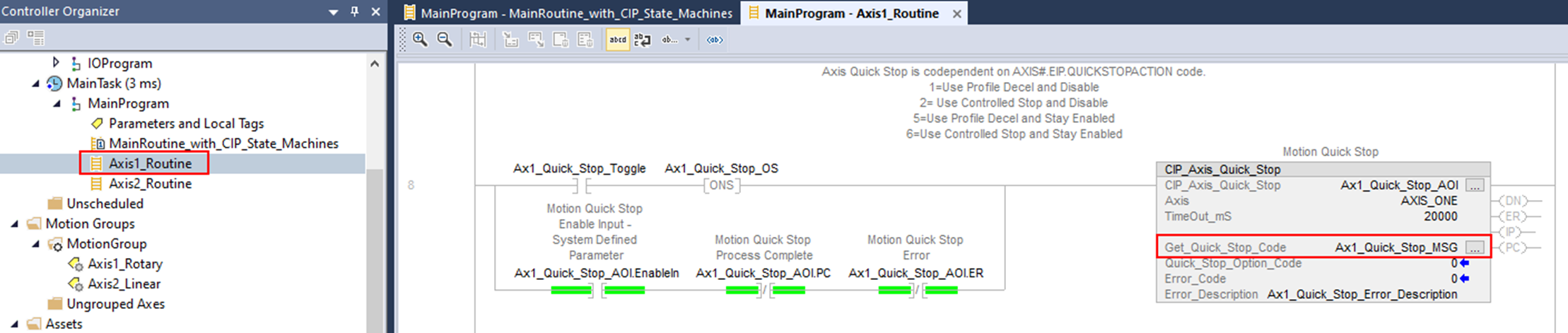
Repeat the CIP_Axis_State_Machine AOI MSGs procedure for the MSGs in the CIP_Axis_Quick_Stop AOI:
-
Ax1_Quick_Stop_MSG
-
Ax2_Quick_Stop_MSG
The CIP_Axis_Quick_Stop AOIs are located in the MainProgram > Axis1_Routine and MainProgram > Axis2_Routine.
PTP MSGs
See Ensuring Communication and PTP Enabled.


