Access the Web server From the KAS-IDE
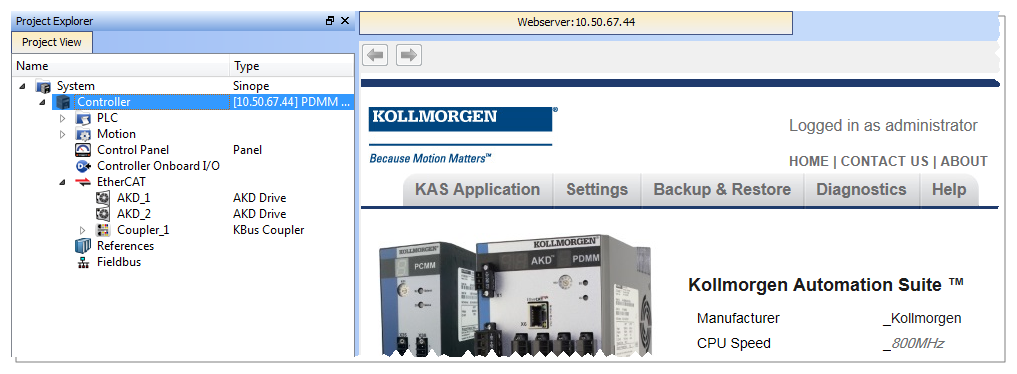
Double-click the Controller to both:
- Expand/collapse the controller's components.
- Open the web server and automatically log into the administrator account.
- See Using the KAS Web server.
-
-
Right-click the Controller node and select Access webserver to access the Web server. (Figure 1)
-
-
KAS-IDE users are considered administrators and are automatically logged into the Web server.
You can change the password but there is no logout function.
By default, the localhost (127.0.0.1) is opened.
To set the IP address of the controller:
- Right-click and select Properties.
- Enter the proper Address and Controller type and click OK.
The page is automatically refreshed.
If an invalid or wrong IP address is entered, this error appears (Figure 2):
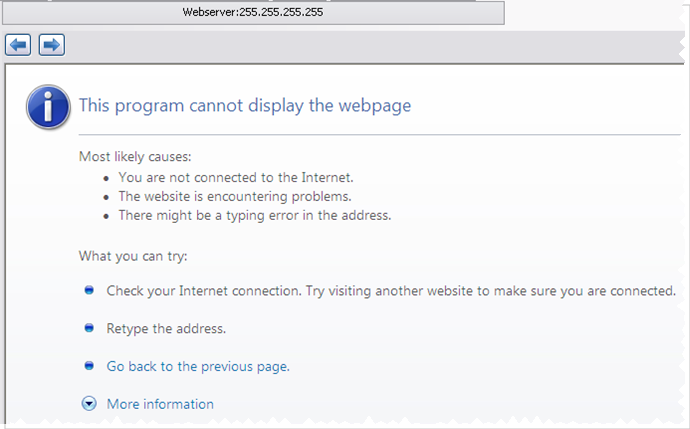
Figure 2: KAS-IDE Web server wrong IP address
-
-
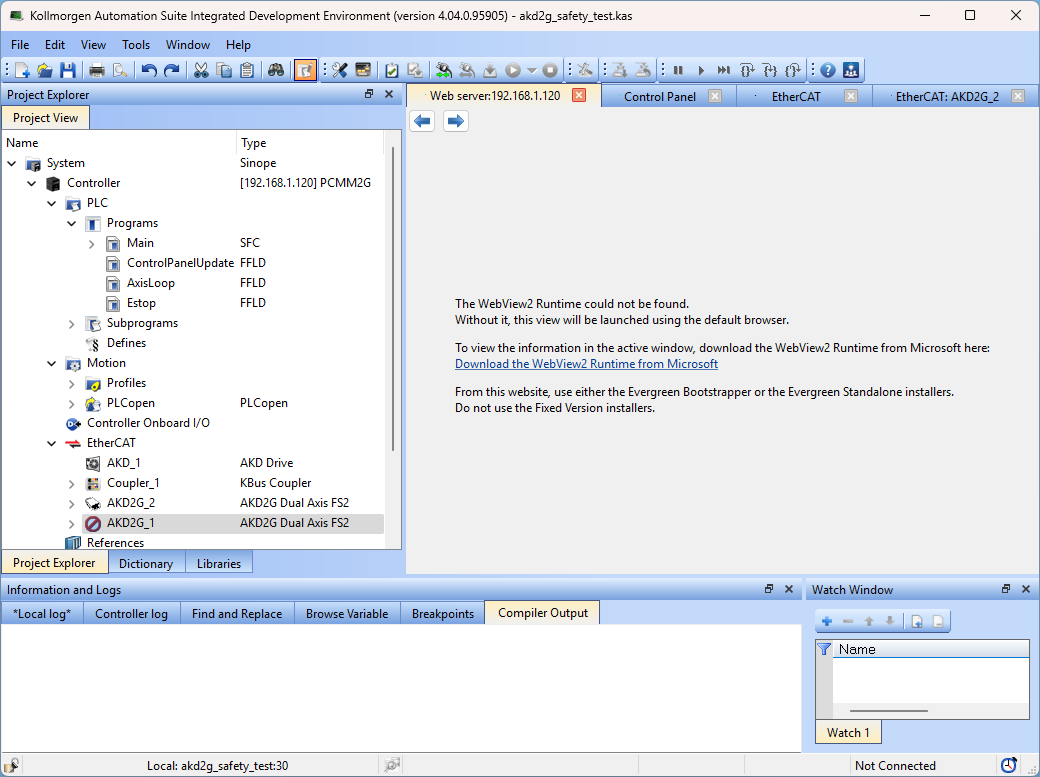
- The KAS software uses Microsoft WebView2 Runtime software to display the documentation and web server pages from the KAS-IDE.
- This runtime software must be installed on the system to access the web server from KAS-IDE.
- If WebView2 is not installed, a message appears in the Web server window with instructions on how to download and install it.
Figure 3 shows the KAS-IDE Web server - WebView2 Runtime message when the runtime cannot be found.