





Configuring the Controlled Stop Settings
This procedure in the preliminary setup for CIP Sync is to configure the controlled stop settings in both axes for the CIP_Axis_Quick_Stop ramp.
The default AXIS#.EIP.QUICKSTOPACTION code is 2 - Controlled Stop then disable, which we assume for this quick start.
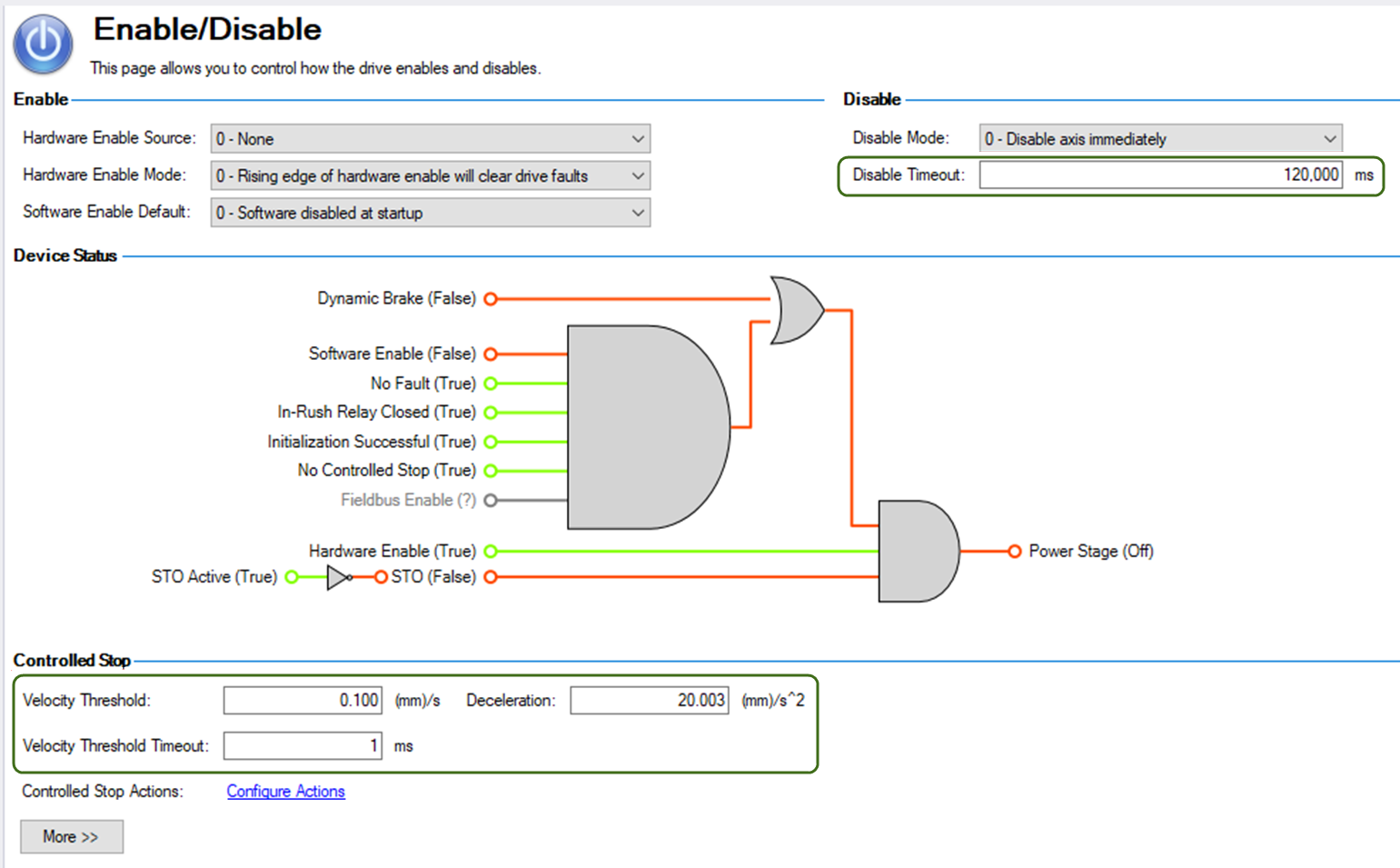
The Controlled Stop settings used with this quick start for Axis 1 are shown on the Enable/Disable screen in WorkBench.
In an actual system these settings are application dependent and up to the programmer.
The Settings are:
- Velocity Threshold
- Velocity Threshold Timeout
- Deceleration
- Disable Timeout
Axis 1
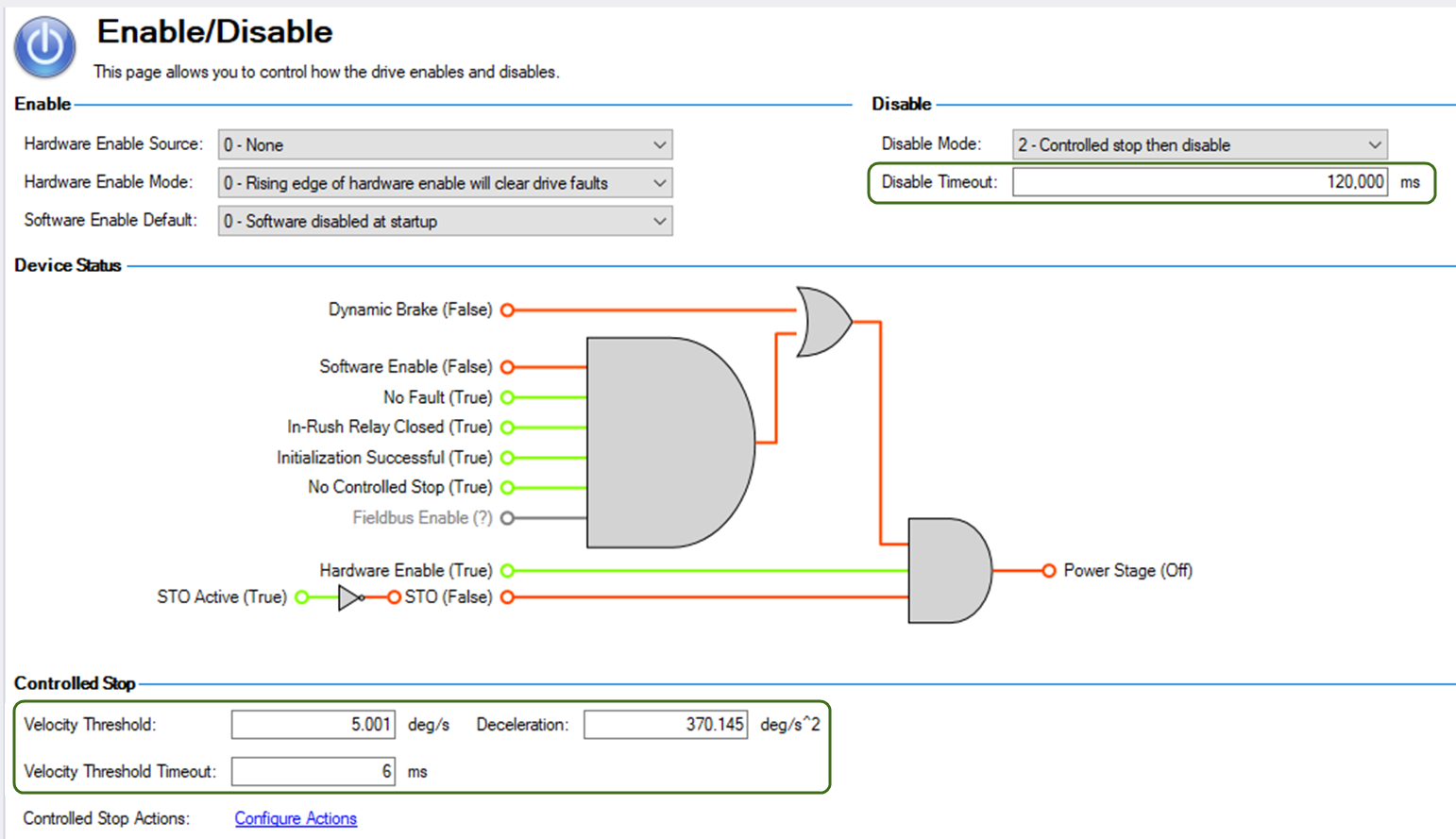
Axis 2