LED and Push-button B1
LED
The Kollmorgen Essentials Drive has an LED on its front side that indicates the status by a tri-color red-green-yellow light.
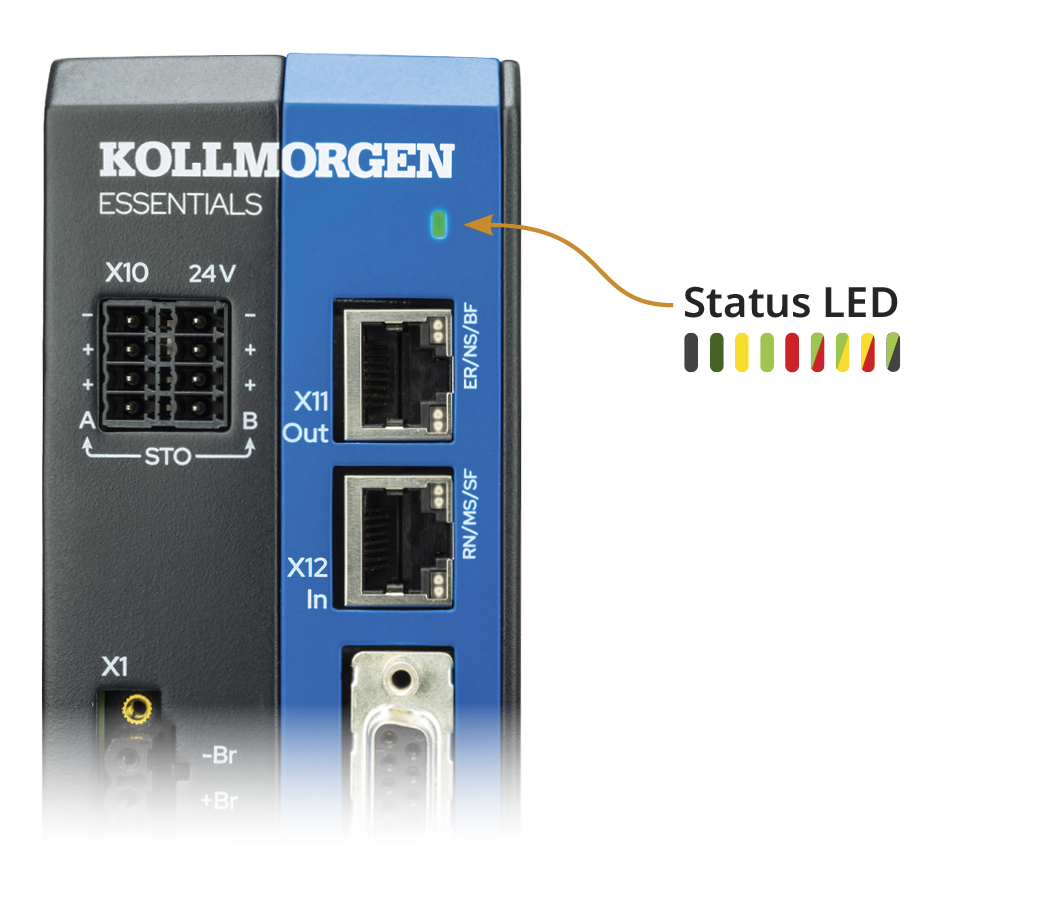
|
Color |
State |
|
|---|---|---|
|
|
Dark |
Control board unpowered |
|
|
Dark, yellow flash |
Control board powered, disabled, no faults, warnings |
|
|
Dark, green flash |
Control board powered, disabled, no faults, no warnings |
|
|
Dimly green |
Control board powered but still booting up |
|
|
Green |
Control board powered, enabled, no faults, no warnings |
|
|
Green/Red blink |
Control board powered, downloading in progress |
|
|
Green, dark flash |
Control board powered, dynamic brake active, no faults |
|
|
Green, yellow flash |
Control board powered, enabled, no faults, warnings |
|
|
Yellow/Red blink (10 seconds) |
Control board powered, DRV.BLINKDISPLAY command executed |
|
|
Red |
Control board powered, faults |
|
|
Dark, red flash | Control board powered and running in Recovery mode |


Push button B1
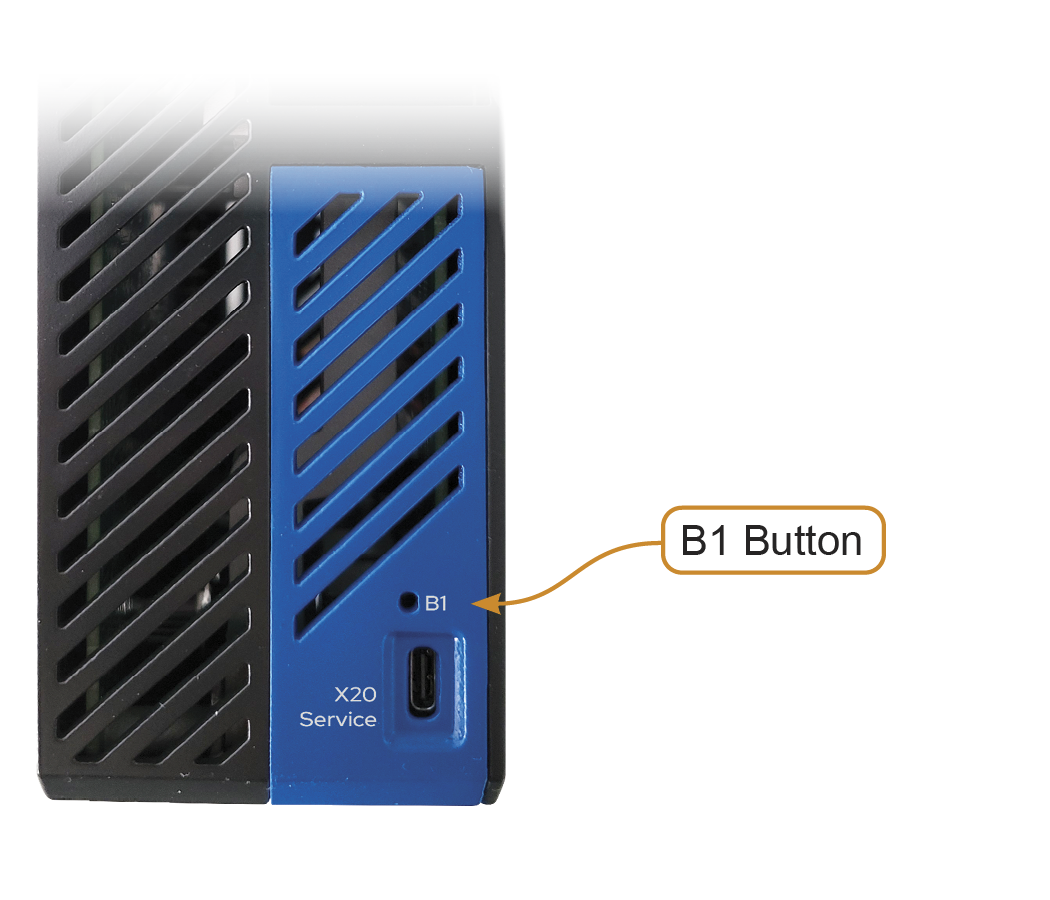
The Kollmorgen Essentials Drive has a push-button B1 on its top side.
|
B1 Functions |
Description |
|---|---|
| Recovery Mode | Press this button during power up to run in recovery mode.
This mode allows for a firmware file to be downloaded through WorkBench in case the firmware in the servo drive has been corrupted. |


