Controller Performance
Kollmorgen offers several controllers with varying performance. This topic compares the relative performance to help make a decision about what is best for your needs.
The PCMM2G improves performance by running PLC code and motion code at the same time.
- Typical performance gain varies from 130% to 300% over the single core 1.2GHz PxMM , depending on the type of application being run.
- The greatest performance gain is obtained when PLC code execution time and motion code execution time, measurable using the trace times feature, are roughly the same.
- If one of these two values dominate the execution time, the performance gain is on the smaller side.
- See Practical Application: Using Trace Time To Measure CPU Load.
This topic has these sections:
Performance Graphs
These graphs are for guidance in initial controller selection for development.
Notes
- During development, the performance of an application should be measured to ensure that the selected controller meets the performance requirements.
- Measurements can be done with either the:
- KAS's digital oscilloscope using the trace times traces.
- GetCtrlPerf function block.
- Observation of the CPU usage on the Diagnostics tab tab of the KAS controller's web page interface.
PCMM2G Controllers
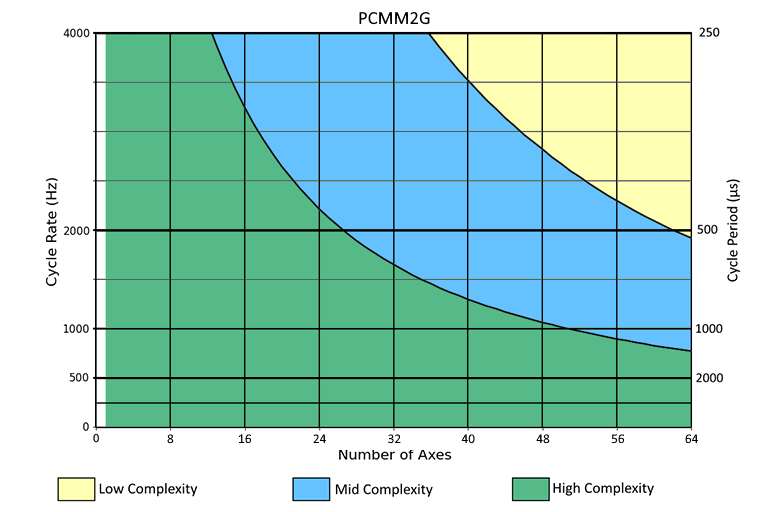
Figure 1: PCMM2G Controllers
PxMM Controllers
-
-
- AKD PDMM and PCMM are not available for new applications.
- Kollmorgen recommends the PCMM2G for new designs.
|
Single Core |
Dual Core |
|
|---|---|---|
|
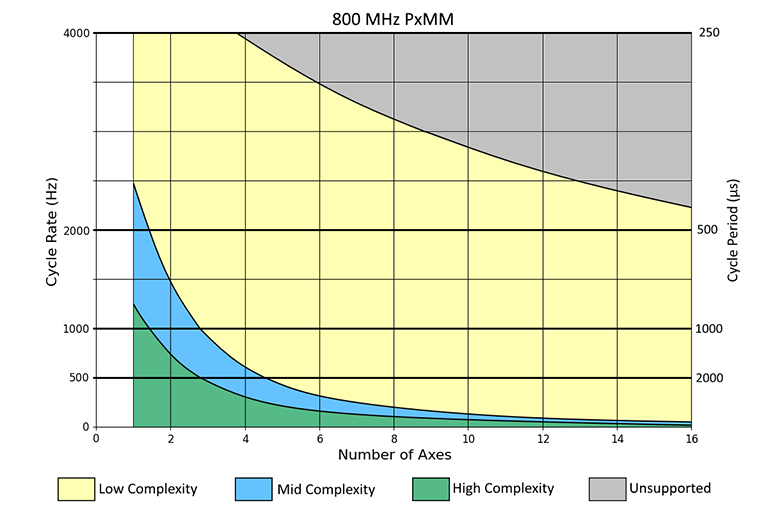
Figure 2: 800MHz Single-core |
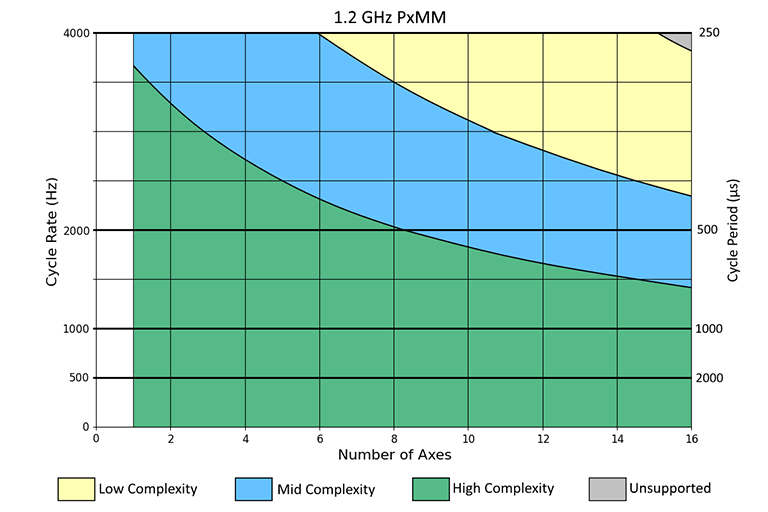
Figure 3: 1.2GHz Single-core |
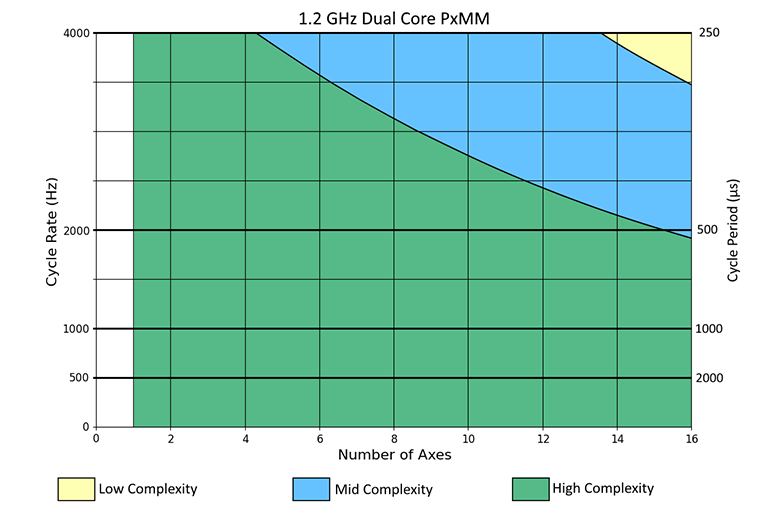
Figure 4: 1.2GHz Dual-core |
Application Complexities
High Complexity
A high-complexity application is characterized by:
- Complex setups.
- Most axes being slave axes.
- Cammed or geared to a master axis.
- Frequent moves.
- Frequent reading and setting of external I/O points, and complex PLC logic.
 Click for a High Complexity Example
A 4-axis high-complexity application running at 1kHz (1000us) can be handled by a single-core 1.2 GHz PxMM.
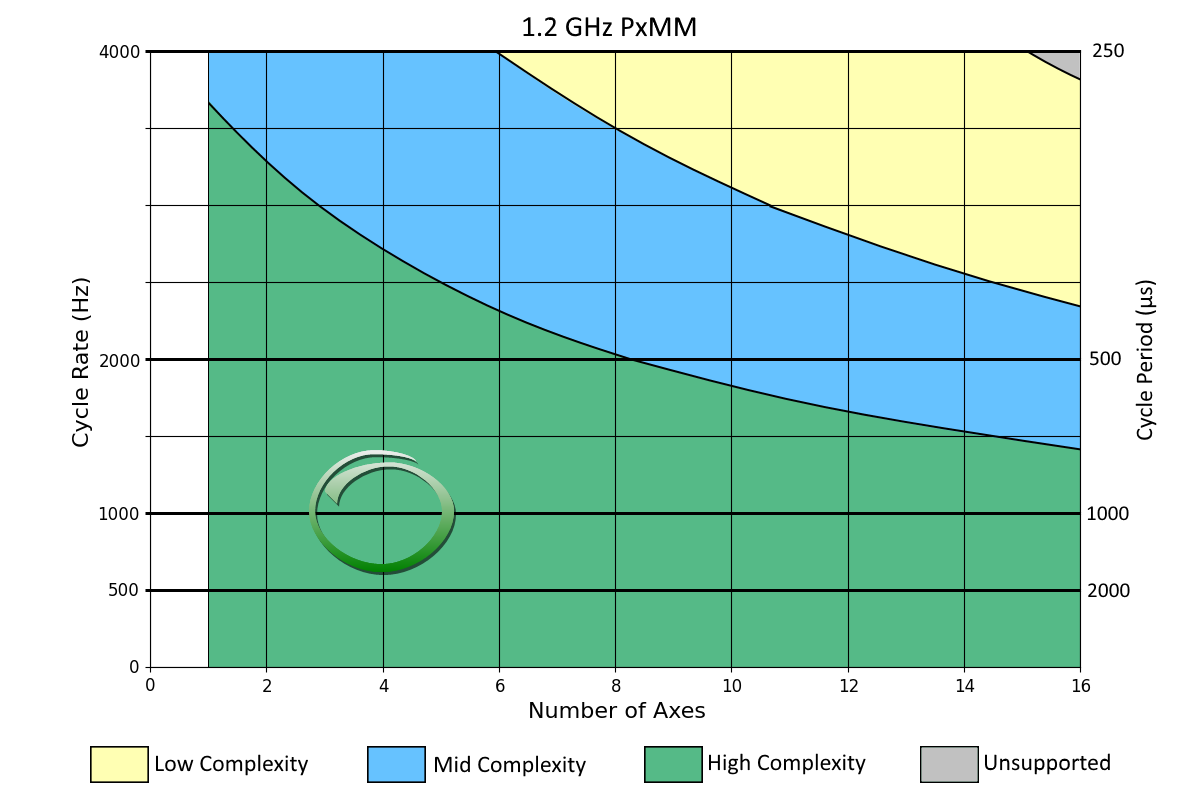
Figure 5: Example: High Complexity
Middle Complexity
A middle-complexity application is characterized by:
- Being in between High and Low Complexity.
- Most axes are point-to-point or velocity moves.
- Some axes are cammed or geared to a master.
- PLC logic is split so parts of a complex logic run at given times.
Click for Middle Complexity Example
A 12-axis middle-complexity application running at 4kHz (250us) requires the dual-core 1.2 GHz PxMM.
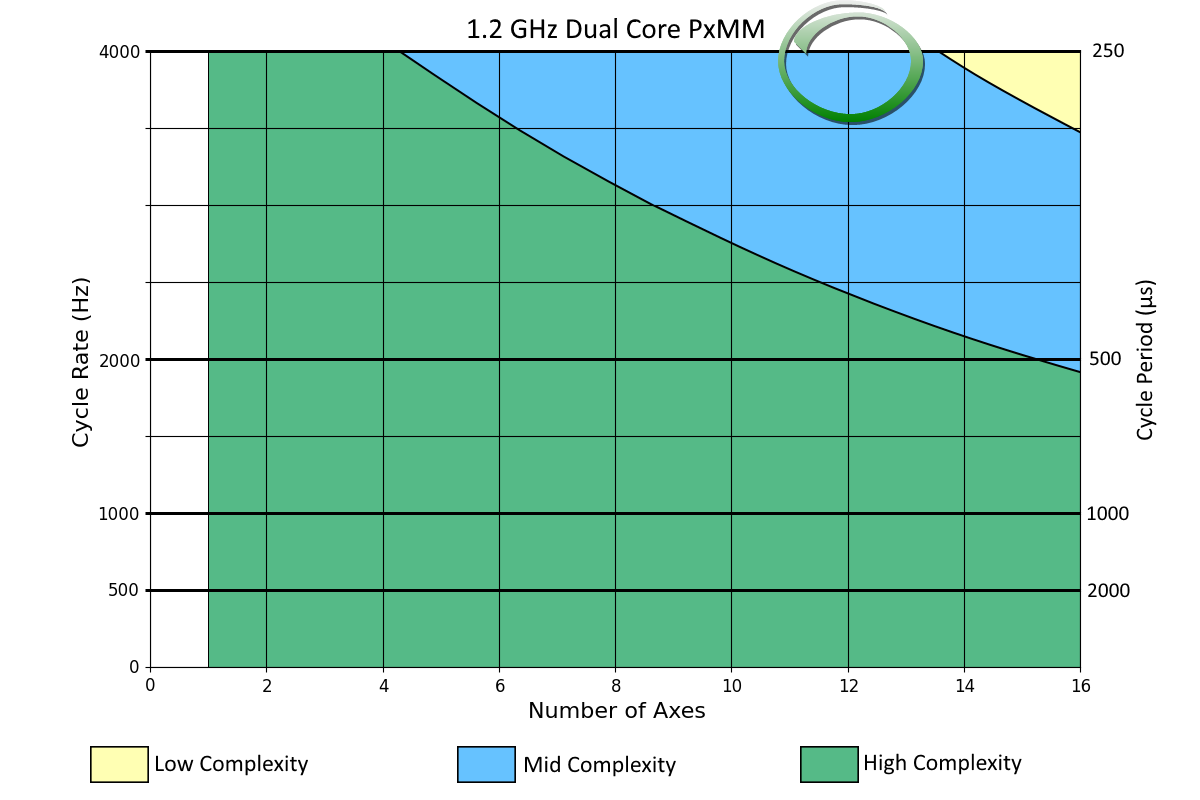
Figure 6: Example: Middle Complexity
Low Complexity
A low-complexity application is characterized by:
- Point-to-point and velocity moves.
- Occasional reading of external I/O points, and simple PLC logic.
Click for a Low Complexity Example
A 10-axis low-complexity application running at 2kHz (500us) can be handled by an 800 MHz PxMM.
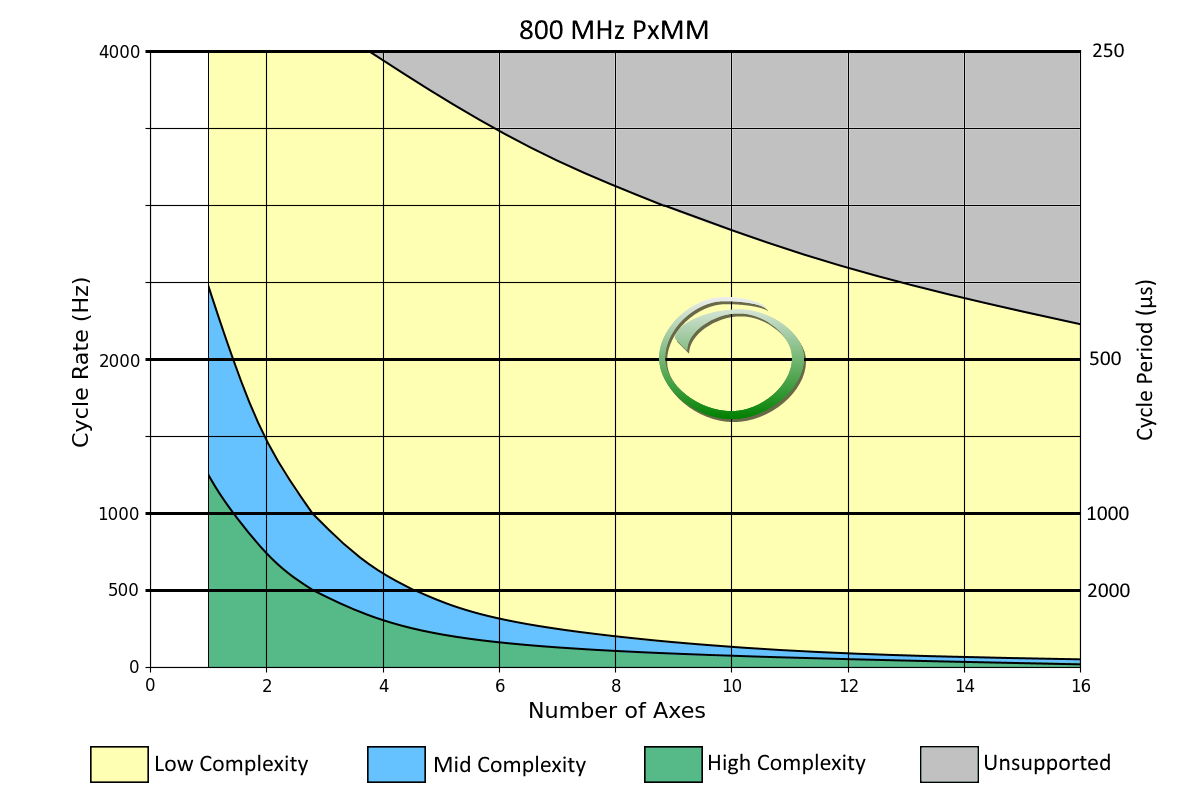
Figure 7: Example: Low Complexity
Pipe Network and PLCopen Applications
Pipe Network applications usually use less of the controller's CPU.
When using the graphs:
- A Pipe Network application acts like a slightly Low Complexity application.
- A PLCopen application acts like a slightly High Complexity application.


