Device Control
Start / Stop the Device
With the KAS-IDE
Start / stop the device with the buttons  and
and  .
.
With the KAS Runtime
In the KAS Runtime menu, click the start / stop command.
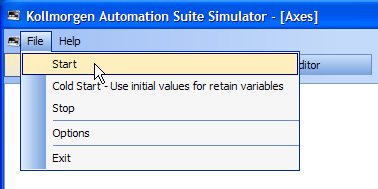
Figure 1: Start Device with the KAS Runtime
Log Window
The Log window displays all run-time messages issued by the device or by the KAS Simulator when testing the application.
- The log area of the KAS-IDE and the KAS Runtime Simulator are the same.
- It contains the log messages as described in Information and Logs window.


