OS Log Data sub-tab
The OS Log Data sub-tab provides access to selected Linux operating system log files stored on the controller.
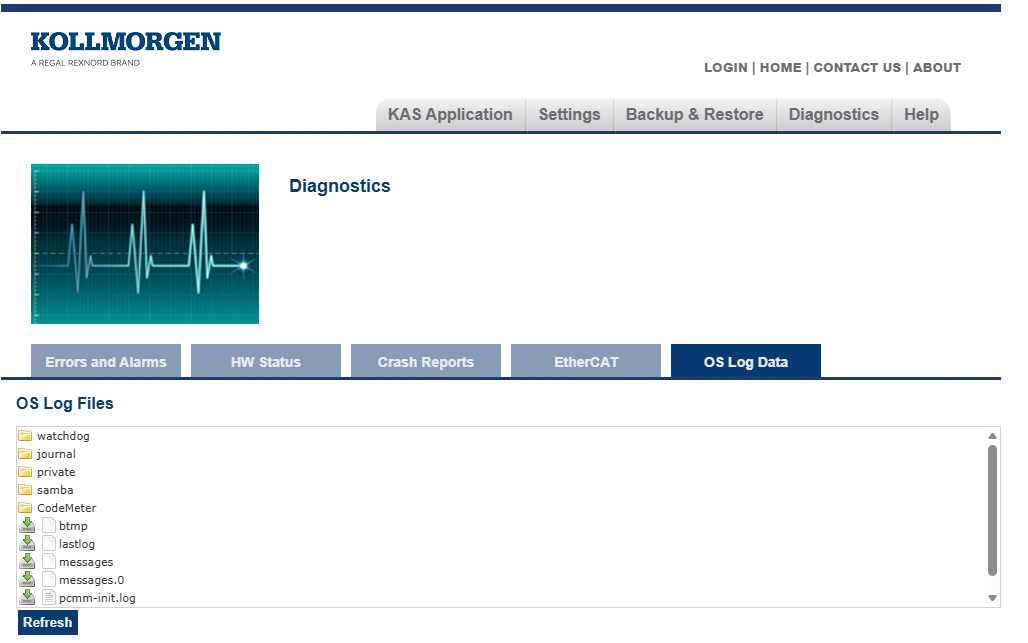
Figure 1: OS Log Data sub-tab
These logs can be used for:
- Auditing configuration and system changes.
- Collecting diagnostic information for technical support.
- Monitoring security-related activity.
- Reviewing user access to the controller.
- Troubleshooting controller and operating system issues.
The displayed files are retrieved from the controller's /var/log directory.
Click the Refresh button to update the information.
Recorded Events
Depending on the log file, the information can include:
- Controller boot and shutdown information.
- Privilege escalation and administrative actions.
- Software installation and update events.
- SSH login and logout activity.
- System Services start, stop, and restart events.
- System warnings and error messages.
|
Filename |
Description |
|---|---|
|
messages |
General system and security-related log information, including:
|
|
security.log |
Detailed security and authentication related events, including:
|
|
pcmm-init.log |
|
|
Other log files |
Additional logs may be present depending on the software packages installed on the controller. |
Cybersecurity and Compliance
The OS Log Data sub-tab assists operators and administrators in monitoring security-relevant events, user access activity, and operating system changes affecting the controller’s operating environment.
The information provided can be used to support cybersecurity auditing, including incident investigation, and regulatory compliance activities.
Notes
- Log files are intended for diagnostic and auditing purposes.
- Log retention is limited by available storage space and system configuration.
- Some log files may contain technical information intended for advanced users or technical support personnel.
- Log contents are read-only when viewed through the web server interface.
- For troubleshooting assistance, log files can be downloaded and provided to Kollmorgen Technical Support.
- See Support and Services.


