Slider Tuning
The Slider Tuner is recommended for simple mechanical assemblies. Automatic or Manual tuning is advised for complex mechanical systems that get beyond a simple rigid load, tuning finesse is required to handle theresonances created by complicated mechanics.
Avoid slider tuning if your system has the following:
-
Belt driven loads
-
High friction mechanics
-
Multi-staged or multi-resonant loads
-
Low resolution feedback
-
Linear motors
-
Unknown inertia loads
Slider Tuning Interface
-
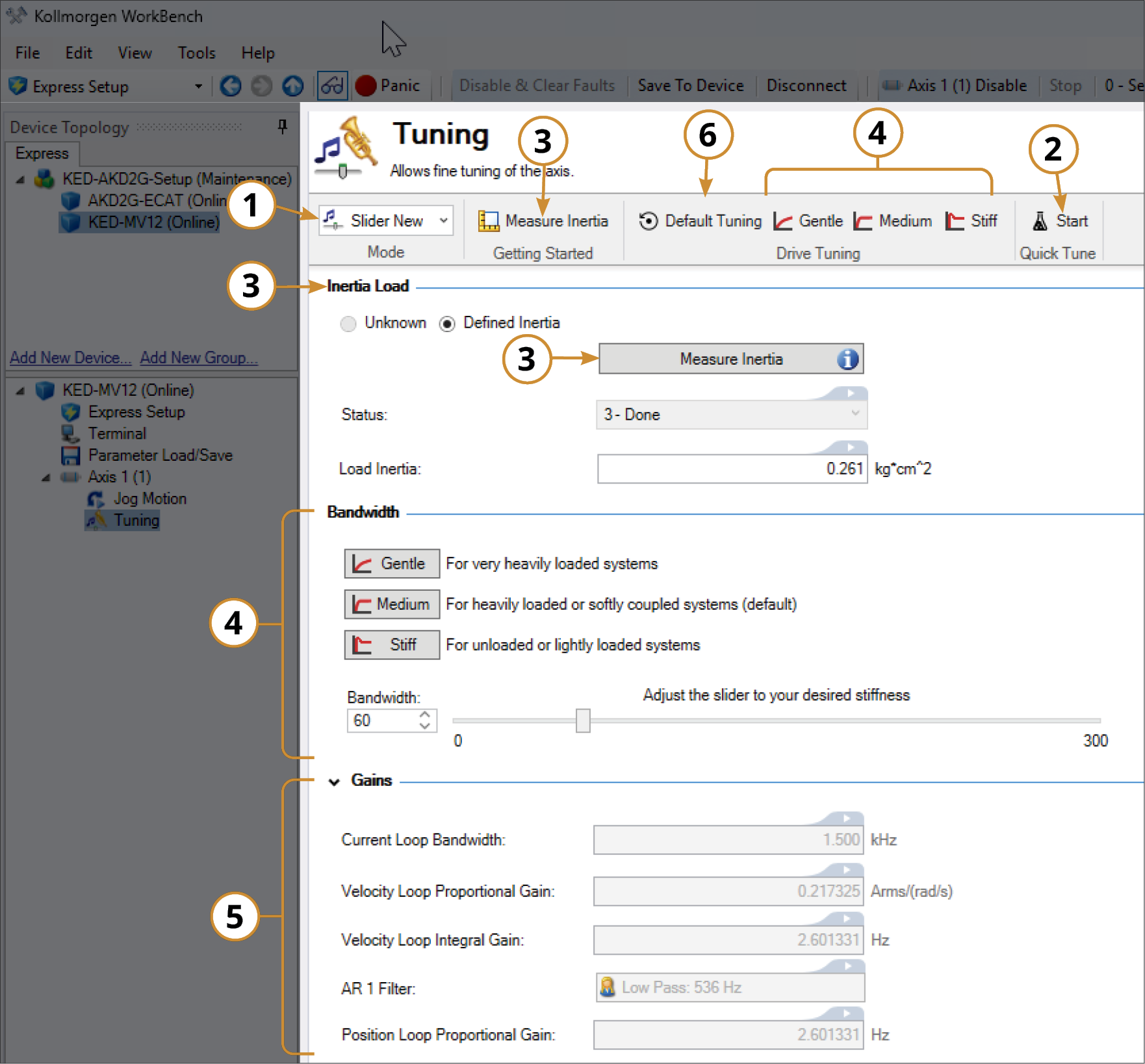
Mode: Sets the Tuning mode to Slider, Automatic, or Manual
-
Quick Tune: Measures the load inertia to characterize the system and determine a suitable target bandwidth.
-
Inertia Load: Measures the load inertia. If load inertia is not measured, the tuner assumes a 1:1 ratio with the motor inertia.
-
Bandwidth: The bandwidth may be adjusted by choosing the Gentle, Medium, or Stiff buttons, entering the bandwidth value, or using the slider bar.
-
Gains: Displays the tuning parameter values used to obtain the target, or adjusted bandwidth.
-
Default Tuning: Resets all tuning parameters to their default values at 75 Hz bandwidth.
Slider Tuning Procedure
-
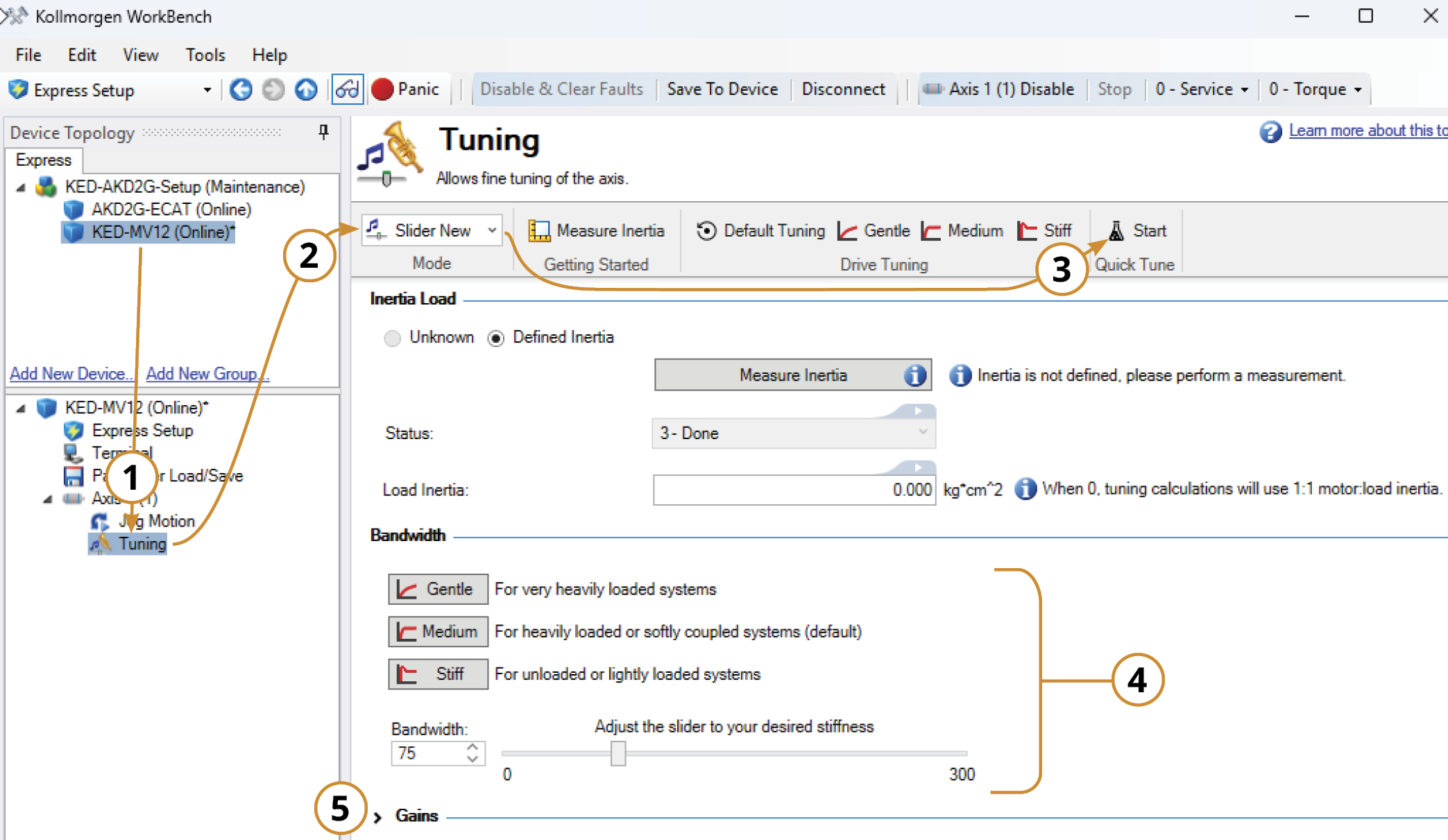
Open the Tuning (New) Pane.
-
Choose the Slider Tuner.
-
Start Quick Tune. Done.
-
The Quick Tune determined bandwidth will be displayed. The bandwidth may be adjusted with the Gentle, Medium, or Stiff Bandwidth buttons, or use the slider bar to select a custom bandwidth. The Desired Bandwidth buttons correspond to the following frequencies:
-
Gentle: 25Hz
-
Medium : 75Hz (Default)
-
Stiff : 200Hz
-
-
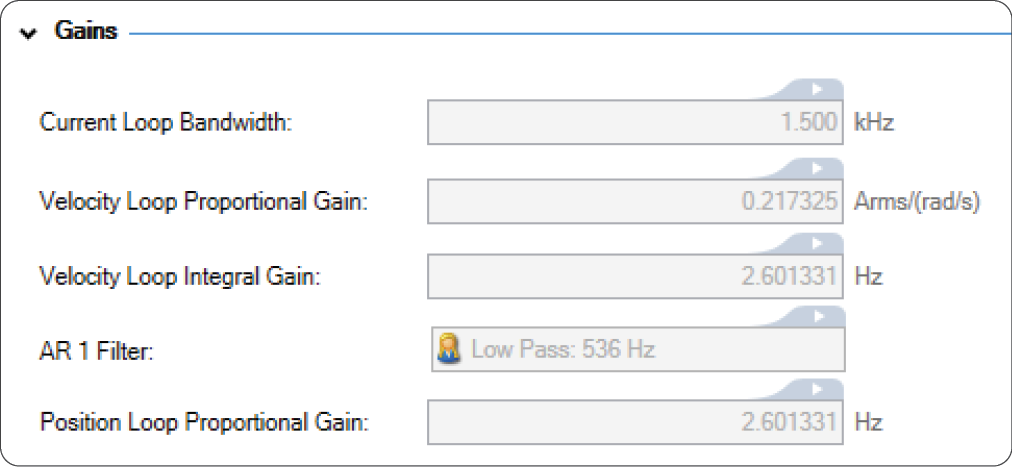
Access the calculated parameter settings.
The displayed parameters are determined by the input load inertia and bandwidth. To adjust the gain parameter settings, switch to Manual Tuning and find the setting in the Simulation Pane. Then, follow the instructions found in the Manual Tuning section. To learn how the parameters are calculated, refer to How Bandwidth (and Load Inertia) Determine Tuning Gains
-
Switch to Manual mode to view the Bode and Nichols plots, stability rating and detailed tuning results.

- The slider tuner modifies one of the digital filters (biquads) and tunes a lowpass filter based on the bandwidth selected.
- The slider tuner does not configure any feed-forwards such as current, friction, velocity, or acceleration feed-forwards. Manual set up may be required to optimize motion profiles.
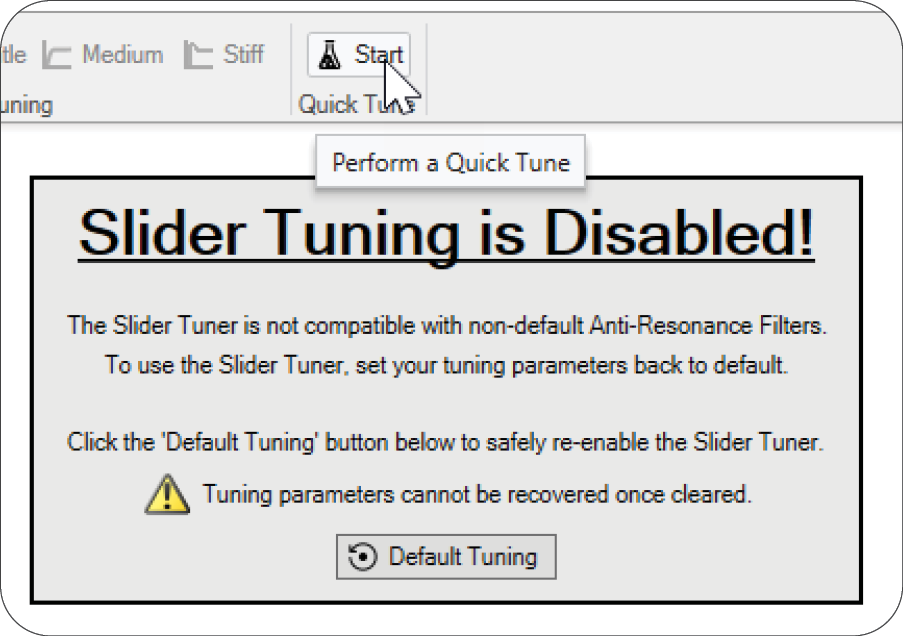
- The Quick Tune feature is always active, even when Slider Tuning is disabled. Starting a Quick Tune will overwrite existing tuning parameters.
Referenced Tuning Topics
| Quick Tune |


