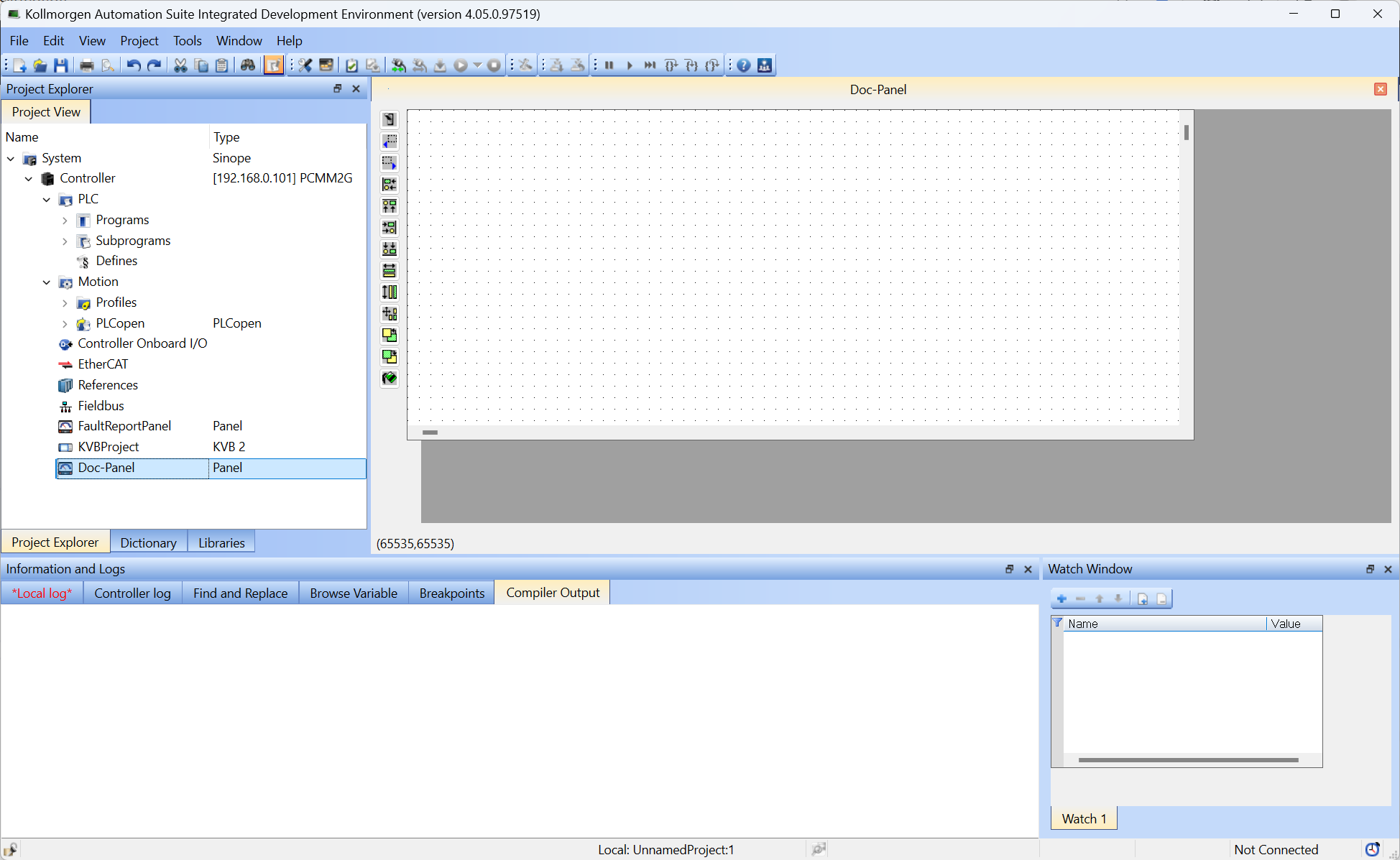
Create Control Panel Views
Control Panels are created and managed in the KAS-IDE Project Explorer.
- In the Project Explorer tree, right-click the Controller and select Add Control Panel. (Figure 1)
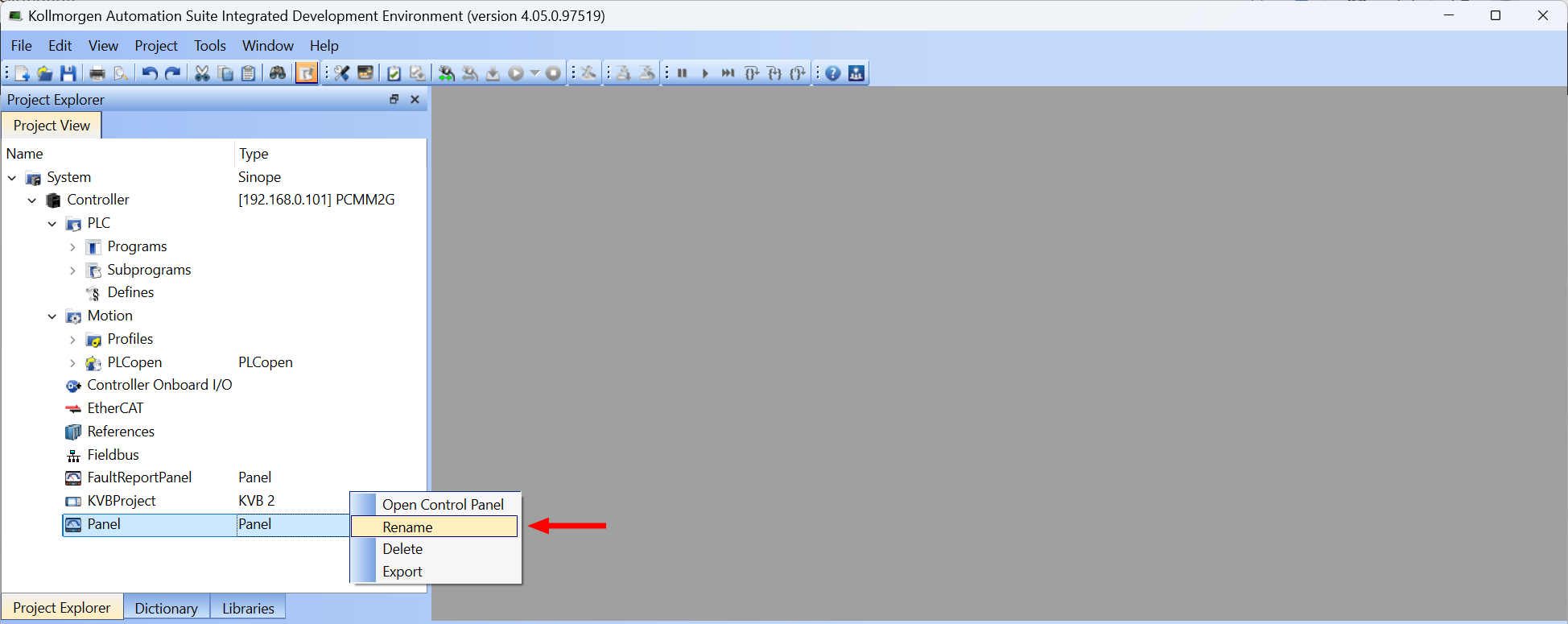
- Right-click the new Panel and select Rename. (Figure 2)
- Change the Panel name. (Figure 3)
- Click OK to save the changes or selections and close the dialog box.
- In the Project Explorer tree, double-click the new Control Panel to open it in the KAS-IDE graphical editor. (Figure 4)
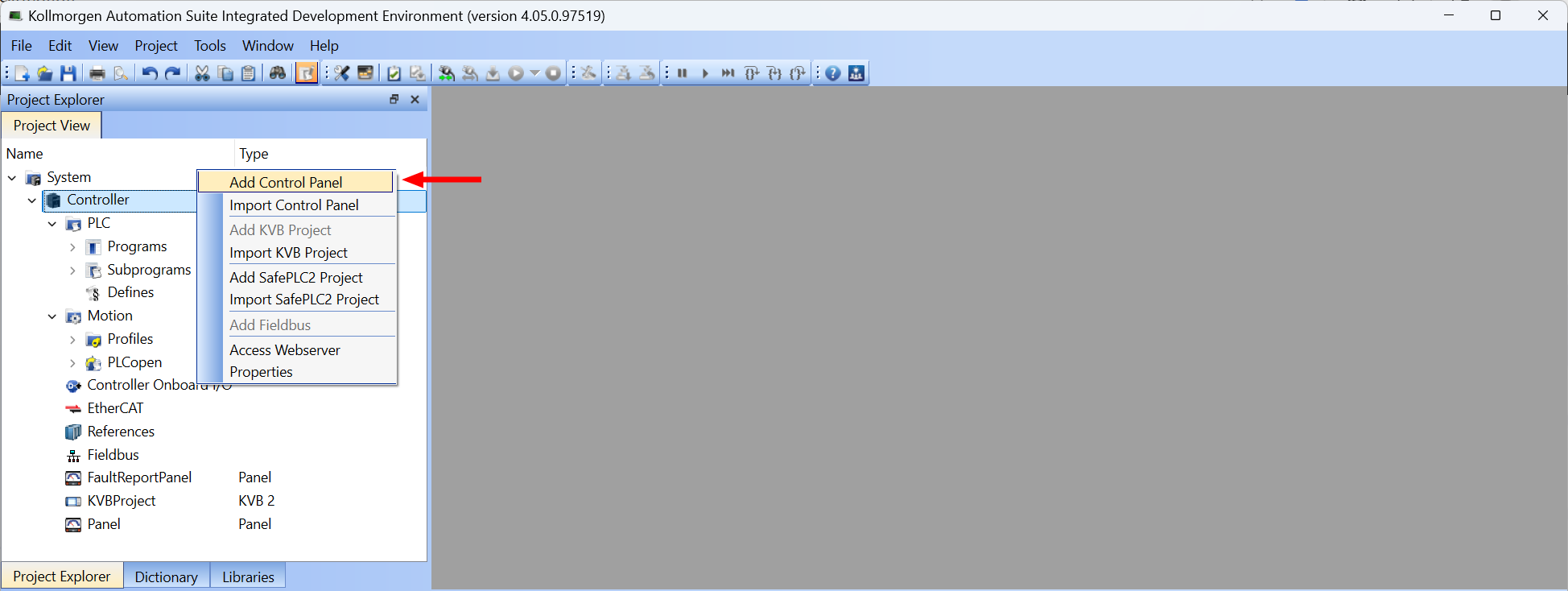
Figure 1: Add Control Panel option
The Renamedialog box opens.
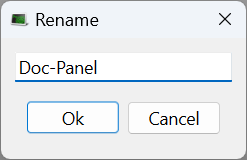
Figure 3: Rename dialog box with changed name