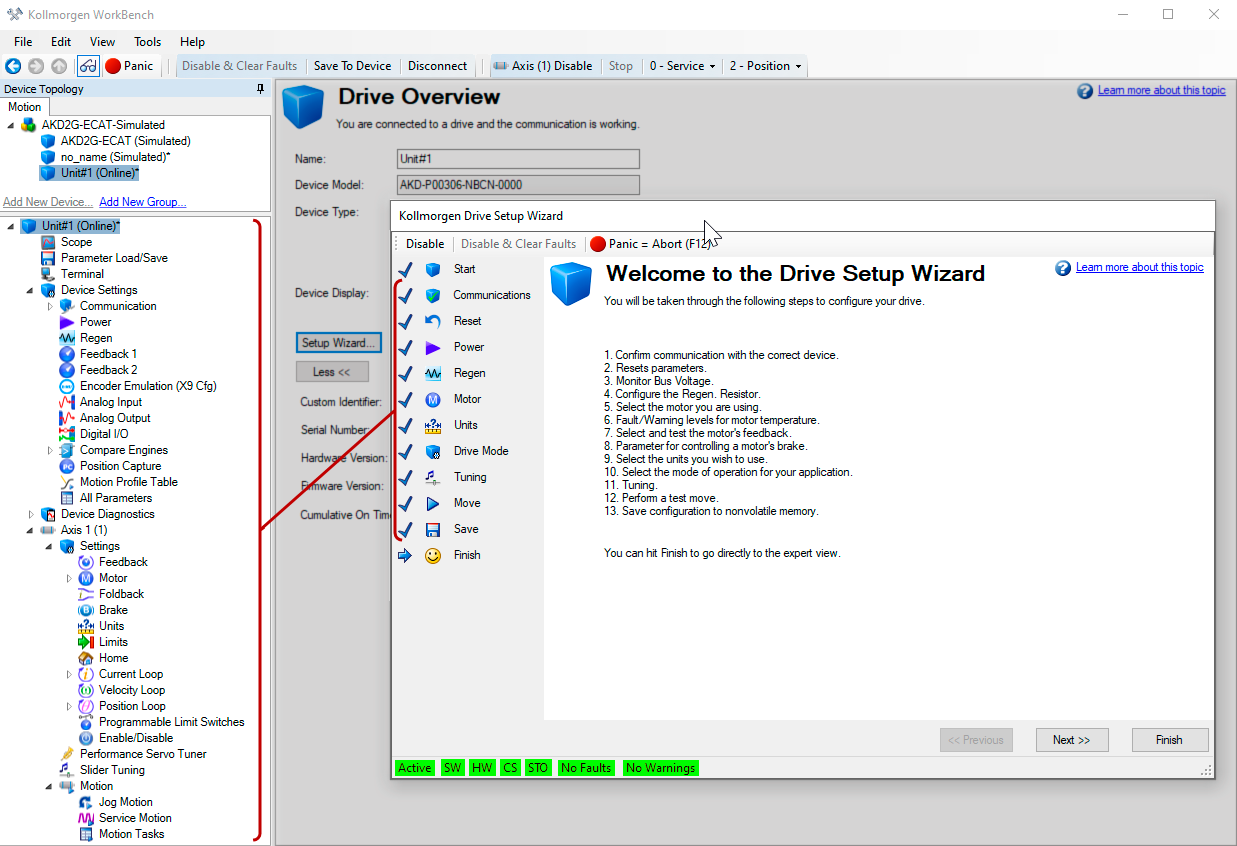
AKD Setup Wizard
The Setup Wizard contains step-by-step instructions for configuring a drive for the first time and generating a simple test motion. You can access the Setup Wizard from the Drive  Overview screen, or by right clicking on the drive name. The drive must be online and not actively controlled by a fieldbus to use the Setup Wizard.
- Access the Setup Wizard by double-clicking on the drive name in the project view.
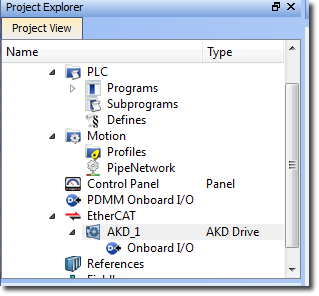
- Enable Online Configuration mode from the toolbar, by pressing the “Toggle Online Configuration Mode” button.

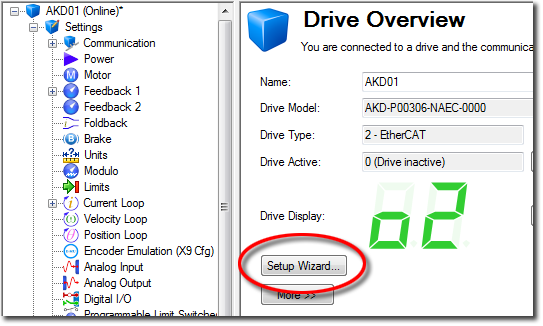
- After the drive is connected, you can press the Setup Wizard... button in the Drive Overview screen
The Setup Wizard is useful during the initial setup. The wizard confirms your connection with the drive and leads you through a series of steps to quickly get your drive up and running. With plug and play feedback devices, several steps are skipped (feedback, brake) because the drive automatically configures these settings. For all systems, you can select the units you want to use, configure your operation mode, tune the system, and perform some simple jog moves within the wizard. Help is available for each step via the "Learn more about this topic" link. After you are comfortable with the basic system setup, you can save your settings to the drive and exit the wizard. All of the settings configured through the Setup Wizard are accessible and editable through the main expert view window.