 MC_GrpEnable
 MC_GrpEnable
MC_GrpEnable changes the state of a group from GroupDisabled to GroupStandby. If the group is already in GroupStandby, then MC_GrpEnable will do nothing.
The group must be in GroupStandby in order to perform motion.
MC_GrpEnable will fail under the following conditions.
Refer to Group State Diagrams for more details.
MC_GrpDisable, MC_ErrorDescription
Coordinated Motion, the top-level topic for Coordinated Motion.
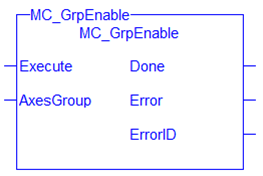
| Execute | Description | On the rising edgeA rising edge is the transition of a digital signal from low to high. It is also called positive edge, request to enable the axis group |
| Data Type | BOOL | |
| Range | 0, 1 | |
| Unit | n/a | |
| Default | — | |
| AxesGroup | Description | The axis group to be enabled |
| Data Type | AXIS_GROUP_REF | |
| Range | n/a | |
| Unit | n/a | |
| Default | — |
| Done | Description |
If True, then the command completed successfully. |
| Data Type | BOOL | |
| Error | Description |
If True, an error has occurred. |
| Data Type | BOOL | |
| ErrorID | Description | Indicates the error if Error output is set to TRUE. See the table in PLCopen Function Block ErrorID Output |
| Data Type | INT |
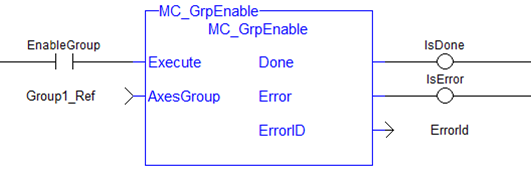
(* Inst_MC_GrpEnableST example *)
Inst_MC_GrpEnable( EnableGroup, Group1_Ref );
BEGIN_IL"Instruction list"
This is a low-level language and resembles assembly
     CAL Inst_MC_GrpEnable( EnableGroup, Group1_Ref )
END_IL

|
Stay Connected with Kollmorgen       
|
Copyright © 2015 Kollmorgen™ |

|
 See Also