You are here: Getting Started > Creating a Project > Step 4 - Adding Motion > Create the Pipe Network

Create the Pipe Network

To create the Pipe Network, do as follows:

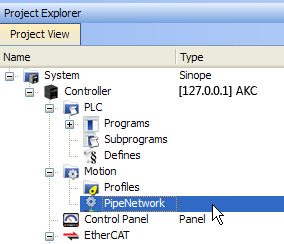
  1. In the Project Explorer, double-click the PipeNetwork button to open the graphical Pipe Network Editor

    Pipe Network - Open Editor

  2. Figure 4-6: Pipe Network - Open Editor

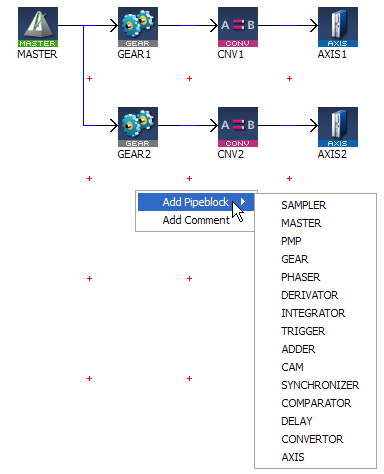
  3. To add a new Pipe Block, right-click on the editor's background and select the Add Pipeblock command in the menu
  4. Choose in the drop-down menu the type of Pipe Block you want to add

    Pipe Network - Add Pipeblock

  5. Figure 4-7: Pipe Network - Add Pipeblock

    For more details on Pipe Blocks, refer to Pipe Block and Pipe Blocks Description
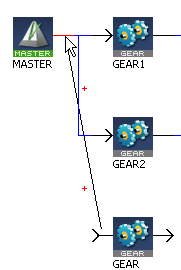
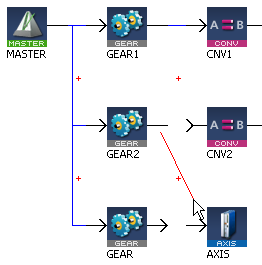
  6. To link the newly created Pipe Block, move the arrow to the corresponding Pipe Block with a drag-and-drop operation

    Pipe Network - Create a Link

  7. Figure 4-8: Pipe Network - Create a Link

See also §O.3: Application Notes for application examples


Stay Connected with Kollmorgen

Copyright © 2015 Kollmorgen™