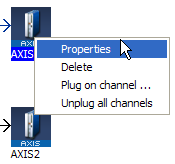
Initial values for Pipe Network blocks are entered in the parameter screen for each block. To get to the parameter screen, right-click on a Pipe Block and select the Properties command in the contextual menu.
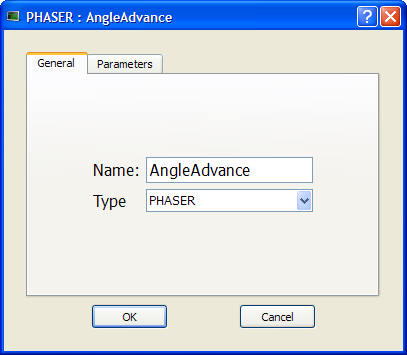
You can change the name (or even the type of Pipe Block) in the General tab.
The Parameters tab gives access to properties related to the type of Pipe Block
 See example
In this example, the selected name “AngleAdvance” would be used in the PLC"Programmable Logic Controller" A Programmable Logic Controller, PLC, or Programmable Controller is a digital computer used for automation of industrial processes, such as control of machinery on factory assembly lines. Used to synchronize the flow of inputs from (physical) sensors and events with the flow of outputs to actuators and events application program for this Pipe Network block.
|
Stay Connected with Kollmorgen       
|
Copyright © 2015 Kollmorgen™ |

|