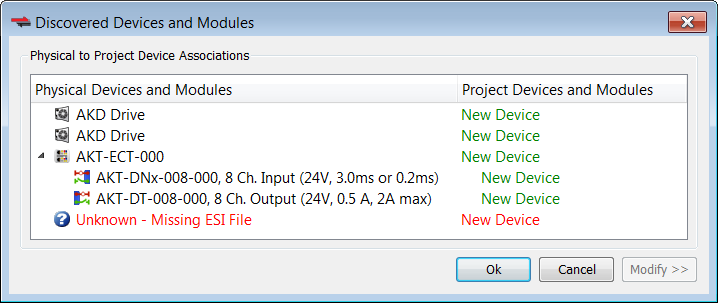
During the Scan for physical EtherCATEtherCAT is an open, high-performance Ethernet-based fieldbus system. The development goal of EtherCAT was to apply Ethernet to automation applications which require short data update times (also called cycle times) with low communication jitter (for synchronization purposes) and low hardware costs devices, if a MDP device is discovered that does not have a corresponding ESI file, then the Discovered Devices and Modules view will identify the device as “Unknown” and will not be able to discover any modules under the device. For example, the last device is missing an ESI file:
Click on the Ok button and the Unknown device will be added to the Project View.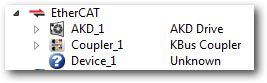
To correct the problem:
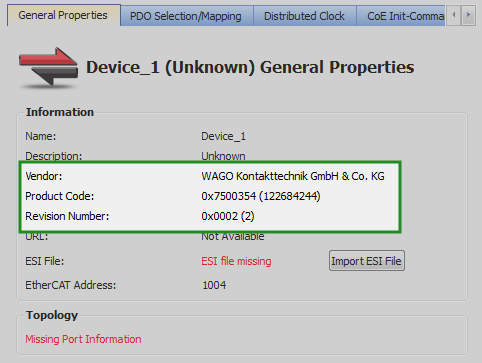
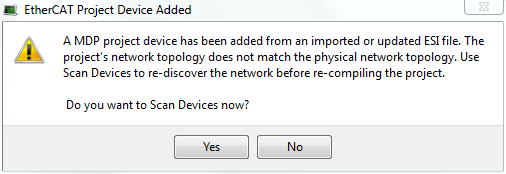
After the scan and association of devices/modules, the MDP device and its modules will be added to the Project View: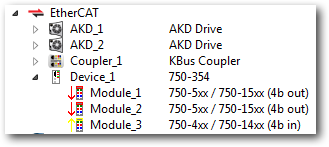
|
Stay Connected with Kollmorgen       
|
Copyright © 2015 Kollmorgen™ |

|