You are here: Getting Started > Creating a Project > Step 2 - Configure EtherCAT Motion Bus > EtherCAT Scan & Association Example 1 - Associating Couplers and I/O Slices

EtherCAT Scan & Association Example 1 - Associating Couplers and I/O Slices

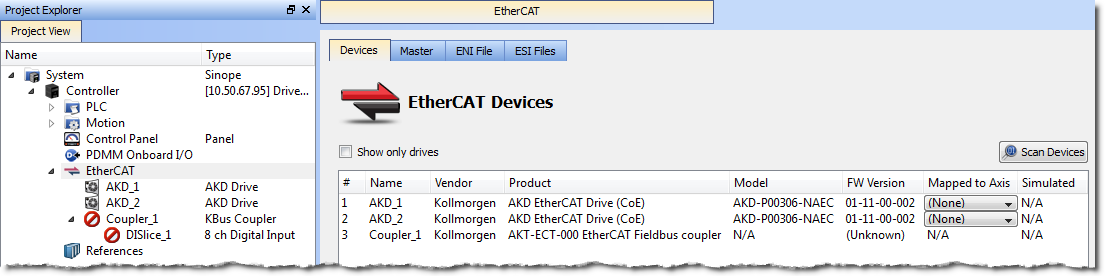
In this example the project has the following configuration:

To update the network topology:
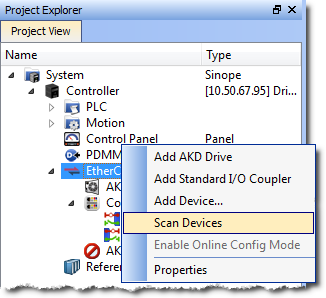
  1. In the Project Explorer, double-click the EtherCATEtherCAT is an open, high-performance Ethernet-based fieldbus system. The development goal of EtherCAT was to apply Ethernet to automation applications which require short data update times (also called cycle times) with low communication jitter (for synchronization purposes) and low hardware costs node to open its Properties and click the Scan Devices button in the Devices tab.
    Alternatively, right-click on the EtherCAT node in the Project Explorer, and select Scan Devices.
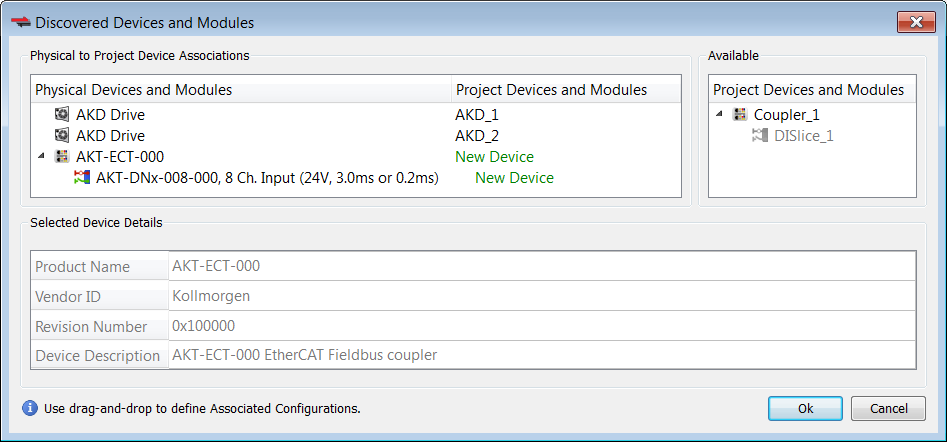
  2. The Discovered Devices and Modules dialog box appears after a successful scan.
  3. Click the Modify button to open the expanded view.
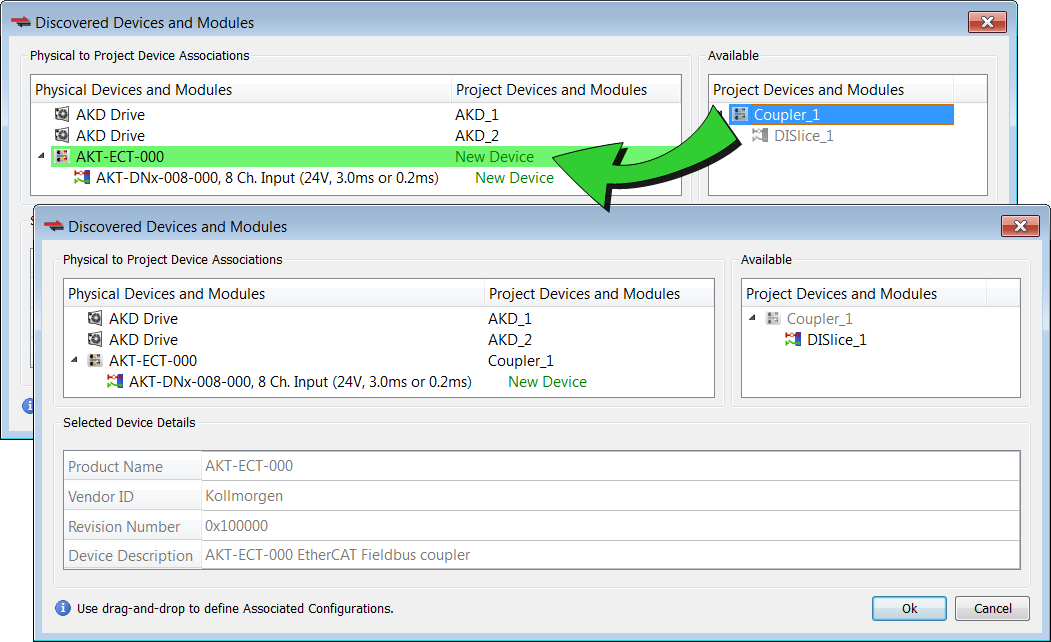
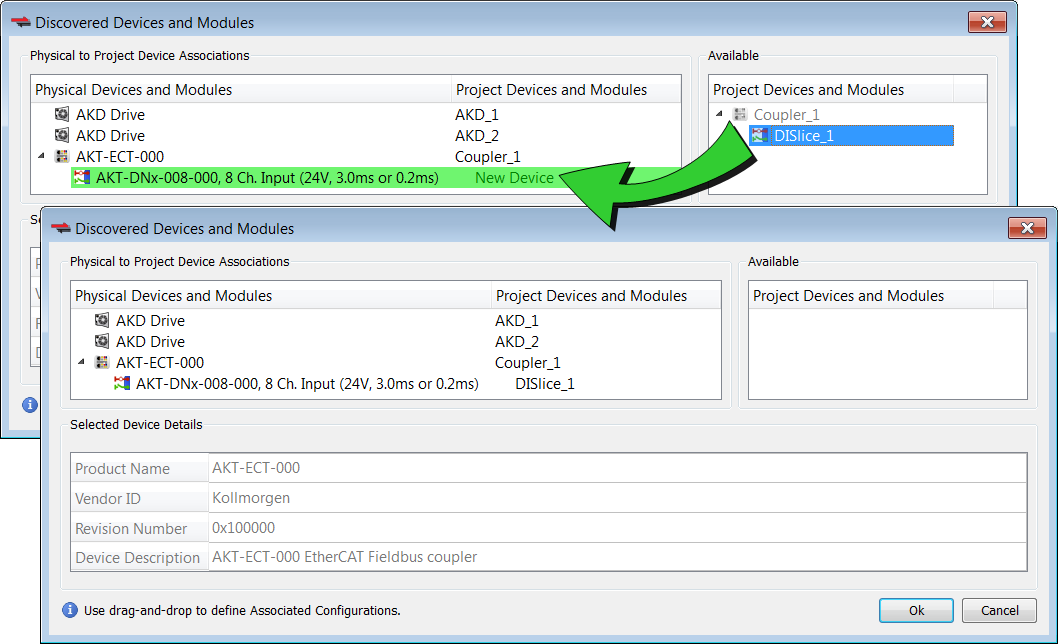
  4. To associate the project coupler and I/O slice to the physical coupler and I/O slice:
    1. Drag-and-drop Coupler_1 from Available to the physical coupler (AKT-ECT-000).
    2. Drag-and-drop DISlice_1 from Available to the physical I/O slice (AKT-DNx-008-000).
  5. Click OK to confirm the modified associations.

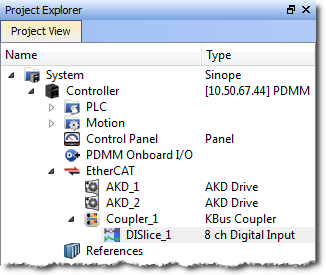
The KAS IDE"Integrated development environment" An integrated development environment is a type of computer software that assists computer programmers in developing software. IDEs normally consist of a source code editor, a compiler and/or interpreter, build-automation tools, and a debugger updates the EtherCAT nodes for the coupler and I/O slice in the Project Explorer to match the physical coupler and I/O slice.


Stay Connected with Kollmorgen

Copyright © 2015 Kollmorgen™