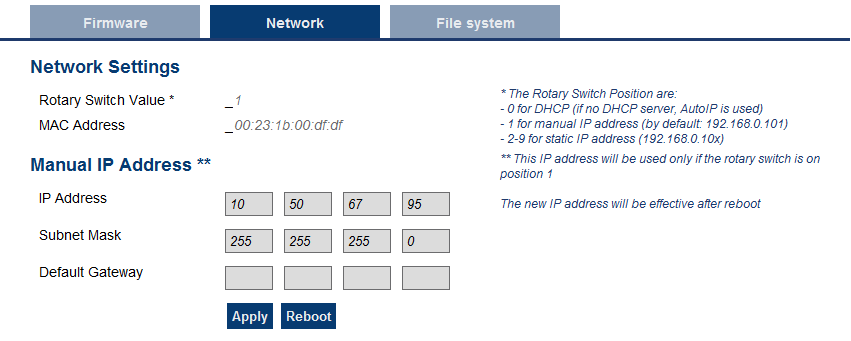
The contents of this tab display the current rotary switch position of the PDMM or PCMM and its MAC addressA Media Access Control address (MAC address) is a quasi-unique identifier assigned to most network adapters or network interface cards (NICs) by the manufacturer for identification. If assigned by the manufacturer, a MAC address usually encodes the manufacturer's registered identification number. Additionally, you may manually change the AKD PDMM's or PCMM's IP address.
Figure 7-4: Example of a PDMM or PCMM with a manually defined IP address
The rotary switch on the PDMM or PCMM can be set on a position from 0 to 9.
| Switch Position | Description |
|---|---|
| Position 0 | The drive tries to get an IP address from a DHCP server. If the DHCP fails, then the PDMM or PCMM uses AutoIP to get a usable IP address. |
| Position 1 | The default custom static IP address, 192.168.0.101 or a custom IP address. |
| Position 2-9 | The PDMM or PCMM is pre-configured with static IP addresses ranging from 192.168.0.102 (Position 2) to 192.168.0.109 (Position 9). |
If a DHCP server is not present, the drive will assume an Automatic Private IP Address of the form 169.254.x.x
To connect and use your PDMM or PCMM within your computer network, you may configure its IP address by using the web server as follows:
|
Stay Connected with Kollmorgen       
|
Copyright © 2015 Kollmorgen™ |

|