 located below the cam table
You can add a point to the cam table using one of the following methods:
located below the cam tableAll of these methods displays the Add New Point dialog box:
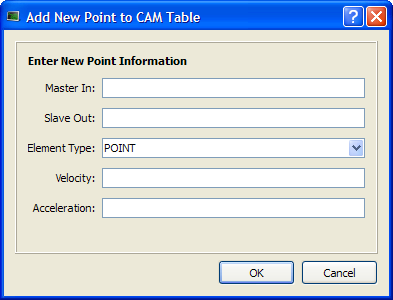
| Field/Command | Description |
| Master In | The X value of the new point |
| Slave Out | The Y value of the new point |
| Element Type | POINT or LINE |
| Velocity | The velocity of the new point (first derivative) |
| Acceleration | The acceleration of the new point (second derivative) |
| OK | Accept the entry and verify if the point can be added. |
| Cancel | Cancel the dialog box – no point is added. |
Table 10-2: Cam Editor - New Point Parameters
When you click OK, a check is performed to see if the point can be added to the cam profile. If not, an error dialog box is displayed.
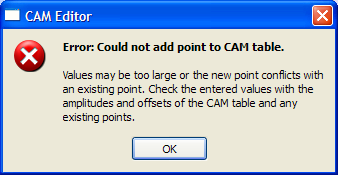
Figure 10-10: Cam Table Contextual Menu
If no problem is found, the point is added to the cam table and the graphical plots are updated.
A new point cannot be inserted above the first element in the cam table.
|
Stay Connected with Kollmorgen       
|
Copyright © 2015 Kollmorgen™ |

|