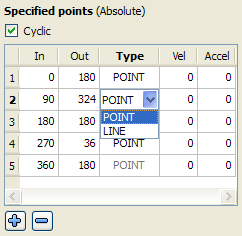
The type of element can either be a point or a line. The element type can be modified by double-clicking in the Type column of an element and then clicking on the down arrow. A list of choices is displayed as shown. Select the type of element from the list.
Figure 10-7: Modifying an Element Type
|
Stay Connected with Kollmorgen       
|
Copyright © 2015 Kollmorgen™ |

|