 to add the Fieldbus configuration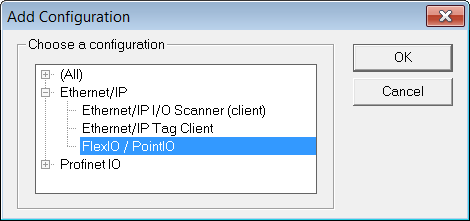
 and select PointIO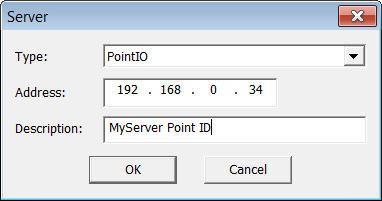

Only modules in the list are supported. When inserting, the module variables can be declared automatically by checking Declare variables and set a prefix.
Before establishing the connection to the POINT IO, these modules require configuration. This is done through the WEB interface of the POINT IO bus coupler.
to add the Fieldbus configuration and select PointIOModules need to be inserted in the right order.
Configuration is ready and you can download the application to the KAS RuntimeIn computer science, runtime (or run-time) describes the operation of a computer program, the duration of its execution, from beginning to termination (compare compile time). Within KAS, runtime also refers to the virtual machine that manage the program written in a computer language while it is running.
|
Stay Connected with Kollmorgen       
|
Copyright © 2015 Kollmorgen™ |

|