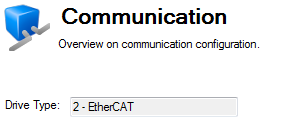
Once the drive is connected, the Communication View will display the drive type as seen below.
This view allows the configuration of TCP/IP properties by selecting the IP Mode from the drop-down menu:
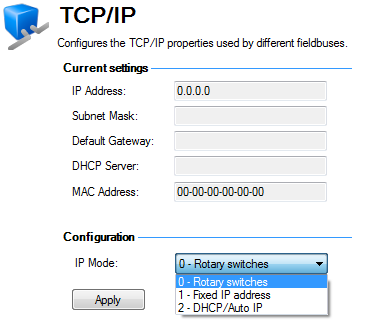
The IP address of a drive uniquely defines the drive on the network. EthernetEthernet is a large, diverse family of frame-based computer networking technologies that operate at many speeds for local area networks (LANs) requires that every device on a network segment must have a unique IP address.
Ethernet also requires that every device must have a globally unique identifier called the MAC addressA Media Access Control address (MAC address) is a quasi-unique identifier assigned to most network adapters or network interface cards (NICs) by the manufacturer for identification. If assigned by the manufacturer, a MAC address usually encodes the manufacturer's registered identification number. The MAC address is a 48 bit number normally shown as a series of six hexadecimal numbers (for example, 00:AA:11:BB:22:CC).
Every AKD drive is given a unique MAC address when it is manufactured and this MAC address cannot be changed. The MAC address of every drive is printed on the sticker on the side of the drive.
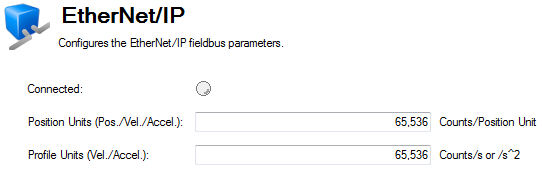
The EtherNet/IP view is only available if connected to an EtherNet/IP drive. From this view you can set position units (EIP.POSUNIT (pg 1)) and profile units (EIP.PROFUNIT (pg 1)). You can also view the state of your connection (EIP.CONNECTED (pg 1)).
|
Stay Connected with Kollmorgen       
|
Copyright © 2015 Kollmorgen™ |

|