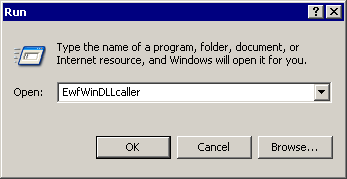
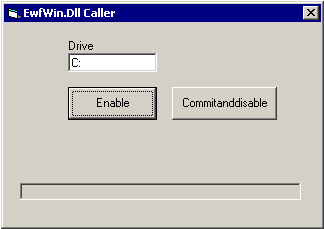
You will receive a message about the Enable being successful.
If the icon in the system tray is green
 then EWF is active.
The EWF"Enhanced Write Filter" protects a volume from write access must be activated to protect a stable version of the PAC"Programmable Automation Controller" PAC is a compact controller that combines the features and capabilities of a PC-based control system with that of a typical programmable logic controller (PLC). A PAC thus provides not only the reliability of a PLC, but also the task flexibility and computing power of a PC. Additionally, because they function and communicate over popular network interface protocols, PACs are able to transfer data from the machines they control to other machines and components in a networked control system image from data corruption.
You will receive a message about the Enable being successful.
then EWF is active.The EWF has to be disabled to perform changes on a PAC.
 then EWF is disabled.
After pressing the Commitanddisable button you must restart the computer. The EWF is not fully disabled until the computer is restarted and making any changes to the system in this state can be troublesome.
After changes are made to the system, the EWF should be re-enabled to protect the PAC image. See Protect the PAC Image with EWF.
|
Stay Connected with Kollmorgen       
|
Copyright © 2015 Kollmorgen™ |

|