- Multiple drives of the same type can be selected allowing the same firmware file to be downloaded to the selected drives simultaneously.
- AKD-P: The last four letters of the model number must be the same for simultaneous firmware download.
- AKD-N: The last four characters can be different. However, the firmware file selected to download must support all the selected models. The file
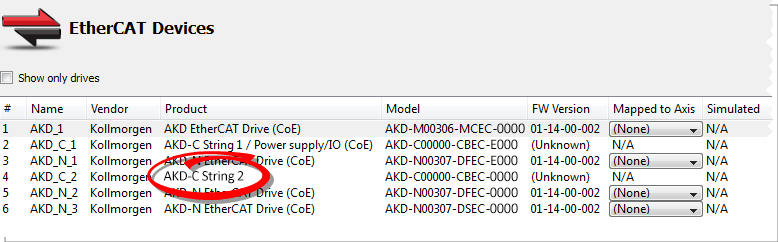
AKD-N-xxEC-********.i00supports multiple AKD-N models. - AKD-C: Devices with the product description "AKD-C String 2" do not support firmware download.
Give careful attention to any warning dialog that appears at this point. These warnings usually include important information about preventing damage to the drives.
This procedure is not possible when applications are running and when the drive is in Online Configuration Mode.


