 GetCtrlInfo
 GetCtrlInfo
This function block returns a String containing the value of the control parameter requested.
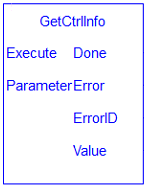
| Execute | Description | Rising edge of enable initiates read of parameter | |||||||||
| Data Type | BOOL | ||||||||||
| Range | 0, 1 | ||||||||||
| Unit | n/a | ||||||||||
| Default | — | ||||||||||
| Parameter Number | Description | Parameter number to read | |||||||||
| Data Type | INT | ||||||||||
| Range | [1,3] | ||||||||||
| Unit | n/a | ||||||||||
| Default |
1 = PDMM/PCMM serial number These parameters are also Internal Defines, as shown in the table below.
|
| Done | Description | Indication that read completed without error | ||||||||||||
| Data Type | BOOL | |||||||||||||
| Error | Description | Indication that read completed with error | ||||||||||||
| Data Type | BOOL | |||||||||||||
| ErrorID | Description | Error value to indicate error condition | ||||||||||||
| Data Type |
INT These parameters are also Internal Defines, as shown in the table below.
|
|||||||||||||
| Value | Description | String containing data that was read. | ||||||||||||
| Data Type | STRING |
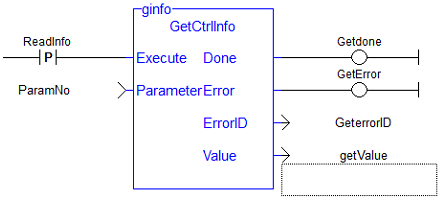
Inst_GetCtrlInfo( ExecuteRead, 1);

if Inst_GetCtrlInfo.Done then
   serialNumber := Inst_GetCtrlInfo.Value;
end_if;
|
Stay Connected with Kollmorgen       
|
Copyright © 2015 Kollmorgen™ |

|
 [Top]
[Top]