 MC_MoveSuperimp
 MC_MoveSuperimp
This function block provides a way to smoothly apply a shift in axis position while it is executing a move.
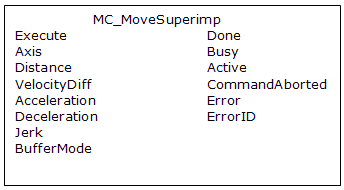
Figure 11-137: MC_MoveSuperimp
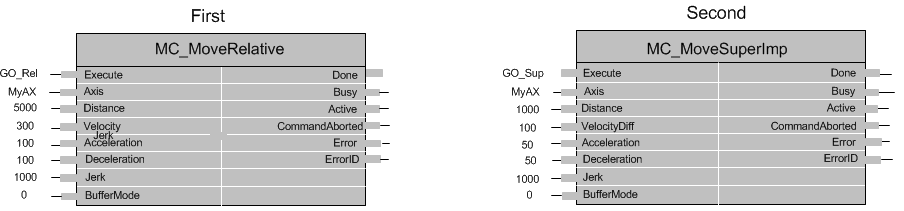
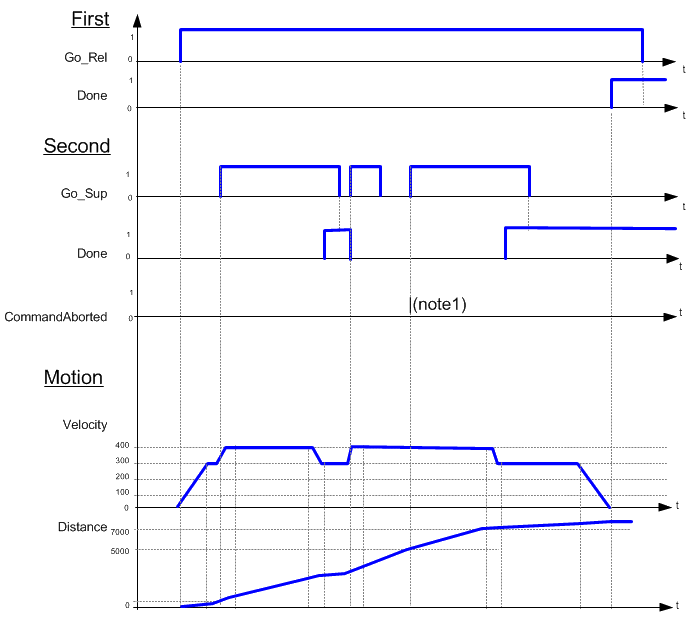
For more detail on how inputs and outputs work, refer to PLCopen Function Blocks - General Rules
| Execute | Description | Requests to queue the superimposed move |
| Data type | BOOL | |
| Range | 0, 1 | |
| Unit | n/a | |
| Default | — | |
| Axis | Description | Name of a declared instance of the AXIS_REF library function. For more details, About Axis Name and Number |
| Data type | AXIS_REF | |
| Range | [1,256] | |
| Unit | n/a | |
| Default | — | |
| Distance | Description | Distance |
| Data type | LREAL | |
| Range | — | |
| Unit | User unit | |
| Default | — | |
| VelocityDiff | Description | Velocity rate |
| Data type | LREAL | |
| Range | — | |
| Unit | User unit/sec | |
| Default | — | |
| Acceleration | Description | Trapezoidal: Acceleration rate S-curve: Maximum acceleration |
| Data type | LREAL | |
| Range | — | |
| Unit | User unit/sec2 | |
| Default | — | |
| Deceleration | Description | Trapezoidal: Deceleration rate S-curve: Unused |
| Data type | LREAL | |
| Range | — | |
| Unit | User unit/sec2 | |
| Default | — | |
| Jerk | Description | Trapezoidal: 0 S-curve: Constant jerkIn physics, jerk is the rate of change of acceleration; more precisely, the derivative of acceleration with respect to time |
| Data type | LREAL | |
| Range | — | |
| Unit | User unit/sec3 | |
| Default | — | |
| BufferMode | Description |
|
| Data type | SINT | |
| Range | [0,5] | |
| Unit | n/a | |
| Default | — |
| Done | Description |
Indicates the move completed successfully. |
| Data type | BOOL | |
| Busy | Description | High from the moment the Execute input is one-shot to the time the move is ended |
| Data type | BOOL | |
| Active | Description | Indicates this move is the active superimposed move |
| Data type | BOOL | |
| CommandAborted | Description | Indicates the move was aborted |
| Data type | BOOL | |
| Error | Description | Indicates an invalid input was specified or the move was terminated due to an error |
| Data type | BOOL | |
| ErrorID | Description | Indicates the error if Error output is set to TRUE |
| Data type | INT |
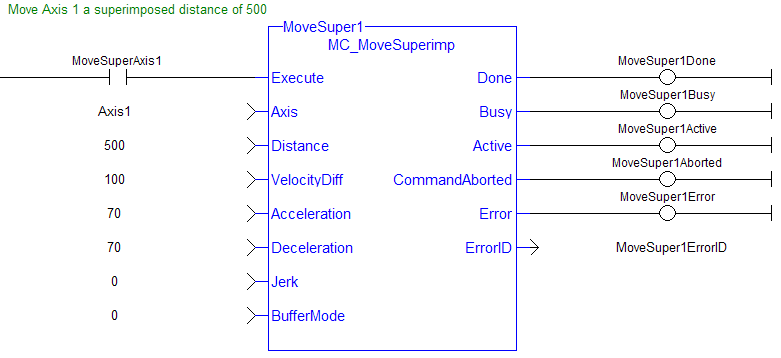
(* MC_MoveSuperimp ST example *)
Inst_MC_MoveSuperimp( MovSupReq, Axis1, 123.555, 10.0, 100.0, 100.0, 0, 0 );
MovSupDone := Inst_MC_MoveSuperimp.Done;  //store Done output into user defined variable
See also how this function is used in the Hole punch project here
|
Stay Connected with Kollmorgen       
|
Copyright © 2015 Kollmorgen™ |

|
 See Also
 [Top]
[Top]