 MLCamInit
 MLCamInit
The Cam Pipe Block is used to generate motion profiles of any shape. These profiles are created and initiated separately and the shape is modified with the Cam Editor. With the Editor profiles can be changed graphically or by manually changing values in a numeric table relating input and output values with specific slopes. The Cam Editor software tool provides the capability to visualize, analyze, edit, and smooth profiles.
With the PipeNetwork (PN) Cam block:
Profile switching can be done on the fly, without losing synchronization and without dead time. In addition, the offsets and ratios of Cam Profiles can be changed on the fly. See Cam Profile Switching for more information.
CAM objects are normally created in the Pipe Network using the graphical engine. Then you do not have to add MLCamInit function blocks to their programs. Parameters are entered directly in pop-up windows, and the code is then automatically added to the current project.
| BlockID | Description | ID number of a created Pipe Block |
| Data type | DINT | |
| Range | [-2147483648, 2147483648] | |
| Unit | n/a | |
| Default | CAM | |
| ProfileName | Description | Name of the current profile assigned to the cam. It must be a declared profile object |
| Data type | STRING | |
| Range | — | |
| Unit | n/a | |
| Default | — | |
| ModuloPosition | Description | Value of the period of the cam output values expressed in user units, for a cyclic system |
| Data type | LREAL | |
| Range | — | |
| Unit | User unit | |
| Default | 360.0 |
|
Default (.Q) |
Description | Returns TRUE if the CAM Pipe Block is initialized See more details here |
| Data type | BOOL | |
| Unit | n/a |
BOOL
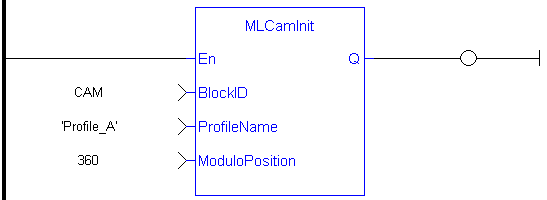
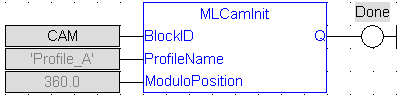
//Initialize  a Pipe Network block named “CAM” with a profile named “Profile_A”, set the cam modulo position to 360
CAM := MLBlkCreate( 'CAM', 'CAM' );
MLCamInit( CAM, 'Profile_A', 360.0 );
|
Stay Connected with Kollmorgen       
|
Copyright © 2015 Kollmorgen™ |

|
 [Top]
[Top]