Create KVB Project

KVB projects are managed in the Project Explorer and can be created as follows:

  1. In the Project Explorer, right-click on the System item to open the contextual menu
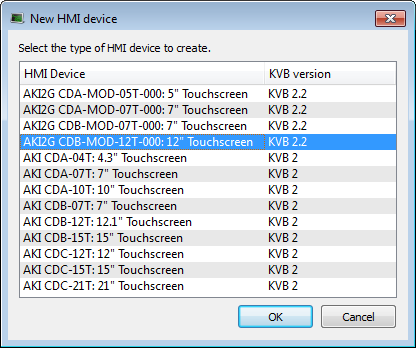
  2. Select the Add HMI"Human-machine interfaces " Also known as computer-human interfaces (CHI), and formerly known as man-machine interfaces, they are usually employed to communicate with PLCs and other computers, such as entering and monitoring temperatures or pressures for further automated control or emergency response device command
  3. Select the device name within the list and Click OK

    Select an AKI

  4. Figure 4-29: Select an AKI to add.

  5. Right-click on the newly created item and select the Rename command to change its name
  6. Right-click and select the Add KVB Project command

Concept Link IconSee Also


Stay Connected with Kollmorgen

Copyright © 2015 Kollmorgen™
