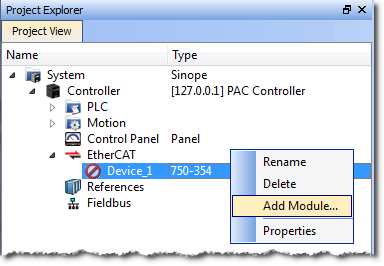
Modules may be added to third party MDP (Modular Device Profile) EtherCATEtherCAT is an open, high-performance Ethernet-based fieldbus system. The development goal of EtherCAT was to apply Ethernet to automation applications which require short data update times (also called cycle times) with low communication jitter (for synchronization purposes) and low hardware costs devices in the Project view. This helps to preconfigure the EtherCAT network in the project before connecting to the controller.
The module is added to the project under the EtherCAT device.
When adding modules from the Project View, there are several limitations to be aware of.
|
Stay Connected with Kollmorgen       
|
Copyright © 2015 Kollmorgen™ |

|