Print

Printable Elements

The elements that you can print are:

You can either print one specific program or all the project (PLC, Motion, Dictionary variables)

Page Setup

This dialog enables you to define the following settings:

Page Setup tab

Margin and Header/Footer tab

If you specify new margins or header/footer for a program, it affects the entire project when printed.

This dialog box also contains two buttons:

Print

This dialog enables you to:

To print an SFC level 2 program, open it in the SFC editor and click the Print icon (Ctrl + P)

Print Preview

This dialog box enables you to display a printout on the screen so you can see how it looks before printing.

Print Project

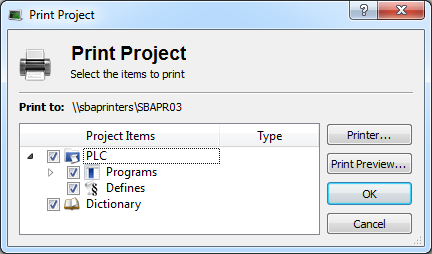
A Print Project dialog displays all the items that are printable. Then you can select those you want to include in your output and click OK.

Print Project

Figure 4-76: Print Project


Stay Connected with Kollmorgen

Copyright © 2015 Kollmorgen™