Actions and notes attached to a step (level 2) are entered in a separate window. To open the level 2 editing window of a step or transition, double-click on its symbol in the chart, or select it and press ENTER.
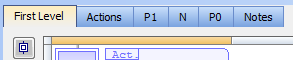
The level 2 editing window proposes five views for entering different types of
level 2 information:
Figure 4-83: SFC Step Action Blocks
Use the tab buttons in the level 2 editing window to select a view:
When editing P1, N or P0 actions, use the radio buttons to select the programming language.
The first view ("Action") contains all simple actions for controlling a Boolean variable or a child SFC"Sequential function chart" It can be used to program processes that can be split into steps. The main components of SFC are: - Steps with associated actions - Transitions with associated logic conditions - Directed links between steps and transitions chart. However, it is possible to directly enter action blocks programmed in ST together with other actions in this view. Use the following syntax for entering ST action blocks in the first pane:
ACTION ( qualifier ) :
statements...
END_ACTION;
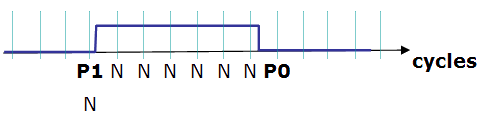
Where qualifier is "P1", "N" or "P0".
|
Stay Connected with Kollmorgen       
|
Copyright © 2015 Kollmorgen™ |

|