There is a difference between Libraries' usage and the Import / Export commands related to PLC"Programmable Logic Controller" A Programmable Logic Controller, PLC, or Programmable Controller is a digital computer used for automation of industrial processes, such as control of machinery on factory assembly lines. Used to synchronize the flow of inputs from (physical) sensors and events with the flow of outputs to actuators and events programs.

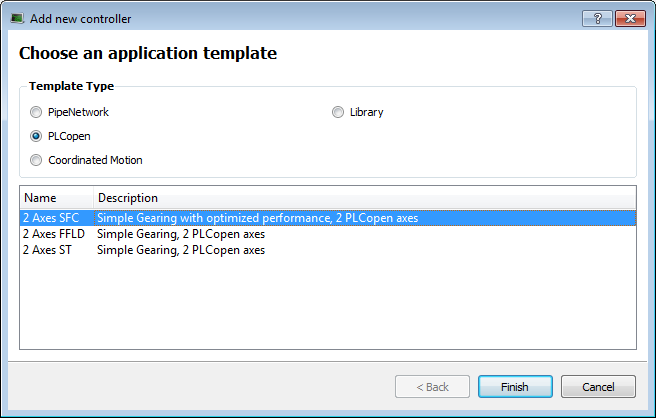
Figure 5-36: Create a Custom Library - Select the Library Template
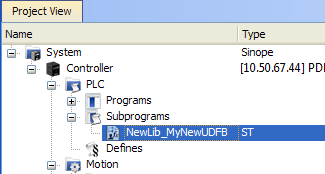
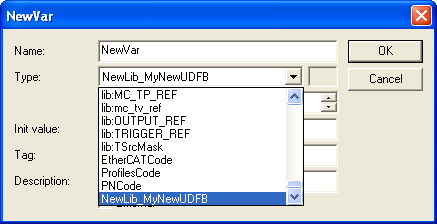
It is the name of the variable type which is displayed in the dictionary if you use this library in another project.
Duplicate UDFB names in a library are not possible. Only the first instance found is kept when importing the library definitions in a project.
To avoid this situation when designing your libraries, use a prefix to identify the library for all UDFBs and functions in the libraries (in the current procedure, the prefix is: NewLib_).
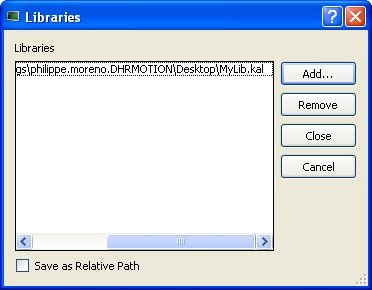
You can add as many external libraries as you want

Figure 5-37: Use a Custom Library - Select the Library
You can use the relative path to specify the path relative to the working directory where your project is saved. This ensures consistency when you move your project and your library.
Conversely, the absolute path points to the same location on your file system regardless of your project directory.

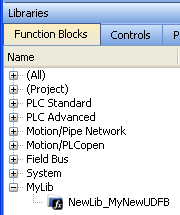
Figure 5-38: Use a Custom Library - Display the Library

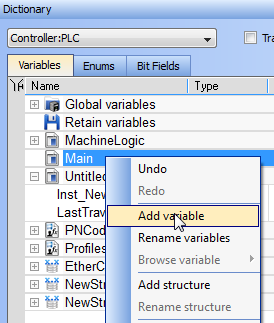
Figure 5-39: Use a Custom Library - Add a Variable

What happens when you remove a library from your project?
If you remove a library from your project, all its types are removed from your project and all variables based on the library are displayed in the dictionary in red with question marks
What happens when a library no longer exists?
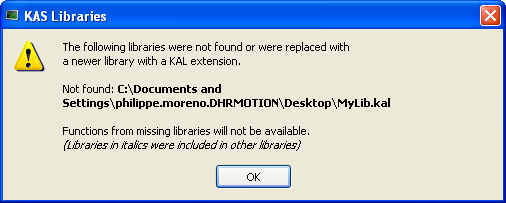
If you open a project containing a link on a library which is no longer available, a warning is displayed:
To recover the libraries, you have two options:
If a library references another library which is no longer available, a dialog with the library link that causes the problem is displayed in italics.
It can happen for example if your project has referenced LIB-4, which in turn references LIB-1-ND, but LIB-1-ND does not exist.
To recover your project, you have to open LIB-4 and fix the issue (i.e. LIB-1-ND broken link), then re-open this project again.
|
Copyright © 2015 Kollmorgen™ |
|