|
Name |
Description |
Return type |
|
Clears the flag of an initiated Trigger block |
BOOL |
|
|
Initializes a Trigger object |
BOOL |
|
|
Checks if the selected block has been triggered |
BOOL |
|
|
Returns the time that the trigger block uses to compensate the delay of the sensor that captures the triggering signal |
None |
|
|
Returns the position of the block at the moment when it was triggered |
None |
|
|
Returns the time of the moment where the block was triggered in milliseconds |
None |
|
|
|
Sets the edge configuration for a Trigger object | BOOL |
|
Sets the time that the trigger block uses to compensate for the delay introduced by the sensor that captures the triggering signal |
BOOL |
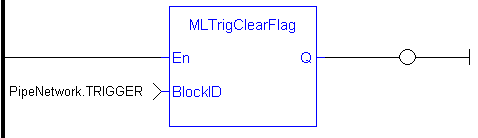
Clears the flag of an initiated Trigger block so the block can capture the position and time of the next event. Once triggered, a block has to be reset with this command before it can be triggered again. All events that are sent to a block while in a triggered state are ignored and the position and time information is lost.
The Fast Input assigned to a Trigger block has to be reset as well before information on a new event can be captured. MLAxisRstFastIn is generally used at the same time as MLTrigClearFlag
|
BlockID |
Description |
ID number of an initiated Trigger object |
|
|
Data type |
DINT |
|
|
Range |
[-2147483648, 2147483648] |
|
|
Unit |
n/a |
|
|
Default |
— |
|
|
Description |
Returns TRUE if function block is executed |
|
|
Data type |
BOOL |
|
|
Unit |
n/a |
BOOL
|
//Clear Trigger Flag MLTrigClearFlag( PipeNetwork.TRIGGER );
|

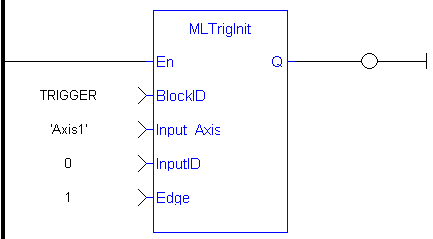
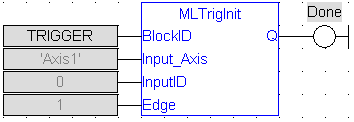
Initializes a Trigger object for use in a PLC Program. Function block is automatically called if a Trigger Block is added to the Pipe Network, with user-defined settings entered in the Pipe Blocks Properties screen.
The Trigger object monitors a selected Fast Input and captures the time of a
Parameters to enter include the name of the Pipe Block, the Axis where the Fast Input is located, the number of the desired Fast Input, and whether to trigger on the rising or falling edge of the input.
Trigger objects are normally created in the Pipe Network using the graphical engine. Then you do not have to add MLTrigInit function blocks to their programs. Parameters are entered directly in pop-up windows, and the code is then automatically added to the current project.
|
BlockID |
Description |
ID number of a created Pipe Block |
|
|
Data type |
DINT |
|
|
Range |
[-2147483648, 2147483648] |
|
|
Unit |
n/a |
|
|
Default |
— |
|
Input_Axis |
Description |
Name of the axis where the Fast Input is located |
|
|
Data type |
STRING |
|
|
Range |
— |
|
|
Unit |
n/a |
|
|
Default |
— |
|
InputID |
Description |
ID number of the Fast Input |
|
|
Data type |
DINT |
|
|
Range |
[-2147483648, 2147483648] |
|
|
Unit |
n/a |
|
|
Default |
— |
|
EdgeID |
Description |
Trigger at rising or falling edge of Fast Input. Enter 1 for rising edge, 2 for falling edge, and 0 disables the Fast Input |
|
|
Data type |
DINT |
|
|
Range |
[0 , 2] |
|
|
Unit |
n/a |
|
|
Default |
1 (Rising edge) |
|
|
Description |
Returns TRUE if function block is executed |
|
|
Data type |
BOOL |
|
|
Unit |
n/a |
BOOL
//Create and Initiate a Trigger Pipe Block named “Trigger” and set it up to receive the trigger signal from Axis1, capture engine 0, and the rising edge of the signal
TRIGGER := MLBlkCreate( 'TRIGGER', 'TRIGGER' );
MLTrigInit( TRIGGER, 'Axis1', 0, 1 );
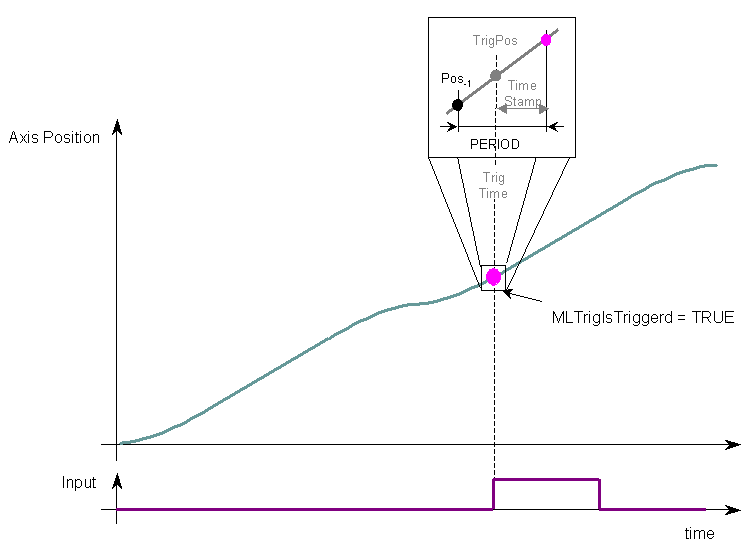
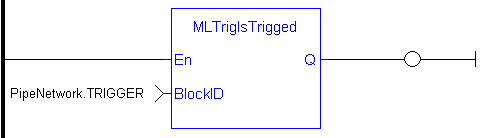
Checks if the selected block has been triggered. When a block has been triggered, it contains the time and position when a Fast Input event occurred. The application has to reset the block before the block can be triggered again. All trigger events that are sent to the block during its triggered state are lost.
MLTrigIsTrigged
Once triggered, a block has to be reset before it can be triggered again. All events that are sent to a block while in a triggered state are ignored and the position and time information is lost.
|
BlockID |
Description |
ID number of an initiated Trigger object |
|
|
Data type |
DINT |
|
|
Range |
[-2147483648, 2147483648] |
|
|
Unit |
n/a |
|
|
Default |
— |
|
|
Description |
Returns TRUE if the selected Trigger Object has Triggered |
|
|
Data type |
BOOL |
|
|
Unit |
n/a |
BOOL
//Check if a Trigger Block has been triggered, then save position
IF MLTrigIsTrigged( PipeNetwork.TRIGGER ) THEN
Trig_Position := MLTrigReadPos( PipeNetwork.TRIGGER );
END_IF

Electronic sensors are not able to respond immediately to a signal. Sensors usually require a certain amount of time to process a change of state in their input signal. This function returns the
|
BlockID |
Description |
Identifier of the trigger block whose delay is requested |
|
|
Data type |
DINT |
|
|
Range |
[-2147483648, 2147483648] |
|
|
Unit |
n/a |
|
|
Default |
— |
|
En |
Description |
Enables execution |
|
Data type |
BOOL | |
|
Unit |
n/a | |
|
Default |
- |
|
Delay |
Description |
Value of the delay compensation currently applied by the trigger block |
|
|
Data type |
LREAL |
|
|
Unit |
microseconds |
|
OK |
Description |
Returns true when the function successfully executes |
|
Data type |
BOOL | |
|
Unit |
n/a |
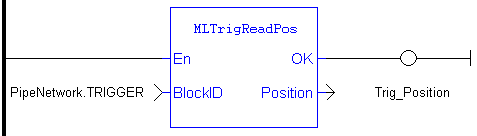
Returns the position of the block at the moment when it was triggered by the Trigger Block's selected
Once triggered, a block has to be reset before it can be triggered again. All events that are sent to a block while in a triggered state are ignored and the position and time information is lost.
MLTrigReadPos
|
BlockID |
Description |
ID number of an initiated Trigger object |
|
|
Data type |
DINT |
|
|
Range |
[-2147483648, 2147483648] |
|
|
Unit |
n/a |
|
|
Default |
— |
|
Position |
Description |
Returns the position of the selected block's Axis at the moment when it was triggered |
|
|
Data type |
LREAL |
|
|
Unit |
User unit |
|
//Save position of Axis when Fast Input event occurs Trig_Position := MLTrigReadPos( PipeNetwork.TRIGGER );
|

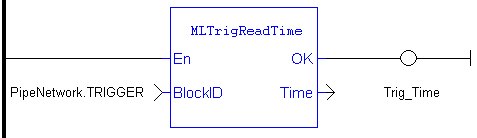
Returns the time of the moment where the block was triggered in milliseconds. This value is only valid when TrigIsTrigged() returns TRUE. The output is computed from the timestamp of a Fast Input time event
Once triggered, a block has to be reset before it can be triggered again. All events that are sent to a block while in a triggered state are ignored and the position and time information is lost.
MLTrigReadTime
|
BlockID |
Description |
ID number of an initiated Trigger object |
|
|
Data type |
DINT |
|
|
Range |
[-2147483648, 2147483648] |
|
|
Unit |
n/a |
|
|
Default |
— |
|
Time |
Description |
Returns the time that the Trigger Block's selected Fast Input was triggered |
|
|
Data type |
LREAL |
|
|
Unit |
milliseconds |
//Save time when Fast Input event occurs
Trig_Time := MLTrigReadTime( PipeNetwork.TRIGGER );

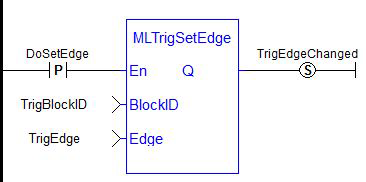
Sets the edge configuration (rising, falling, etc.) for a trigger block. This block should be called prior to calling
| BlockID | Description | Identifier of the trigger block |
|
|
Data type | DINT |
|
|
Range | [-2147483648, 2147483647] |
|
|
Unit | n/a |
|
|
Default | — |
| Edge | Description | The edge on which to trigger 0 = disable the fast input 1 = rising edge 2 = falling edge |
| Data type | DINT | |
| Range | [0,2] | |
| Unit | n/a | |
| Default | 1 (rising edge) |
| Q | Description | True if block executed successfully False if execution is not successful |
|
|
Data type | BOOL |
|
|
Unit | n/a |
BOOL


Electronic sensors are not able to respond immediately to a signal. Sensors usually require a certain amount of time to process a change of state in their input signal. This function allows the trigger block to calculate the exact moment at which a signal was triggered by letting you specify the delay introduced by the sensor.
| BlockID | Description | Identifier of the trigger block |
|
|
Data type | DINT |
|
|
Range | [-2147483648, 2147483648] |
|
|
Unit | n/a |
|
|
Default | — |
| Delay | Description | Reaction time of the sensor that the trigger block has to compensate |
|
|
Data type | LREAL |
|
|
Range | — |
|
|
Unit | microseconds |
|
|
Default | — |
|
|
Description | Returns TRUE if the delay is successfully set |
|
|
Data type | BOOL |
|
|
Unit | n/a |
BOOL
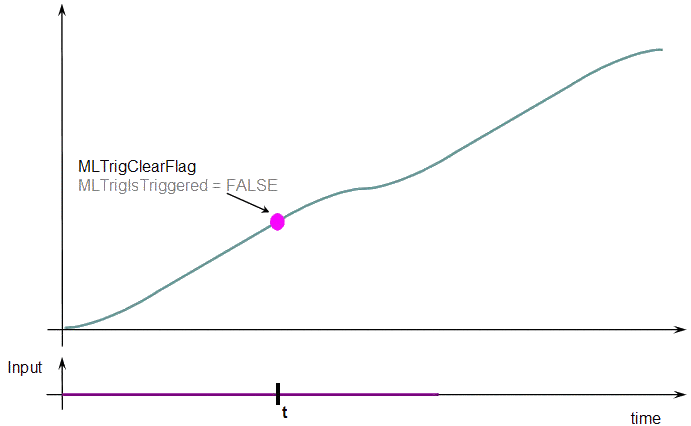
When you call the MLTrigClearFlag function, the flag for trigger is reset to False.
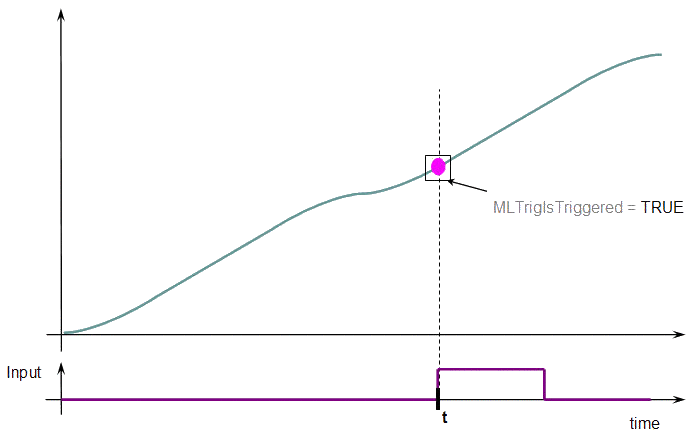
When a Fast Input is set, the MLTrigIsTriggered function returns True.
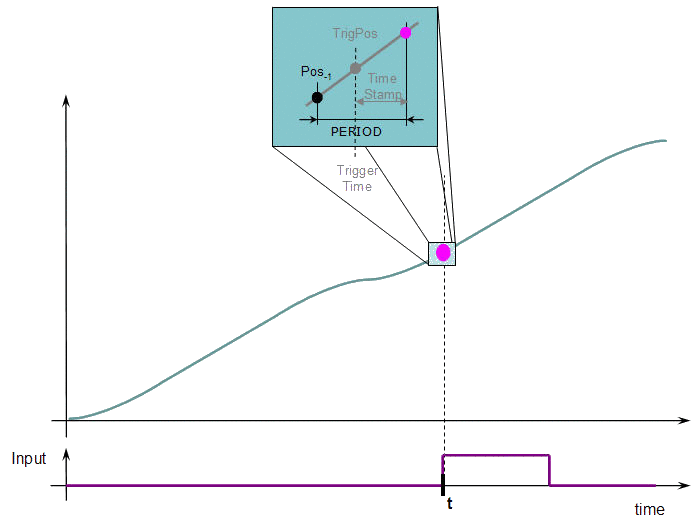
Then you can call the MLTrigReadPos and MLTrigReadTime functions to get more details.
Trigger Functions Usage
The trigger delay has to be calculated by you and set with the MLTrigWriteDelay function block.
This delay belongs to the sensor and it is additional to the MLTrigReadTime / MLTrigReadPos.