Log Configuration
You can configure the log to filter the messages that are displayed. Each source can be set with its own level.
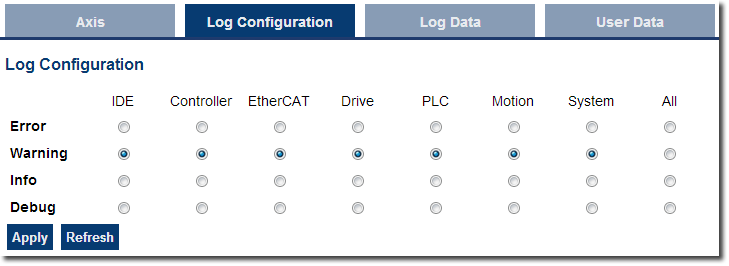
Each message has one of the following levels, with importance in descending order:
Error > Warning > Info > Debug
-
-
How to Choose the Appropriate Level?
When a level is set for a source, only messages with the same or higher importance are recorded. For example, if a source is set to WARNING, then all messages with levels WARNING, ERROR and CRITICAL are recorded (DEBUG and INFO messages are discarded).
Therefore, DEBUG is the most verbose and ERROR is the least verbose level. Filtering is quicker with less verbose levels, due to the number of messages.
-
-
Critical messages are always recorded. Therefore, the Critical level is not visible.

| Level | Icon | Description |
|---|---|---|
| DEBUG |

|
Any information logged for development purpose. You may safely ignore this log. |
| INFO |

|
Information status of the current process. You may safely ignore this log. |
| WARNING |

|
System is stable but the KAS IDE warns that an unexpected event can occur. You can ignore this log. |
| ERROR |

|
The application does not behave as expected but the processes remain stable. |
| CRITICAL |

|
Application crashes or becomes unstable. Data is corrupted. At this point the application behavior can be unpredictable. |