MLSyncInit

 Function
 A function calculates a result according to the current value of its inputs. A function has no internal data and is not linked to declared instances. - Initializes a synchronizer Pipe Block.
Returns TRUE if the function succeeded.
This FB is automatically created in the compiled code of a Pipe Network.
This function block is part of the MLPN_CREATE_OBJECT to initialize the Pipe Network. It is called at the beginning of an application program with the function call:
|
PipeNetwork(MLPN_CREATE_OBJECTS); |
Arguments
Input
|
BLockID |
Description |
Name of the Pipe Network Block |
|
Data type |
DINT |
|
|
Range |
[-2147483648, 2147483648] |
|
|
Unit |
n/a |
|
|
Default |
— |
|
|
ModuloPosition |
Description |
The modulo distance |
|
Data type |
LREAL |
|
|
Range |
— |
|
|
Unit |
User unit |
|
|
Default |
— |
|
|
CurveType |
Description |
The curve type to the motion when starting and stopping synchronization. Option are Parabolic or Polynomial |
|
Data type |
DINT |
|
|
Range |
[1 , 2] (1 = Parabolic, 2 = Polynomial) |
|
|
Unit |
n/a |
|
|
Default |
— |
|
|
DeltaS |
Description |
The Distance to get in or out of synchronization. This parameter is used in the MLSyncStart and MLSyncStop FunctionBlocks |
|
Data type |
LREAL |
|
|
Range |
— |
|
|
Unit |
User unit |
|
|
Default |
— |
Output
|
Default (.Q) |
Description |
Function Block |
|
Data type |
BOOL |
|
|
Unit |
n/a |
Related Functions
Example
Structured Text
//Initialize  a synchronizer  Pipe Block named “ SYN” with a modulo of 360, Curve Type of Parabolic, and a distance (DeltaS) of 30 to get in and out of synchronization
MLSyncInit( PipeNetwork.SYN, 360, 1, 30 );
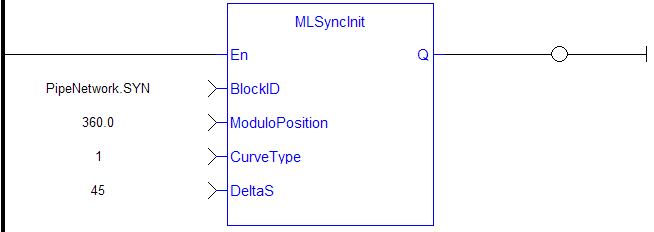
Ladder Diagram
Function Block Diagram



