
 Function - Initializes a sampler object.
Inputs
|
Input |
Data Type |
Range |
Unit |
Default |
Description |
|---|---|---|---|---|---|
|
BlockID |
DINT |
1 to 1024 |
N/A |
No default |
ID Name of the SMP function in the Pipe Network. |
|
SamplingPeriod |
LREAL |
0.25 to 31,557,600,000.0 |
Millisecond |
No default |
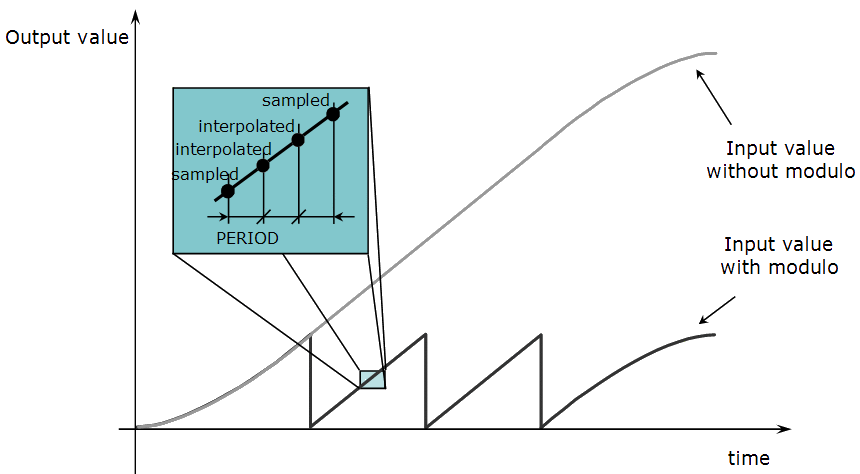
Period that the device is sampled, expressed in milliseconds.
Figure 1: Example: Sampler Period |
|
Mode |
DINT |
See Description. |
N/A |
No default |
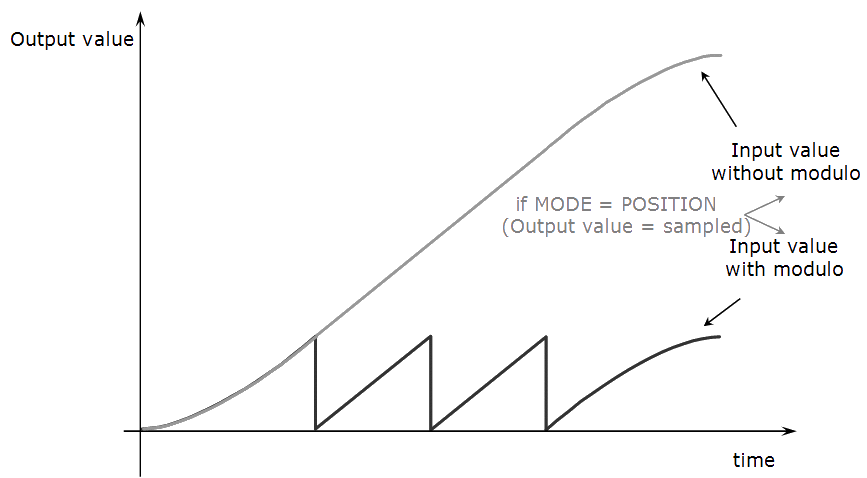
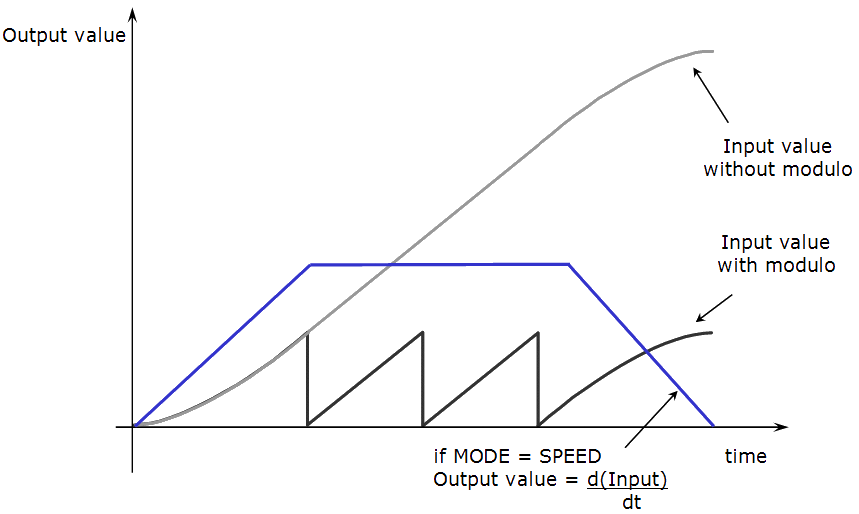
Sampled output can be either Position or Speed.
Figure 2: Sampler Mode Position
Figure 3: Sampler Mode Speed |
|
InputModuloPosition |
LREAL |
0 to 1.0x10300 |
User units |
No default |
Period of the input signal.
|
|
OutputModuloPosition |
LREAL |
0 to 1.0x10300 |
User units |
No default |
Period of the output signal.
|
Outputs
|
Output |
Data Type |
Range |
Unit |
Description |
|---|---|---|---|---|
|
Default (.Q) |
BOOL |
FALSE, TRUE |
N/A |
|
Modulo Affects on the Signal Scaling
This table lists how the values of InputModuloPosition and OutputModuloPosition affects the scaling of the signal.
|
InputModuloPosition Value |
OutputModuloPosition Value |
Scaling Effect |
Rollover Effect |
|---|---|---|---|
|
Non-zero |
Non-zero |
Output signal = (Input signal) x (OutputModuloPosition / InputModuloPosition) |
Output signal rolls over at OutputModuloPosition. |
|
0 (zero) |
0 (zero) |
Output signal = Input signal |
Output signal does not roll over. |
|
Non-zero |
0 (zero) |
Output signal = Input signal |
Output signal rolls over at OutputModuloPosition. |
|
0 (zero) |
Non-zero |
Output signal = Input signal |
Output signal rolls over at InputModuloPosition. |
Remarks
- This sampler block is used to periodically sample and place into a pipe some output of a source object.
- The sampled output can be the POSITION or SPEED of a source object measured by a resolver, an encoder, or some other types of sensor.
- The sampler implements the logical connection between:
- An encoder on a physical master axis (the source object).
- One or more pipes.
- It performs the function of periodically sampling the source and placing the sampled values into the pipe.
- This function block is automatically called by the Function PipeNetwork(MLPN_CREATE_OBJECTS) if an SMP Block is added to the Pipe Network, with user-defined settings entered in the Pipe Blocks Properties screen.
- The SMP Pipe Block is assigned a Name, SAMPLING_PERIOD, MODE, INPUT_VALUE_PERIOD, and OUTPUT_VALUE_PERIOD.
- This function can be programmed from within the Pipe Network block.
Right-click the block and click Properties.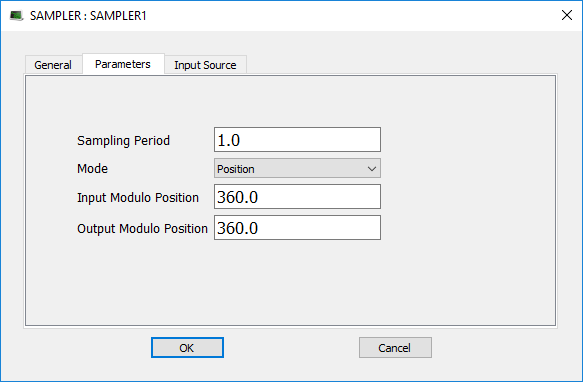
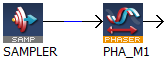
- To offset the Sampler Block Output Position in the Pipe Network either:
- Place a Phaser Block (and write MLPhaWritePhase in the application code).
- Place a Gear Block (and write MLGearWriteOff ) after the Sampler Block.
|
Use AKD Secondary Feedback |
Use AKD2G Additional Feedback |
|---|---|
|
|
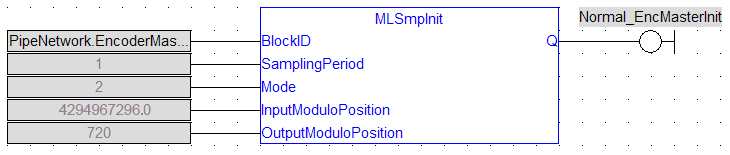
FBD Language Example
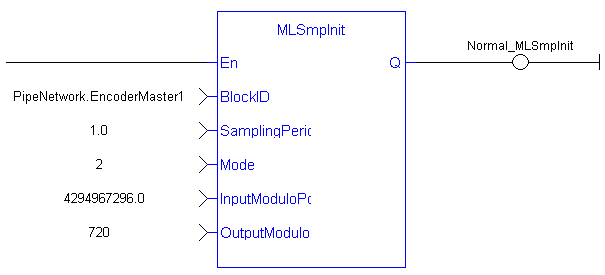
FFLD Language Example
IL Language Example
Not available.
ST Language Example
//Initialize  a Sampler Pipe Block named “EncoderMaster1” to a Sample Period of 1 millisec, Mode of Operation to 2(Velocity), Input Modulo of 4294967296, and Output Modulo of 720
MLSmpInit( PipeNetwork.EncoderMaster1, 1.0,2,4294967296,720);
See Also


