 Function - Format the present date/time to a string with a custom format.
Inputs
|
Input |
Data Type |
Range |
Unit |
Default |
Description |
|---|---|---|---|---|---|
|
FMT |
STRING |
No range |
N/A |
'%Y/%m/%d - %H:%M:%S' |
Format string |
Outputs
|
Output |
Data Type |
Range |
Unit |
Description |
|---|---|---|---|---|
|
Q |
STRING |
No range |
N/A |
String containing formatted date or time. |
Remarks
-
-
The real-time clock may not be available on all controller hardware models.
See the controller hardware specifications for real-time clock availability.
- The format string may contain any character.
- Special markers beginning with the % character indicates a date/time information:
|
Marker |
Description |
|---|---|
|
%Y |
Year including century (e.g., 2006) |
|
%y |
Year without century (e.g., 06) |
|
%m |
Month (1..12) |
|
%d |
Day of the month (1..31) |
|
%H |
Hours (0..23) |
|
%M |
Minutes (0..59) |
|
%S |
Seconds (0..59) |
|
%T |
Milliseconds (0..999) |
Example
(* we are at July 04th 2006, 18:45:20 *)
   Q := DTFORMAT ('Today is %Y/%m/%d -%H:%M:%S');
(* Q is 'Today is 2006/07/04 - 18:45:20 *)
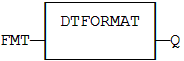
FBD Language Example
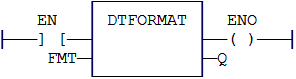
FFLD Language Example
- The function is executed only if EN is TRUE.
- ENO keeps the same value as EN.
IL Language Example
Not available.
ST Language Example
Q := DTFORMAT (FMT);
See Also


