Set Up FSoE Master and an AKD2G with SafeMotion Monitor
- Manually set up FSoE PDOs.
- Copy links for a FSoE Master and an AKD2G with SafeMotion Monitor.
This example uses a simple EtherCAT topology consisting of:
- A Controller (PxMM or PCMM2G).
- A BBH SCU safety master (Device_1).
- An AKD2G with SMM Basic safety drive (AKD2G_1).
-
- If using a BBH SCU-1-EC and SafePLC2 software, the FSoE PDOs can be automatically setup by the KAS-IDE and SafePLC2.
See SafePLC2 Projects.
For all other third party FSoE Masters, use this procedure.
1. Create Safety Application
Use the 3rd-party Safety PLC software to create a safety application for the FSoE master.
Example: The application will contain a FSoE master and an AKD2G with Axis1 and Axis2 as slave devices.
- Set the AKD2G Connection IDs to match the the AKD2G SafeIDs.
- Compile and download the safety application to the FSoE Master.
- Run the safety application in FSoE Master.
The state is Run Intern and the FSoE state is 8.
2. KAS-IDE Project Set Up
To finish the example, a project is created in the KAS-IDE using the 2-axis Pipe Network template.
- The IP address of the controller is set in the project.
- Scan the EtherCAT network to discover the devices. (Figure 1)
- We are prompted to recompile the project due to changes in the EtherCAT topology.
We respond No because we have not set up the PDO copy links. - To connect the PDOs we open the FSoE / PDO Connections tab which is populated with Input and Output PDOs. (Figure 2)
- To connect PDOs we choose an input, an output, and click the Connect button.
Connections are displayed at the bottom of the tab. (Figure 3) - We make these connections:
- Device_1[SCU] PDO 0x1A00 to AKD2G_1 PDO 0x1650
- Device_1 [SCU] PDO 0x1A20 to AKD2G_1 PDO 0x1660
- AKD2G_1 PDO 0x1A50 to Device_1 [SCU] PDO 0x1600
- AKD2G_1 PDO 0X1A60 to Device_1 [SCU] PDO 0x1620
- Compile, download, and run the KAS application.
The BBH master has changed the state to Run and the FSoE state is 4.
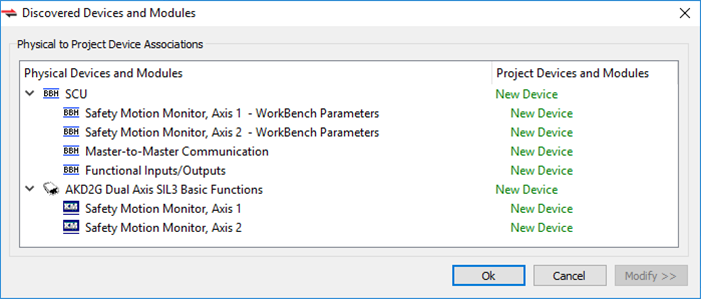
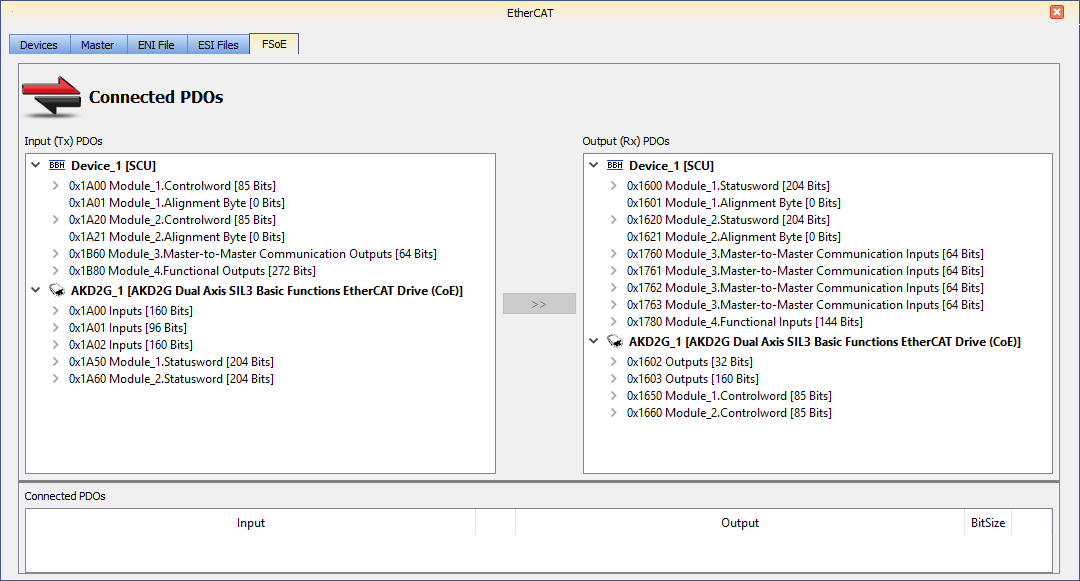
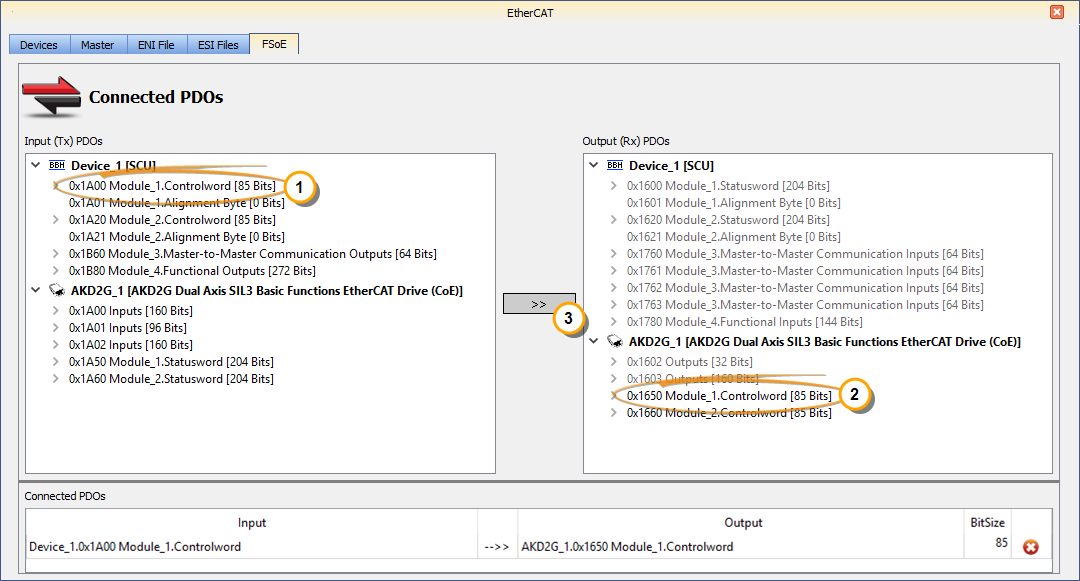
Figure 3: Chosen input and output
The Safety Master and the Safety Slave are now exchanging data over EtherCAT.
See Also


