Change a PLCopen Axis
- In the Project Explorer, double-click a PLCopen axis.
- Right-click the PLCopen axis in the project manager.
- Select Properties in the menu. (Figure 1)
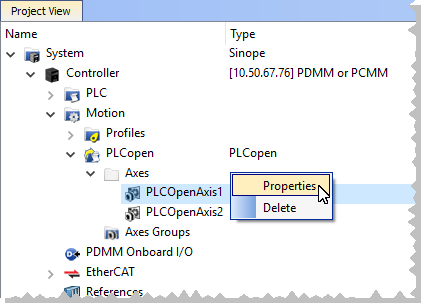
Figure 1: PLCopen Axis right-click menu - Properties
The PLCopen Axis Data dialog opens. (Figure 2)
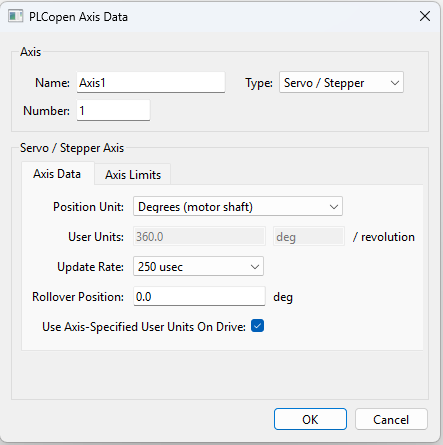
Axis Name and Number
When the project is compiled, the PLCopen axis Name and Number (from the PLCopen Axis Data dialog - Figure 2) are automatically applied to the PLCopen instance of an AXIS_REF structure under Global variables in the Dictionary. (Figure 3)
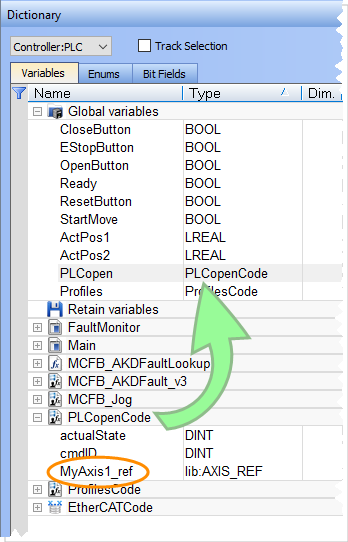
Figure 3: Dictionary - Variables tab
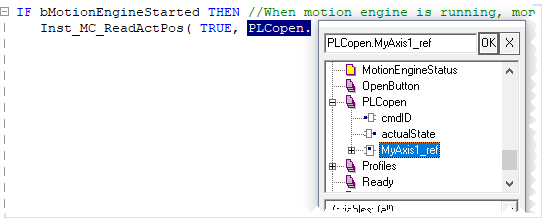
The PLCopen.XXXXXX_ref (e.g., MyAxis1) instance can be used in the PLC programs. (Figure 4 and Figure 5)
|
|
|
|

See AXIS_REF Structure.


