Set the Axis Block Position Units
You can set the position units in the parameter screen of the Axis block.
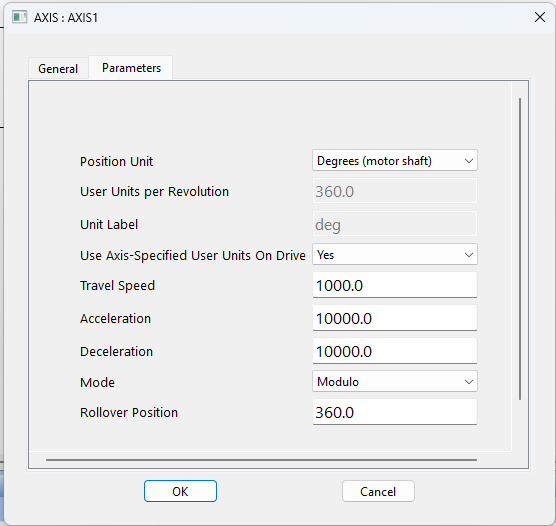
Figure 1: Setting Axis Units
Guidelines for Suitable Settings
- The user unit is adapted for the machine.
- The user unit should:
- Be meaningful for the user.
- Be used for all related axes.
- Refer to the position of the final moving object, instead of any intermediate part (e.g., the belt position rather than the position of the axis shaft)
Speed is defined in User Units for position / second (e.g., cm/s).
Acceleration is defined in User Units for position / second2 (e.g., cm/s2).
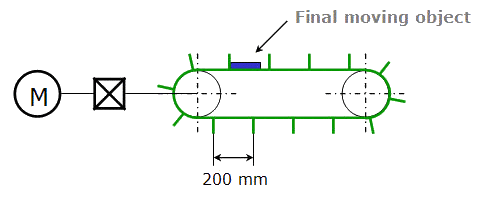
Figure 2: Setting the Units - Example
In this example:
- The belt flaps are about 60 degrees away from each other on the wheel, so 6 flaps would pass on a rotation of the axis.
- This corresponds to 1200mm/revolution.
- Because the diagram specifies millimeters, select Custom from the Position Unit drop down box.
- Enter 1200.0 into the User Units Per Revolution text box.
- Enter mm box into the Unit label text box.


