Auto-completion of Words
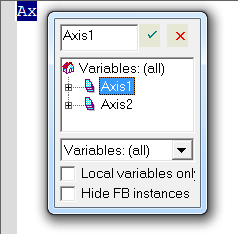
Figure 1: Example: Auto-completion
Press Ctrl + Space or Ctrl + J to activate auto-completion.
- If you use auto-complete and there is no match for a variable name in the Dictionary, press ENTER to open the Jog Speed dialog box. (Figure 2)
- Use the dialog box to define a new variable.
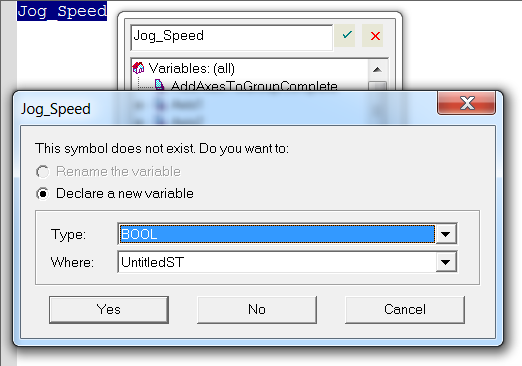
Figure 2: Jog Speed dialog box
These features are available:
|
Auto-completion of: |
Action |
|---|---|
|
Variable Name |
|
|
FB Member |
Type the name of a function block instance (used either as an instance or a data structure). Press the point (.) after the name of the instance; a pop-up list opens with the names of possible members. |
Other Syntax-related Commands
When lines are selected, you can automatically indent them.
Press <Tab> or <Shift+Tab> to shift the lines to the left or right, by adding or removing blank characters on the left.


