Security tab
-
-
This tab is only visible for PCMM2G controllers.
This tab is used to:
- Change the user's Web server account password.
See Change the User's Web server Account Password. - Manage remote access to the controller via SSH.
See SSH Connection. - Manage non-secure connection access via HTTP.
See HTTP Configuration.
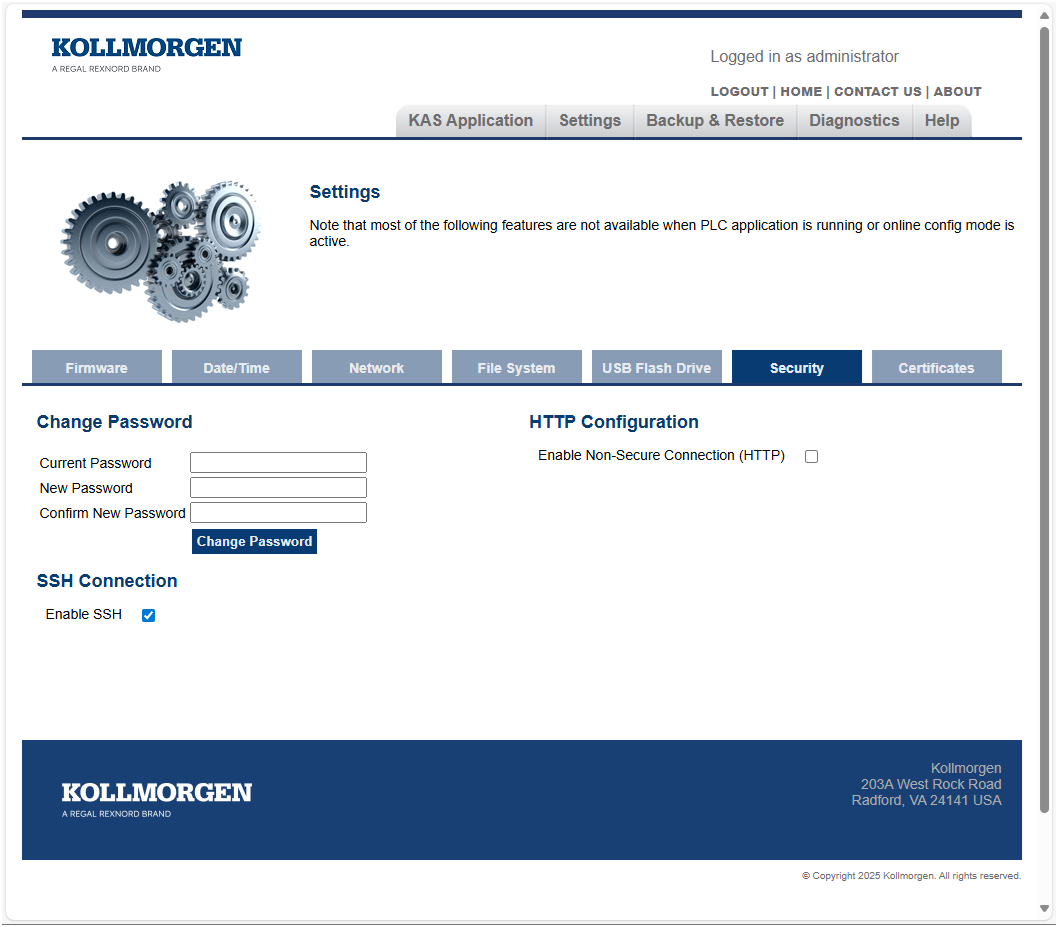
Figure 1: Security tab
Change the Password
This area is used to Change the User's Web server Account Password.
SSH Connection
This area is used to manage the Remote Access to the PCMM2G controller via SSH (Secure Shell).
- SSH is a network protocol that gives the users a secure way to access an external system remotely.
- It provides a text-based interface by spawning a remote shell.
- By default, the
SSH access is disabled on the PCMM2G to enhance security.
- By keeping SSH access off, the PCMM2G controller minimizes the risk of external attacks.
- SSH may need to be enabled in certain advanced troubleshooting scenarios.
- SSH access allows diagnostic commands and access to system logs.
- See Using SSH.
|
Setting |
Description |
|---|---|
|
Enable SSH check box |
Changing the state of the check box immediately changes the configuration on the controller.
|
HTTP Configuration
This area is used to manage the non-secure connection to the PCMM2G using Hypertext Transfer Protocol (HTTP).
- HTTP is a communication protocol that transfers unencrypted data between the user’s browser and the webserver.
- Hypertext Transfer Protocol Secure (HTTPS) is a secure extension of HTTP that provides encrypting and verification to the data transferred between the user’s browser and the webserver.
- By default, HTTP connections are disabled and will redirect to HTTPS on the PCMM2G to enhance security.
- By keeping HTTP disabled, the PCMM2G minimizes the risk of vulnerable data being exposed.
- HTTP may need to be enabled in certain legacy configurations that do not support HTTPS.
|
Setting |
Description |
|---|---|
|
Enable Non-Secure Connection (HTTP) check box |
Changing the state of the check box changes the HTTP configuration on the controller and reboots the controller.
|
Important Notes
Security
- To maintain the security of the device, always disable SSH access and HTTP connections when they are no longer needed.
Access Control
- Ensure that only authorized personnel have access to the web interface and change security settings.
SFTP Support
- File transfer using SFTP (Secure File Transfer Protocol) is not supported when SSH is disabled.
- SFTP relies on SSH for secure file transfer, so you will need to enable SSH to use SFTP.


