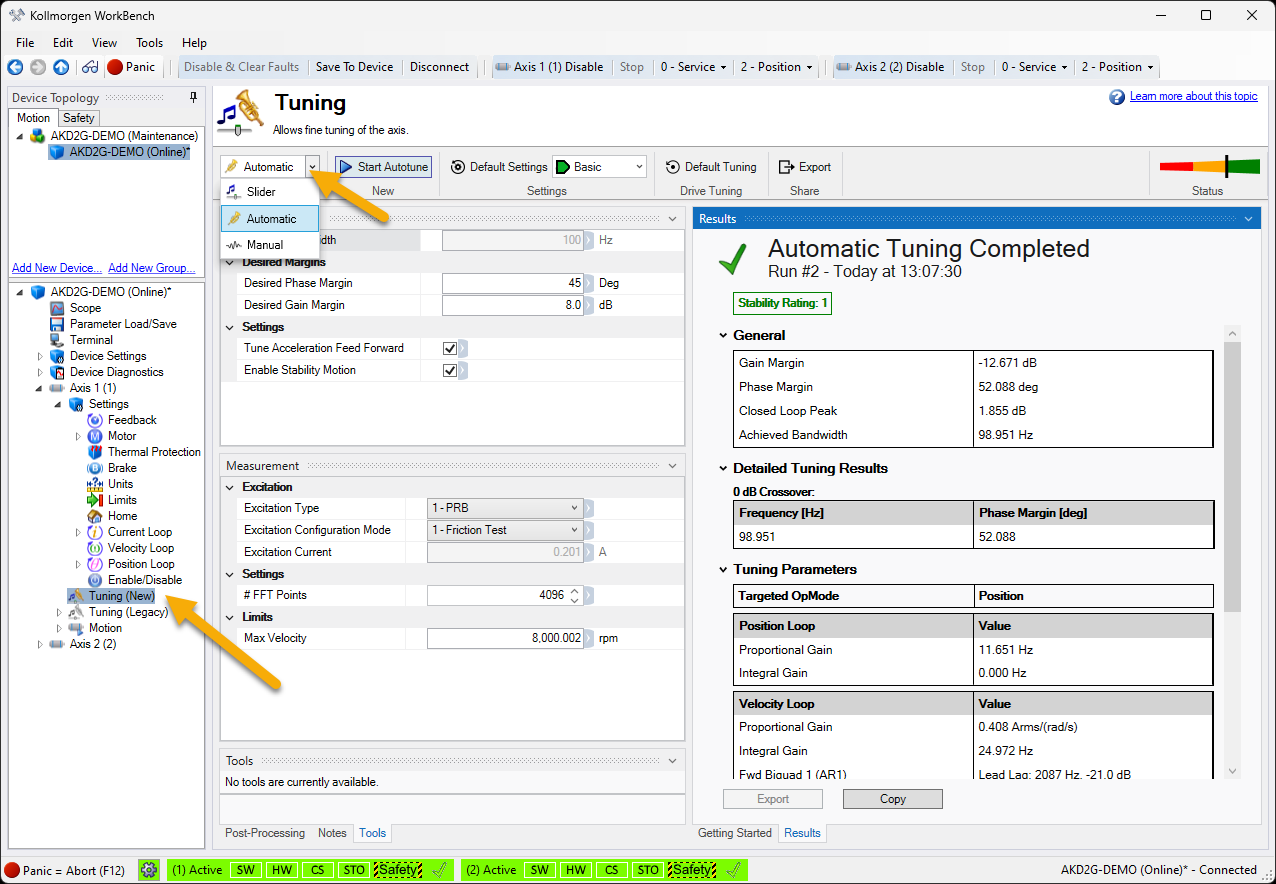
Tuning is the process of optimizing the servo drive response to the servo motor and loaded system (the machine) to minimize noise and vibration, or imbalance, while maximizing the performance. This can be done through three methods available in WorkBench.
-
Automatic Tuning - The automatic tuner is a one-button solution that lets the system configure all tuning parameters. Automatic tuning gets the system tuned and ready to operate in a wide variety of mechanical configurations and loads. More information on the Automatic Tuner works is included in the advanced section.
-
Slider Tuning - Slider tuning and can get the system operational quickly. With this method, only the proportional and integral gains are adjusted based on the desired bandwidth. Load inertia is measured and taken into account. None of the bi-quad filters are impacted by the slider tuning. Note the results of slider tuning may be "tweaked" for improved performance and stability.
-
Quick Tune - A quick inertia measurement is performed to characterize the system and based on the inertia measured a suitable target bandwidth is determined. The Quick Tune feature can be found in the Express Setup View and Slider Tuning pane.
-
Manual Tuning - Certain applications may require manual tuning where the gains and filters are set based on desired performance. Manual tuning can be used to "tweak" the results of slider tuning or automatic tuning to optimize application performance.