 Power View
From the Power screen, you can view and configure the drive power settings as follows.
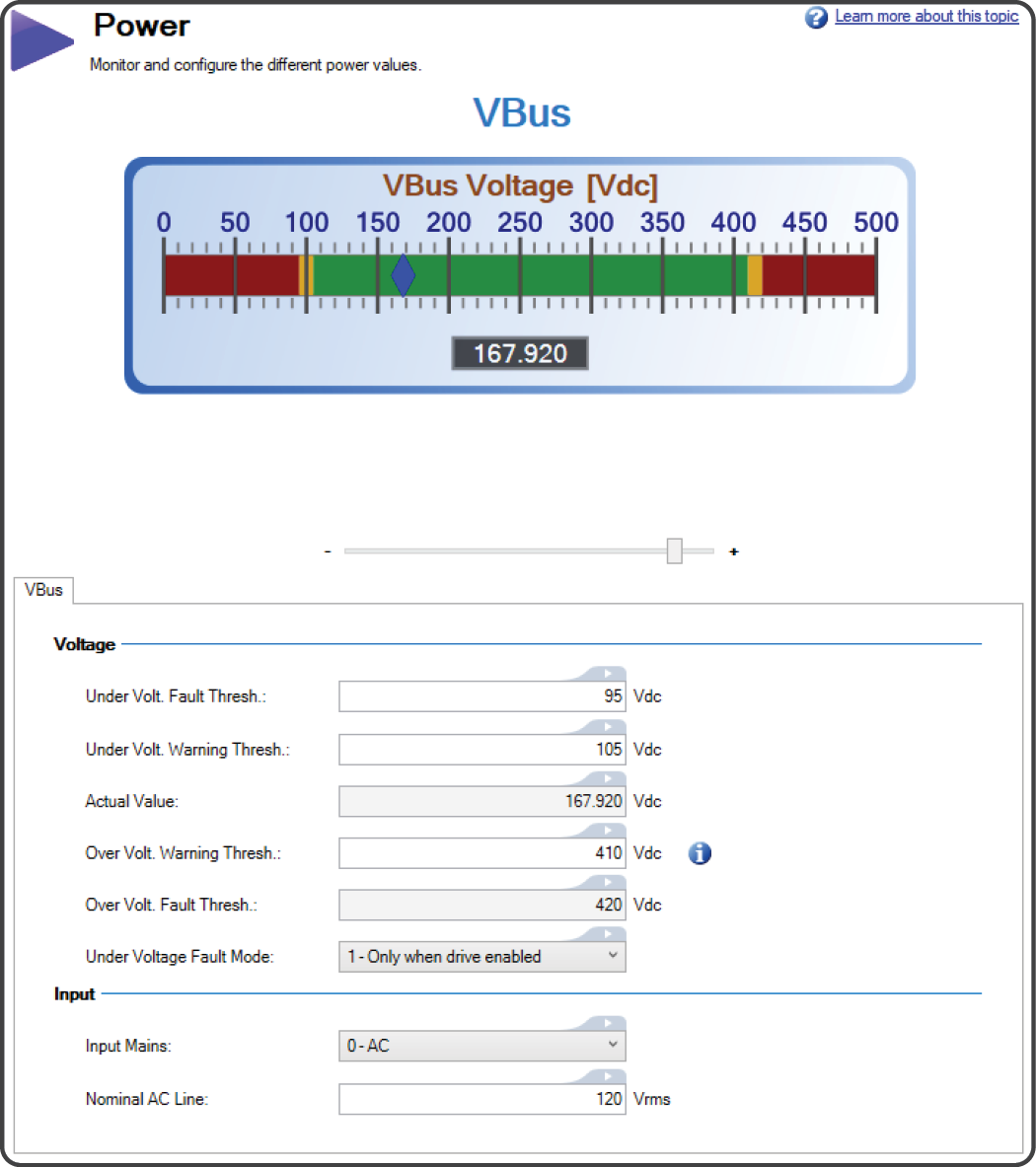
| Section | Element | Description | Parameter |
|---|---|---|---|
| Voltage | VBus Gauge | A graphical gauge representation of the DC bus voltage, including ranges for warnings and faults. The slider adjusts the zoom level of the gauge. | VBUS.VALUE |
| Under Voltage Fault Threshold | Sets the value at which an under voltage fault will occur | ||
| Under Voltage Warning Threshold | Sets the value at which an under voltage warning will occur | VBUS.UVWTHRESH | |
| Actual Value | Displays the current actual voltage value | VBUS.VALUE | |
| Over Voltage Warning Threshold | Sets value at which an over voltage warning will occur. Setting a value of 0 generates no warning. | VBUS.OVWTHRESH | |
| Over Voltage Fault Threshold | Sets value at which an over voltage fault will occur | VBUS.OVFTHRESH | |
| Under Voltage Fault Mode | Sets the behavior for when an under voltage fault are monitored. | VBUS.UVMODE | |
| Input | Input Mains | Sets whether the mains input is DC or AC. | VBUS.DCOPERATION |
| Nominal AC Line | Sets the operating voltage of the drive. | VBUS.ACNOMINAL | |
| Nominal DC Line | Sets the operating voltage of the drive. | VBUS.DCNOMINAL | |
| AC Line Phases | Sets whether the AC line input to the DC bus is single or three phase, and whether phase loss detection is active. | VBUS.THREEPHASE |
See Regeneration for more information about regen resistors and sizing regen resistors.
|
|
The device has not been evaluated for group installation. |

Operating Voltage
Operating voltage can be selected by the user to allow 480VAC drives to work on 240VAC input supplies.
A power-cycle is needed after changing the value and saving the parameter on the NV memory of the Drive, since the voltage thresholds mentioned above are read during the boot-sequence of the drive.


