Adding an Offline Device
To add an offline device to the project, perform the following.
- Go to the Project View and click on the Add Simulated button.
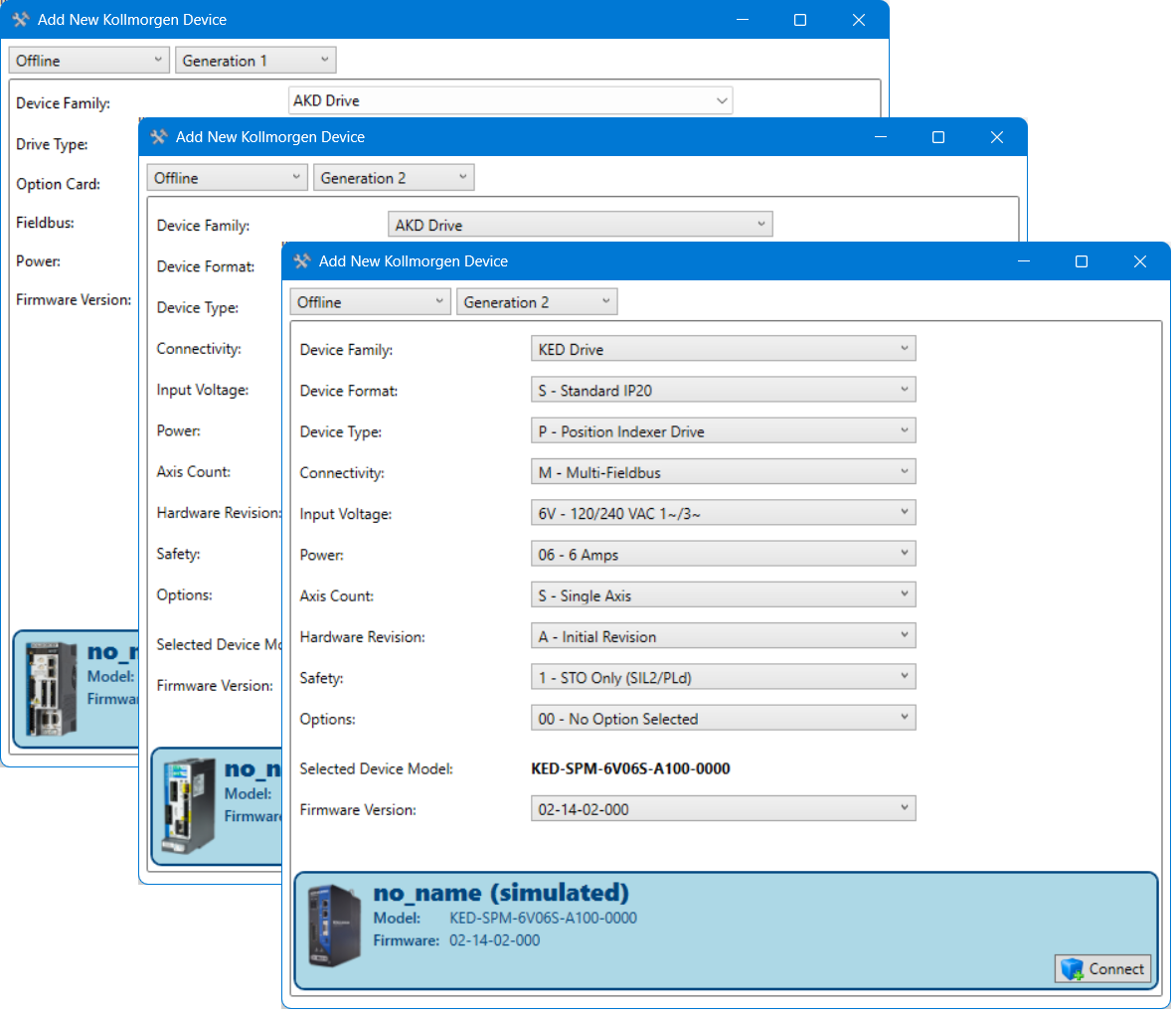
This opens a setup screen that lets you define the offline device. - Select the generation of the device to simulate.
- AKD-based devices (AKD-x and MKD) are 1st Generation
- AKD2G and Kollmorgen Essentials Drives are 2nd Generation
- Select the properties of the device you want to simulate
- Select the firmware version you want to simulate
- Validate by pressing Connect.
The device is now added to the project.