





Parameters Viewer
This view displays the current safe parameters configuration present in the drive. This can be different than what the Parameters Editor shows as the Parameters Editor is the last configuration within the project. This view is not available offline.
| Section | Function | Element | Description |
|---|---|---|---|
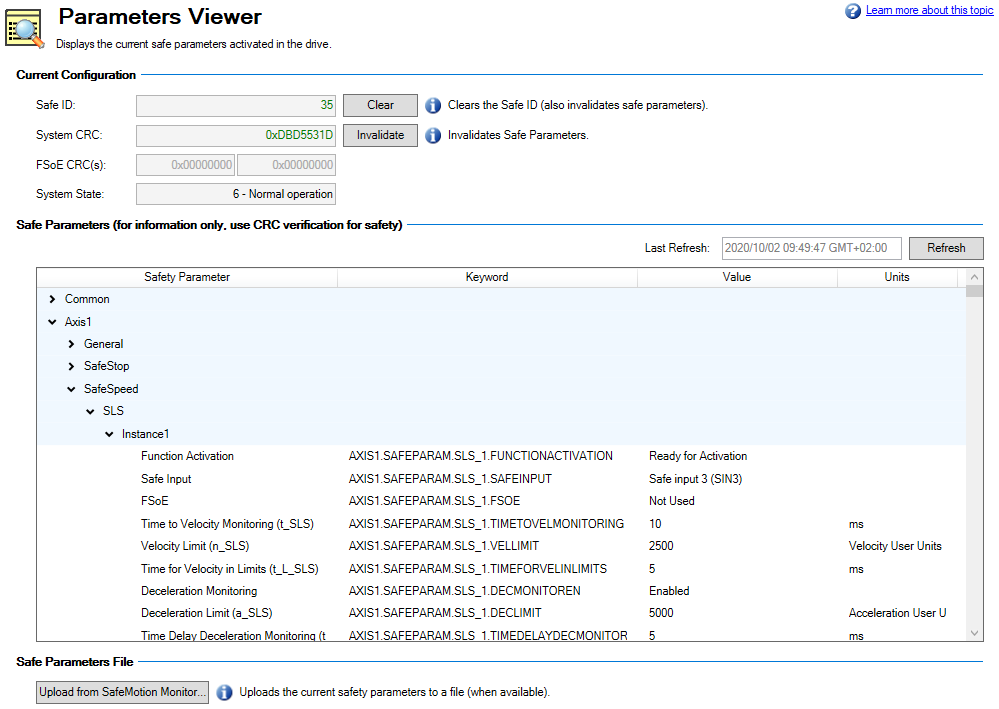
| Current Configuration | The information in this section displays the current information from the drive. | Safe ID | Displays the safe identifier (SAFE.ID) of the SafeMotion Monitor. |
| Clear button | Pressing this button clears the Safe ID and invalidates safe parameters. | ||
| System CRC | Displays the CRC (Cyclic Redundancy Check, SAFE.CRC) ensuring the integrity of the parameters throughout a safety group (can contain several devices). | ||
| Invalidate button | Pressing this button invalidates the safe parameters but does not affect the Safe ID. | ||
| FSoE CRCs | FSoE cyclic redundancy check (CRC) for axes on the device. | ||
| System State | This field displays the current status of the drive. | ||
| Safe Parameters | This section displays the drive's current parameters using the same grouping and names as the Parameters Editor.
|
Last Refresh | Displays the time of the last refresh. |
| Refresh button | Pressing this button refreshes the data. | ||
| table | This section displays the current parameters. The parameters have the same names as in the Parameters Editor, and use the same grouping as well. These values are read only. | ||
| Safety Parameter | The safety parameter name set in the Parameters Editor. | ||
| Keyword | The keyword for the parameter in the drive. | ||
| Value | The current value of the safety parameter. | ||
| Units | The unit used by the safety parameter. | ||
| Safe Parameters File | Upload a current safety parameters file. | Update from SafeMotion Monitor… |
Pressing this button will upload the safety parameters on the drive to a file. This file may be used as a backup or for commissioning a drive replacement.
|
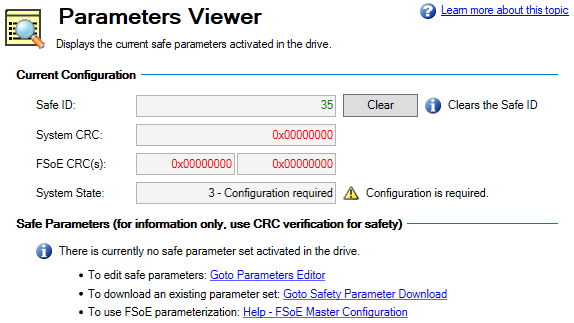
 Why is it that when I open this view I see configuration information, but there are no Safe Parameters displayed?
When the parameters are invalid, such as there is no CRC, this view prompts you to either edit the safe parameters or to download an existing set of parameters.