








Verifying Additional Settings in WorkBench After PLC Connection
After Verifying CIP Sync Mode and Synchronized/Locked State, verify additional settings in WorkBench after PLC connection.
After downloading the project and going to run mode, it is recommended that you verify your settings in WorkBench.
- Check the toolbar at the top of WorkBench and verify the Axis Control for Axis 1 and Axis 2 are set to:
- Command Source: 1 - Fieldbus
- OpMode: 2 - Position
- These settings are changed automatically when the CIP Sync connection is made from the PLC to the AKD2G-SPI drive, but it is recommended to verify the settings.
- Select Device Settings > Communication > EtherNet/IP > Axis # > CIP Sync tab.

 Click here for Step 2: Axis1_Rotary
- The drive is Connected and Synchronized.
- This is indicated by green LEDs in the GUI.
- The Cycle Time is shown in microseconds.
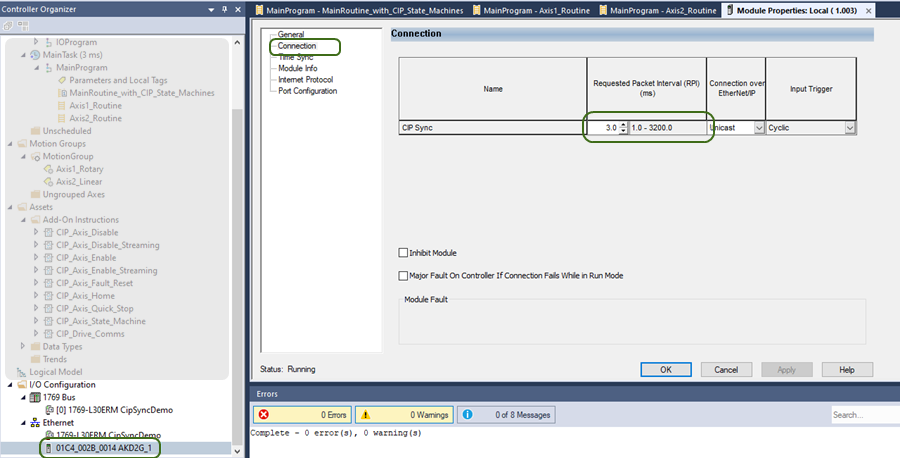
- This is the Requested Packet Interval (RPI) of the AKD2G Module in Studio 5000.
- The Sample project uses a 3 msec RPI (i.e., the Motion Group Base Update Rate + 1 msec).
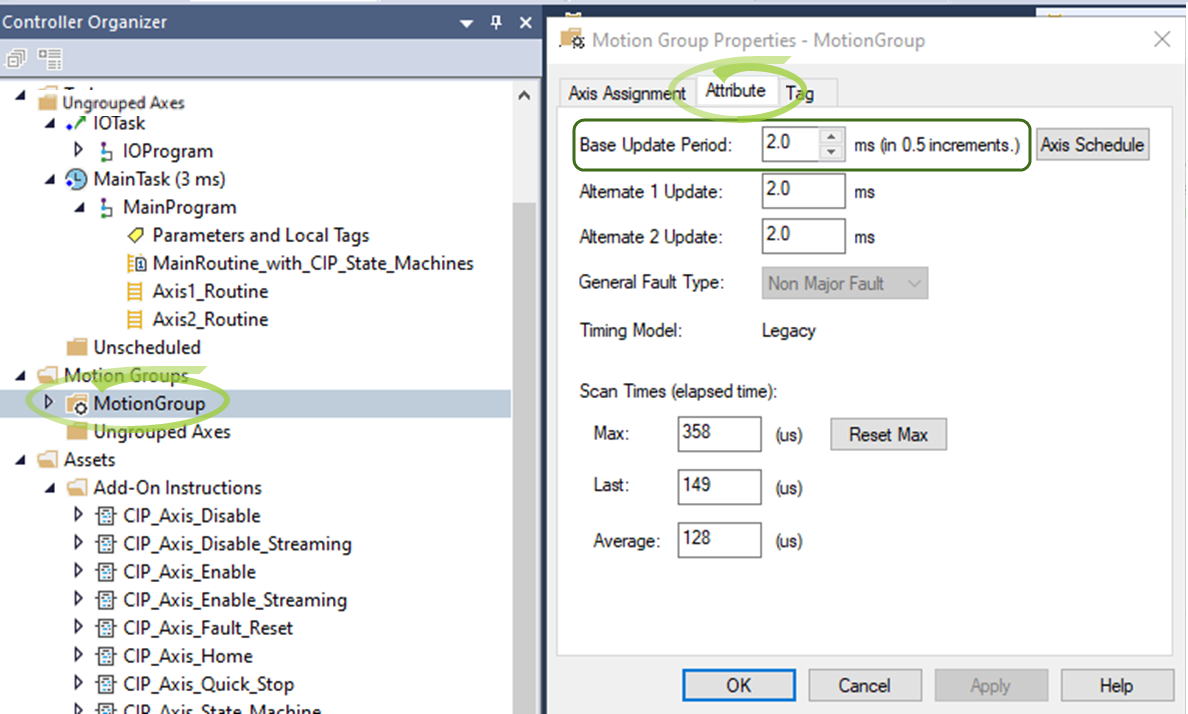
- Period: The Motion Group’s Base Update Period is:
- Read from the MotionGroup Properties (by the CIP_Axis_State_Machine AOI on the first scan).
- Written to the
- The Sample project uses a 2 msec Motion Group Base (Coarse) Update Rate.
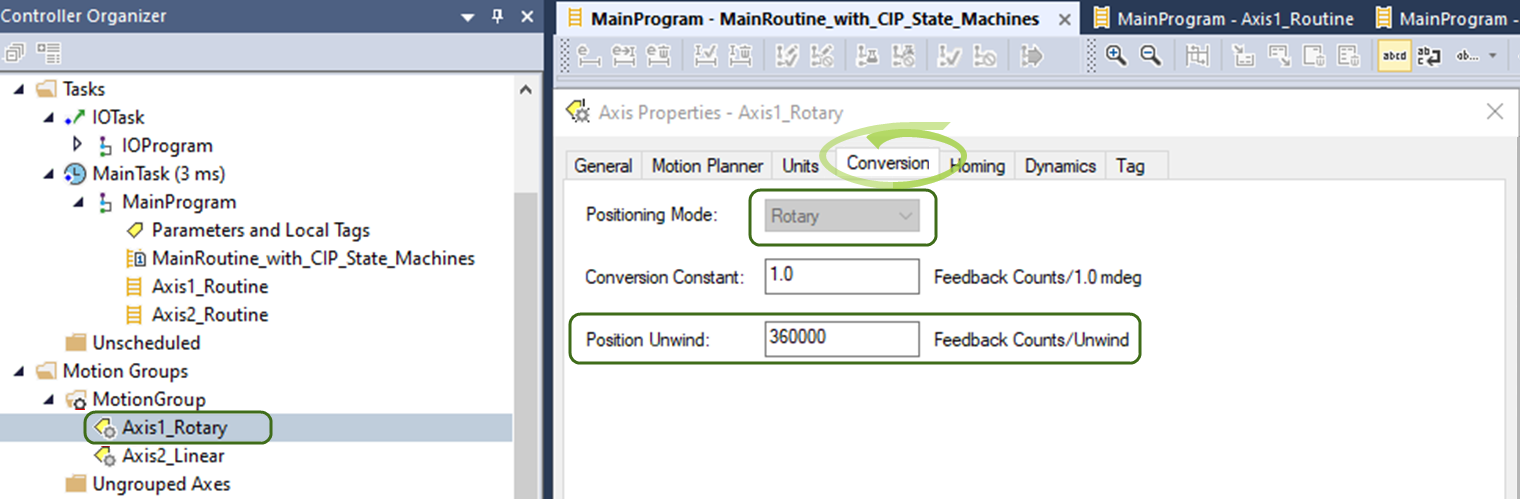
- Position Unwind is read from the MotionGroup Axis properties.
- In the Sample project, Axis 1 is a Rotary Axis.
- The Position Unwind is set to 360000.
- The Positioning Mode (Rotary) and Unwind value is:
- Read from the Motion Group Axis Properties (by the CIP_Axis_State_Machine AOI on the first scan).
- Written to the AXIS#.EIP.UNWIND parameter via the embedded UnwindMsg instruction in the CIP_Axis_State_Machine AOI for Axis 1.
- In the Sample project, Axis 1 is a Rotary Axis.
Click here for Step 2: Axis2_Linear
- The drive is Connected and Synchronized.
- This is indicated by green LEDs in the GUI.
- The Cycle Time is shown in microseconds.
- This is the Requested Packet Interval (RPI) of the AKD2G Module in Studio 5000.
- The Sample project uses a 3 msec RPI (i.e., the Motion Group Base Update Rate + 1 msec).
- Period: The Motion Group’s Base Update Period is:
- Read from the MotionGroup Properties (by the CIP_Axis_State_Machine AOI on the first scan).
- Written to the
- The Sample project uses a 2 msec Motion Group Base (Coarse) Update Rate.
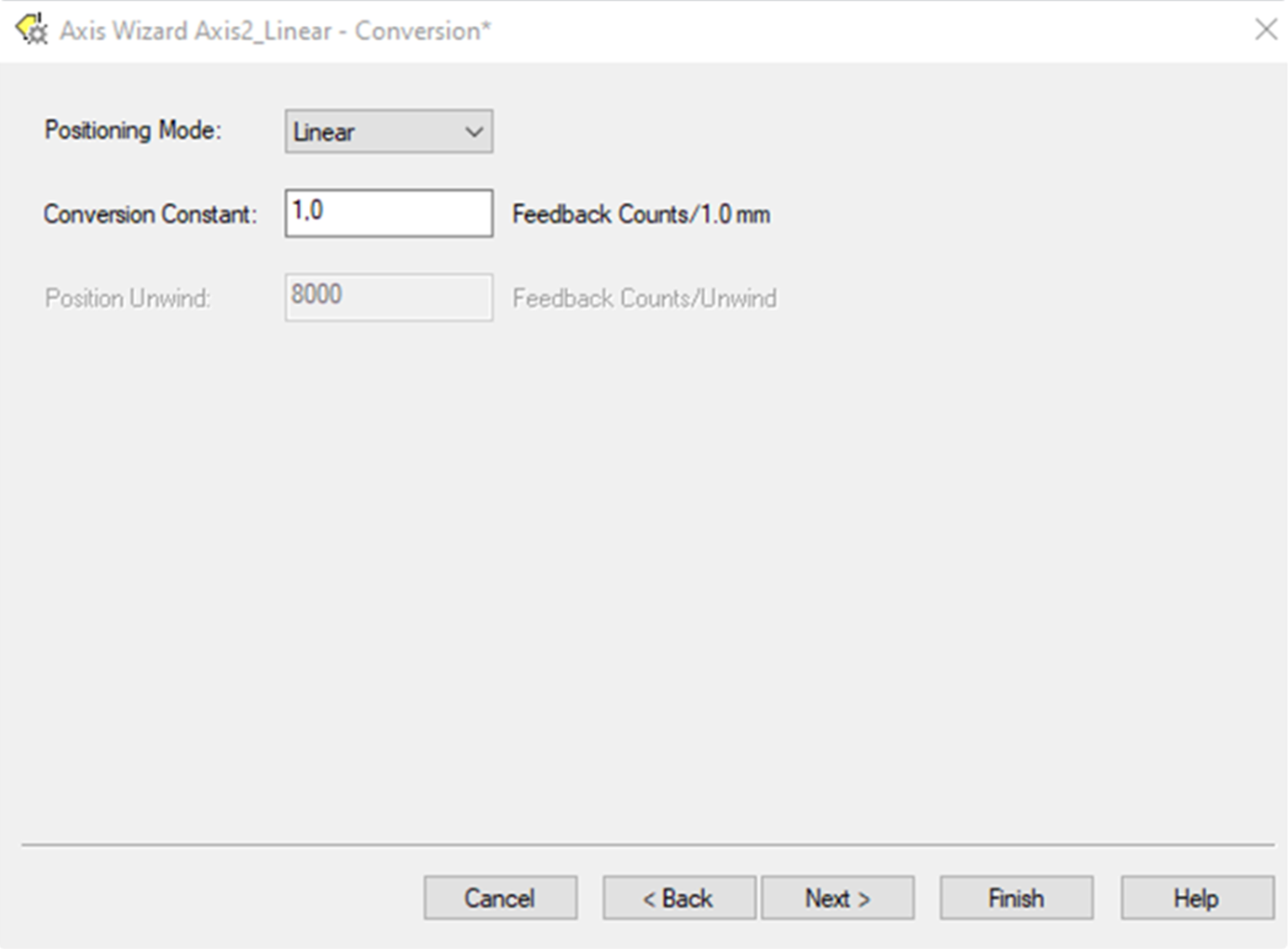
- Position Unwind: Set by the CIP_Axis_State_Machine AOI on first scan.
- Reading the Positioning Mode (Linear) from the Motion Group Axis Properties.
- If Linear, setting the Unwind value in the AKD2G drive for Axis 2 to 2,000,000,000 by the CIP_Axis_State_Machine AOI.
- Written to the AXIS#.EIP.UNWIND parameter via the embedded UnwindMsg instruction in the CIP_Axis_State_Machine AOI for Axis 2.
- Reading the Positioning Mode (Linear) from the Motion Group Axis Properties.


