








Scan for Boxes
A scan is needed for matches of the ESI version and the drive's firmware.
- Click Yes to scan for boxes (AKD drives).
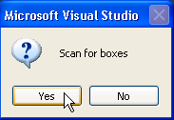
- If this is successful, a pop-up appears. For the next steps, go to Append a Linked Axis to a NC Axis.
- If unsuccessful, a screen appears indicating a mismatch between the ESI version and the drive’s firmware. This needs to be resolved before scanning or rescanning for boxes again.
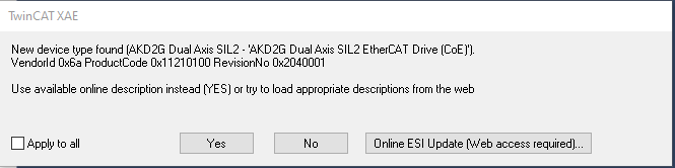
 How to Resolve
Click No to resolve then replace the XML file in the TwinCAT directory with the correct one by following these steps.
- In the tree on the left, click the TwinCAT project.
- Click to expand I/O.
- Right-click on Devices.
-
Right-click on Device x (EtherCAT) and click Remove.
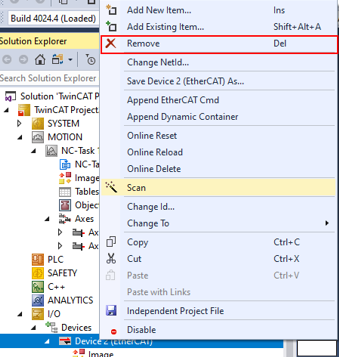
Once the correct XML file is added to the TwinCAT folder, reload the device descriptions following these steps.
- Click the TwinCAT tab.
- Click EtherCAT Devices > Reload Device Descriptions.
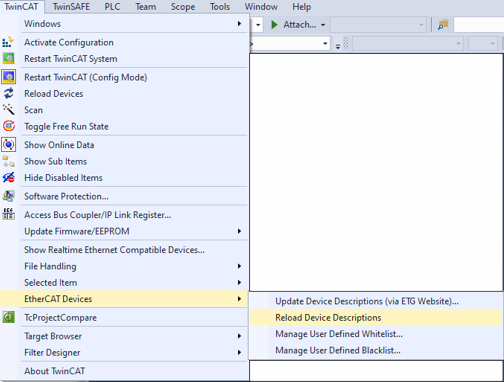
- Repeat the previous process, right-click on Devices in the project tree, scan and then scan for boxes.


