








Setup WorkBench Units
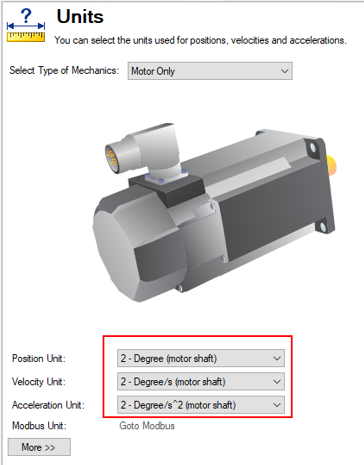
This section describes the setup for WorkBench to both read degrees, degrees/s, and degrees/s^2.
In the example below, TwinCAT 3 and WorkBench are both set to read degrees, degrees/s, and degrees /s^2.
Use WorkBench in these steps.
- Open a project in WorkBench.
-
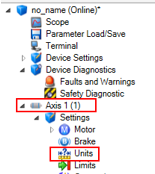
In the tree on the left, go to Device Diagnostics > Settings > Units.
For Axis 1
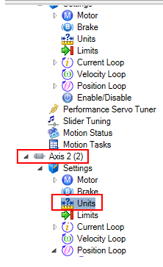
For Axis 2
To continue, follow the steps in Use the TwinCAT 3 Online Console.


