








TwinCAT 3 Scaling
As an example, these descriptions scale each axis for these units:
- Position-Degrees
- Velocity-Degrees/Sec
- Acceleration-Degrees/Sec^2
-
- This assumes the scale factor values for the AKD2G drive's CANopen dictionary by default or set in the TwinCAT 2 Startup.
Scaling Axis 1
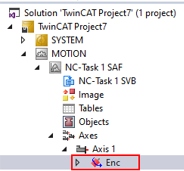
To scale Axis 1, in the tree on the left go to the TwinCAT project > NC-Task 1-SAF > Axes > Axis 1 > Enc.
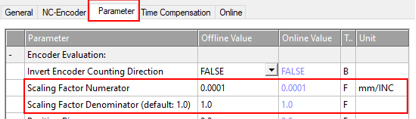
- Click the Parameter tab on the right.
-
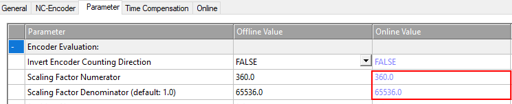
Click the Encoder Evaluation arrow to view the options. The Scale Factor Numerator and Denominator values can be changed under the Offline Value.
-
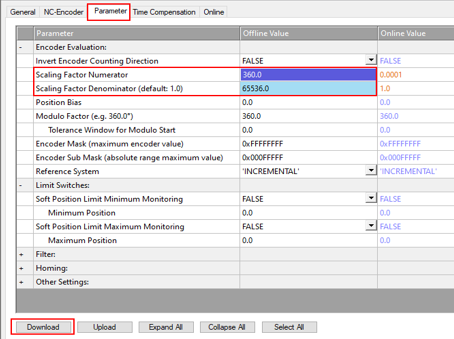
If changes are made and highlighted, click Download.
As an example below, the offline values were changed and highlighted. The Download button is activated.
-
Click Save now to save the changes.
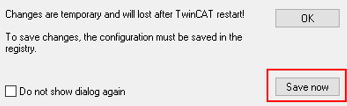
The Online values change appears.
Scaling Axis 2
Repeat steps used for Axis 1 using Axis 2.
To continue, follow the steps in Change Displayed Units .


